51
Enjoying Movies
To turn off the subtitles
Select “OFF” in Step 2.
Note
Depending on the DVD, you may not be able to
change the subtitles even if multilingual subtitles
are recorded on it. You also may not be able to turn
them off.
Adjusting the Picture
Quality (BNR)
The Block Noise Reduction (BNR) function
adjusts the picture quality by reducing the
“block noise” or mosaic like patterns that
appear on your TV screen.
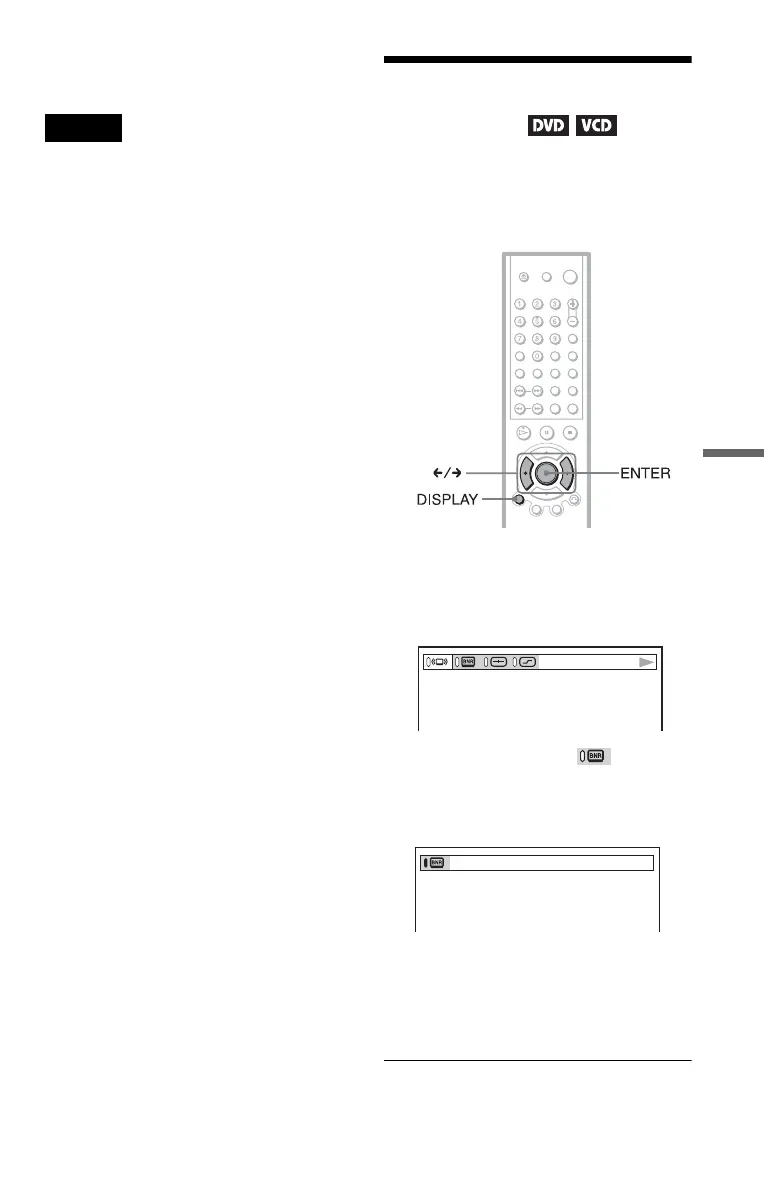
1 Press DISPLAY twice during
playback.
The following Control Bar appears.
2 Press C/c to select (BNR),
then press ENTER repeatedly to
select a level.
• 1: reduces the “block noise.”
• 2: reduces the “block noise” more than
1.
• 3: reduces the “block noise” more than
2.
c continued



 To Next Page