59
Using Various Additional Functions
If you make a mistake entering your
password
Press C before you press ENTER and input
the correct number.
If you make a mistake
Press O RETURN.
To turn off the display
Press DISPLAY repeatedly until the display
is turned off.
Controlling Your TV with
the Supplied Remote
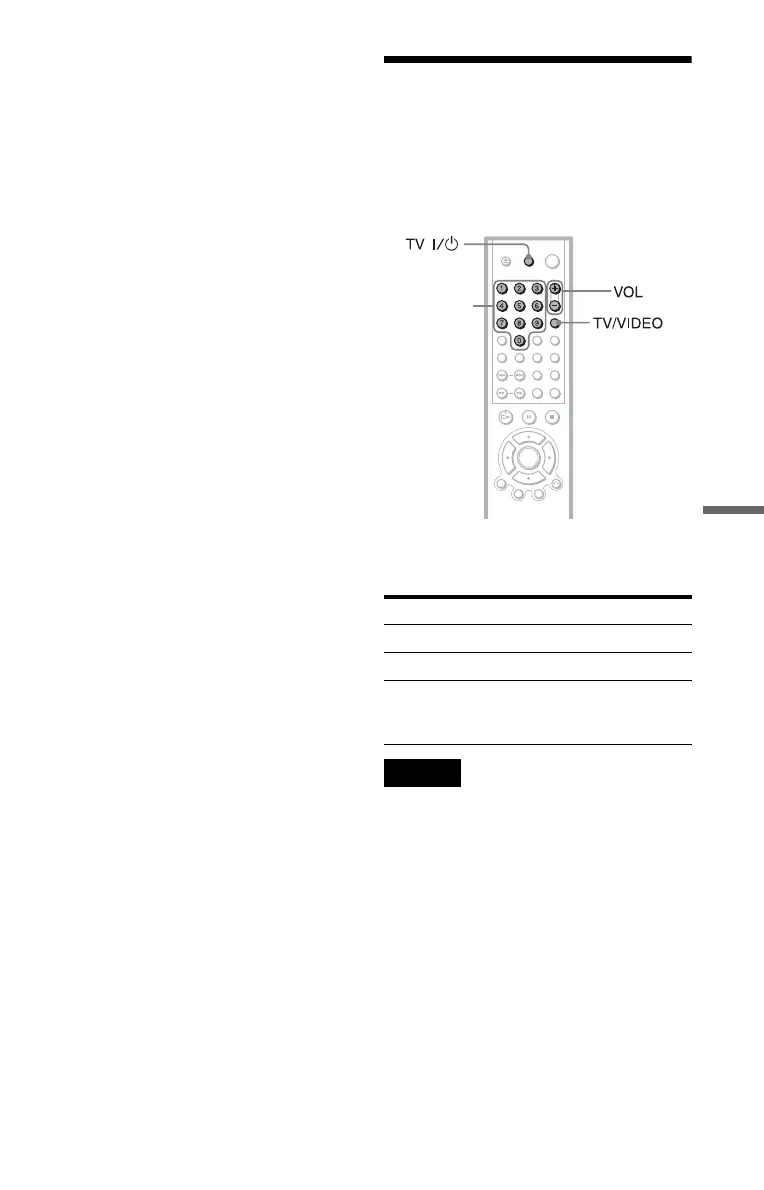
You can control the sound level, input source,
and power switch of your Sony TV with the
supplied remote.
You can control your TV using the buttons
below.
Note
Depending on the unit being connected, you may
not be able to control your TV using some of the
buttons.
By pressing You can
TV [/1 Turn the TV on or off
VOL +/– Adjust the volume of the TV
TV/VIDEO Switch the TV’s input source
between the TV and other
input sources
Number
buttons
c continued





 To Next Page