56
5 Enter or re-enter your 4-digit password
using the number buttons, then press
ENTER.
“Custom parental control is set.” appears
when you enter your password.
To turn off the Custom Parental Control
function
1 Follow Steps 1 through 3 of “Custom
Parental Control.”
2 Press X/x to select “OFF t,” then press
ENTER.
3 Enter your 4-digit password using the
number buttons, then press ENTER.
To play a disc for which Custom Parental
Control is set
1 Insert the disc for which Custom Parental
Control is set.
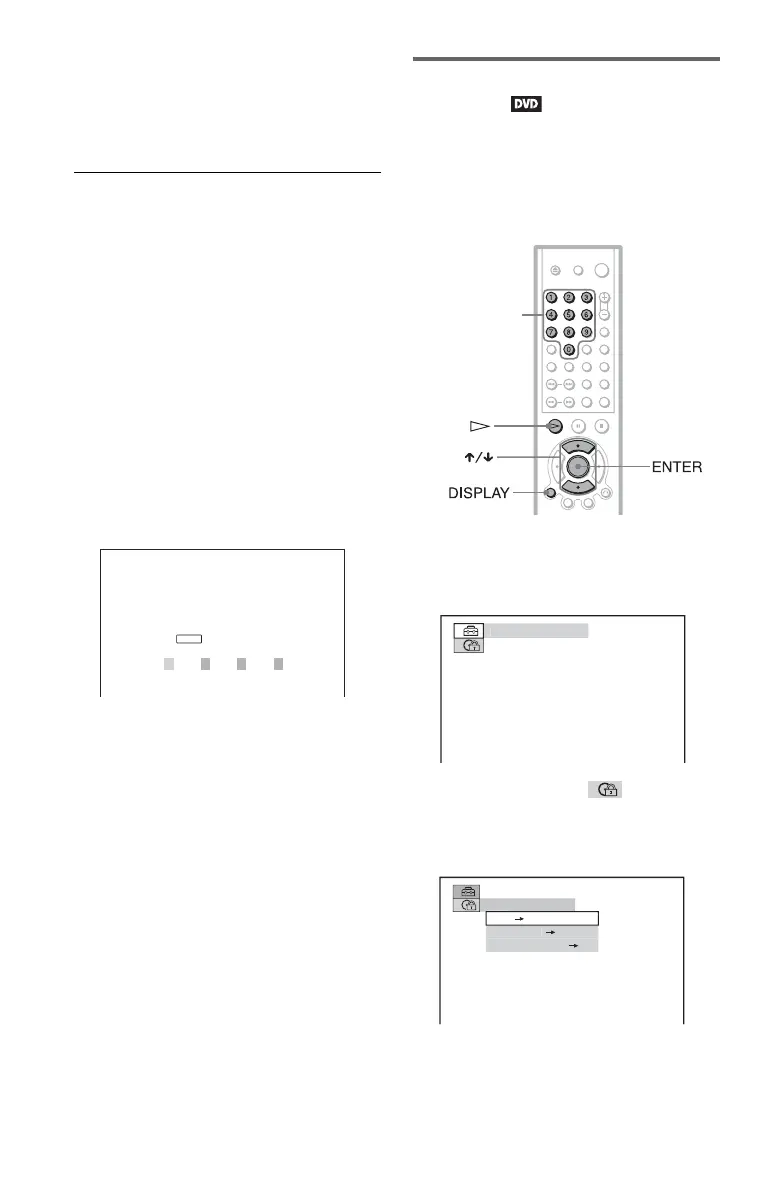
The “CUSTOM PARENTAL
CONTROL” display appears.
2 Enter your 4-digit password using the
number buttons, then press ENTER.
The player is ready for playback.
z Hint
If you forget your password, enter the 6-digit
number “199703” using the number buttons when
the “CUSTOM PARENTAL CONTROL” display
asks you for your password, then press ENTER.
The display will ask you to enter a new 4-digit
password.
Parental Control (limited
playback)
Playback of some DVDs can be limited
according to a predetermined level such as the
age of the users. The “PARENTAL
CONTROL” function allows you to set a
playback limitation level.
1 Press DISPLAY while the player is in
stop mode.
The following Control Bar appears.
2 Press X/x to select (PARENTAL
CONTROL), then press ENTER.
The options for “PARENTAL
CONTROL” appear.
CUSTOM PARENTAL CONTROL
Custom parental control is already
set. To play, enter your password
and press .
ENTER
Number
buttons
UIC
PA
W
R
F





 To Next Page