67
Settings and Adjustments
◆ MPEG (DVD only; For Asian/Oceanian
models only)
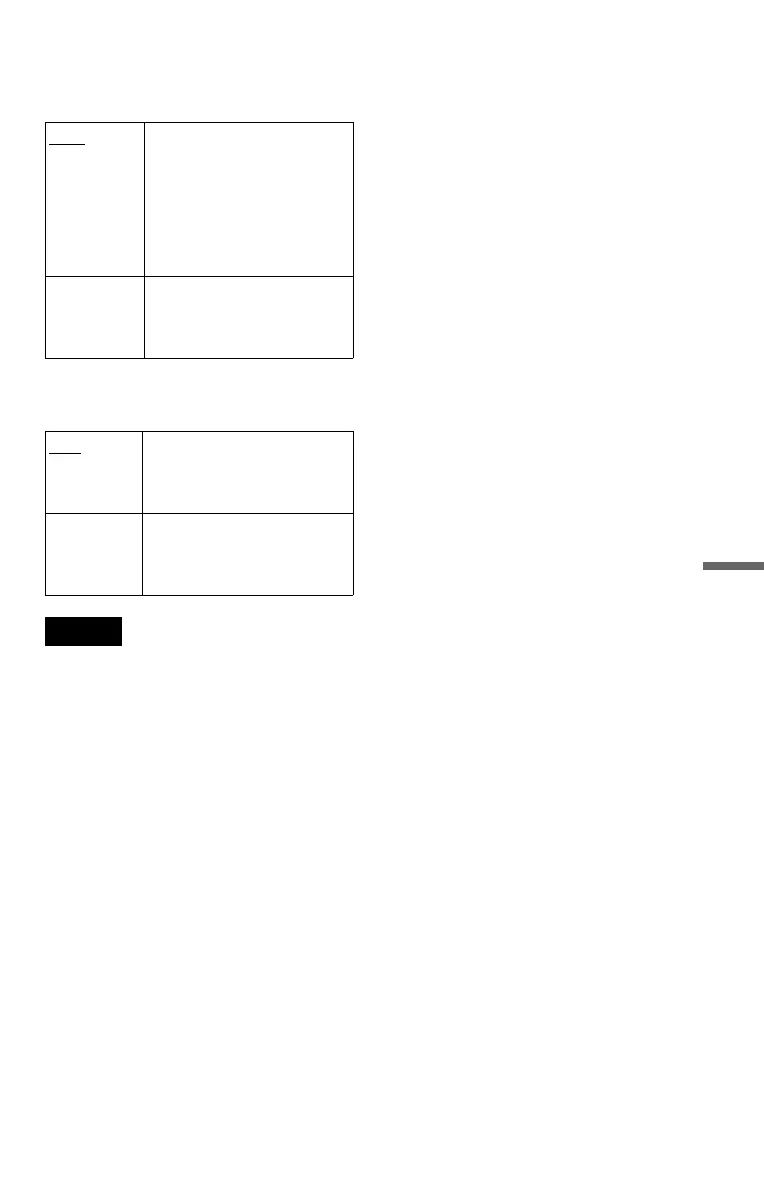
Selects the type of MPEG audio signal.
◆ DTS (DVD only)
Selects whether or not to output DTS signal.
Note
If you select one of the TVS settings while playing
a DVD, the player does not output the following
signals from the DIGITAL OUT (COAXIAL) jack.
– Dolby Digital signals (when you set “DOLBY
DIGITAL” in “AUDIO SETUP” to “D-PCM”)
(page 66)
– MPEG audio signals
PCM Select this when the player is
connected to an audio
component lacking a built-in
MPEG decoder. If you play
MPEG audio sound tracks, the
player outputs stereo signals
via the DIGITAL OUT
(COAXIAL) jack.
MPEG Select this when the player is
connected to an audio
component with a built-in
MPEG decoder.
OFF
Select this when the player is
connected to an audio
component lacking a built-in
DTS decoder.
ON Select this when the player is
connected to an audio
component with a built-in DTS
decoder.





 To Next Page