18
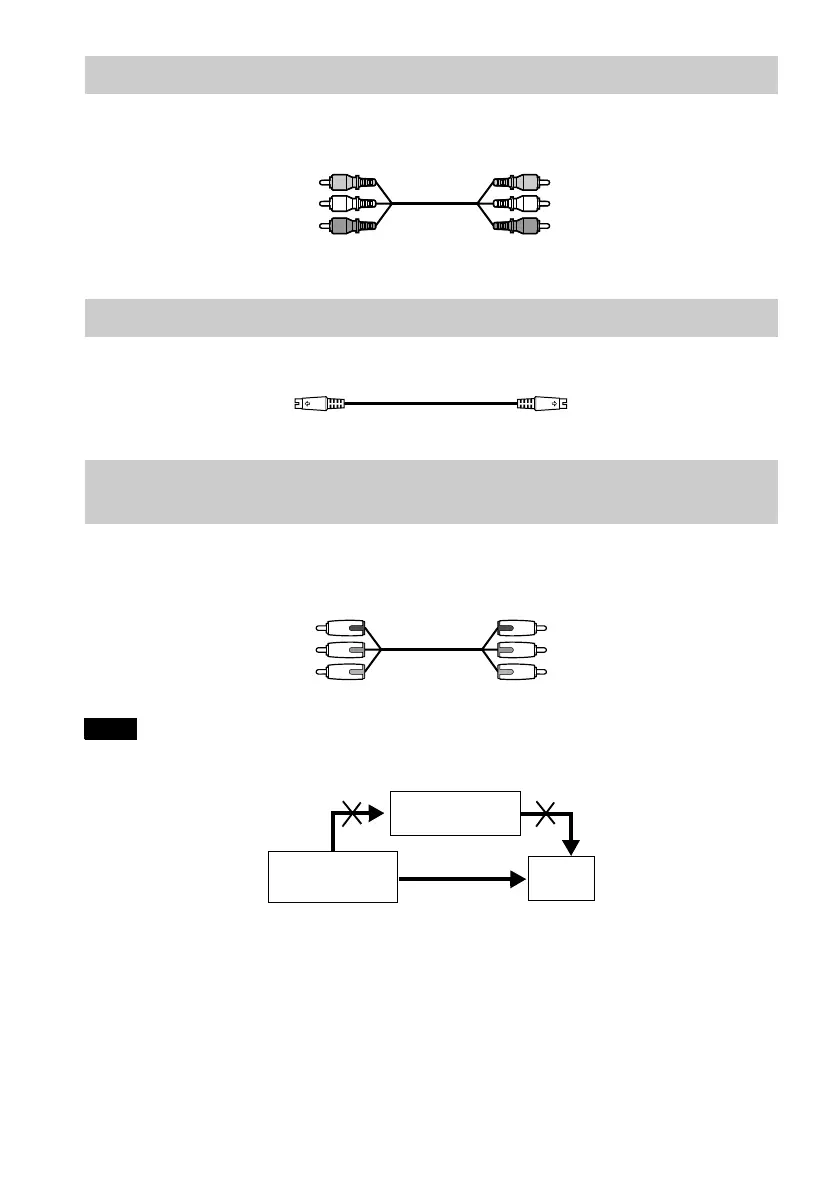
Connect the yellow plug of the audio/video cord (supplied) to the yellow (video) jacks. You will
enjoy standard quality images.
Use the red and white plugs to connect to the audio input jacks (page 19).
Connect the S VIDEO cord (not supplied). You will enjoy high quality images.
Connect the component via the COMPONENT VIDEO OUT jacks using a component video cord
(not supplied) or three video cords (not supplied) of the same kind and length. You will enjoy
accurate color reproduction and high quality images.
Note
Do not connect your player to a VCR. You may not receive a clear image on the TV screen if you pass the player
signals via the VCR.
A If you are connecting to a video input jack
B If you are connecting to an S VIDEO input jack
C If you are connecting to a monitor, projector, or AV amplifier (receiver) having
component video input jacks (Y, P
B, PR)
Yellow (Video)
White (L)
Red (R)
Yellow (Video
White (L)
Red (R)
VCR
CD/DVD player
TV
Connect directly




 To Next Page