32
Playing VIDEO CDs with
PBC Functions
(PBC Playback)
With PBC (Playback Control) functions, you
can enjoy simple interactive operations,
search functions, and other such operations.
PBC playback allows you to play VIDEO
CDs interactively by following the menu on
the TV screen.
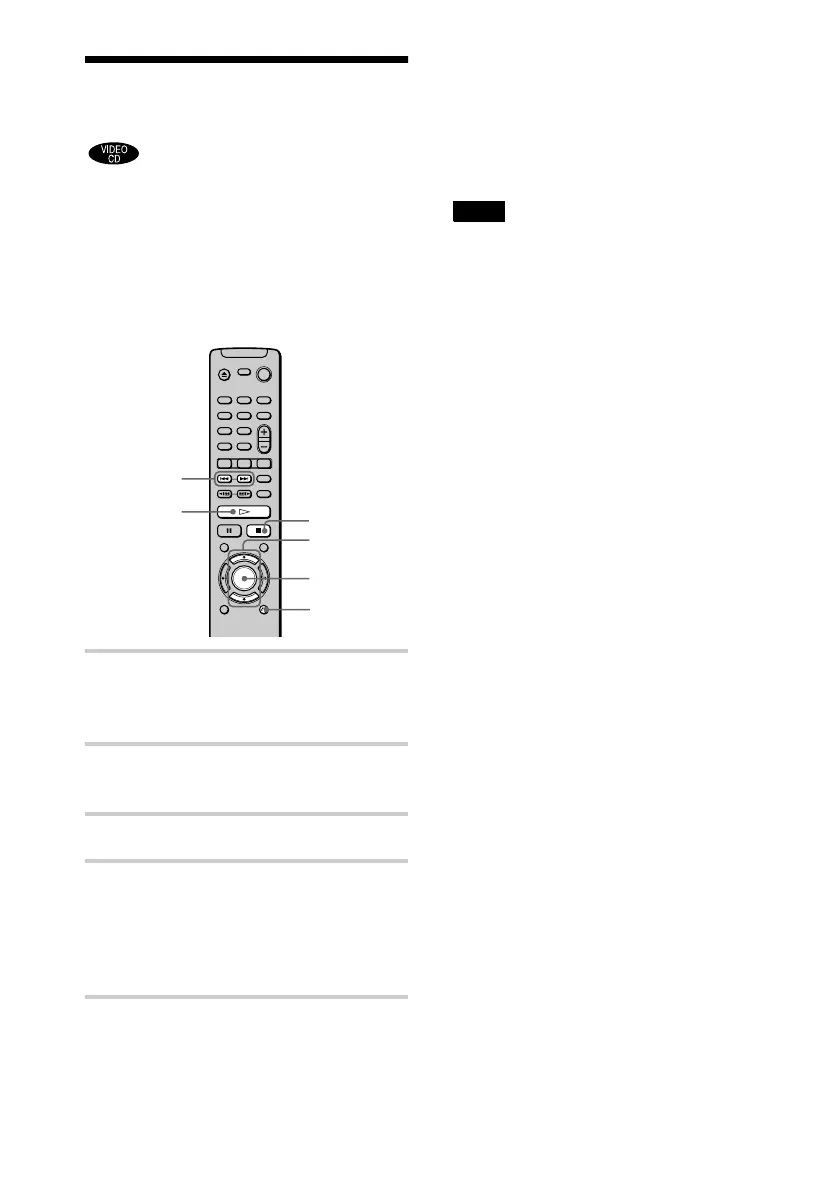
1 Start playing a VIDEO CD with PBC
functions.
The menu for your selection appears.
2 Select the item number you want
by pressing X/x.
3 Press ENTER.
4 Follow the instructions in the menu
for interactive operations.
Refer to the instructions supplied with
the disc, as the operating procedure may
differ according to the VIDEO CD.
To go back to the menu
Press O RETURN.
z
To play without using PBC, press ./> while
the player is stopped to select a track, then press H or
ENTER. “Play without PBC.” appears on the TV
screen and the player starts continuous play.
You cannot play still pictures such as a menu.
To return to PBC playback, press x twice then press
H.
Note
Depending on the VIDEO CD, “Press ENTER” in
Step 3 may appear as “Press SELECT” in the
instructions supplied with the disc. In this case, press
H.
ORETURN
X/x
./>
H
x
ENTER






 To Next Page