EasyManua.ls Logo

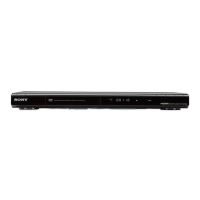
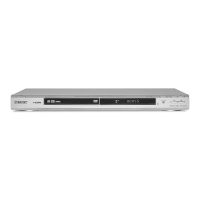
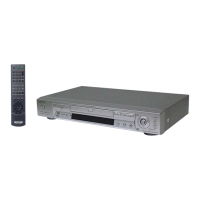
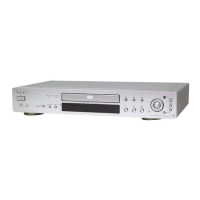
Sony DVP-NS705V - User Manual

Sony DVP-NS705V
92 pages
Print Icon
To Next Page IconTo Next Page
Loading...
3-075-802-11(1)
Operating Instructions
© 2002 Sony Corporation
DVP-NS705V
DVP-NS905V
CD/DVD
Player

Table of Contents

Other manuals for Sony DVP-NS705V

Questions and Answers

Summary

Welcome and Safety Information

Introduction and Manual Overview

Welcome message, thanks for purchase, and overview of the operating manual.

Essential Safety Precautions

Critical warnings for preventing fire, shock hazards, and proper installation.

Getting Started: Setup and Connections

About This Manual and Supported Discs

Explains manual's scope, model differences, and lists playable disc formats.

Disc Handling and Player Controls Identification

Guidelines for disc care, incompatible discs, and player parts overview.

Initial Setup: Hookups and Quick Configuration

Covers unpacking, remote setup, connecting video/audio, and initial player settings.

Playing Discs and Navigating Content

Basic Disc Playback and Navigation

How to insert, play, stop, and remove discs, plus basic playback controls.

Advanced Search and Playback Features

Using search, scan, resume, menus, angles, subtitles, and various play modes.

Special Media and Playback Options

Playing Super Audio CDs, VIDEO CDs with PBC, MP3 audio tracks, and DVD-RW titles.

Enhancing Audio and Video Quality

Viewing Disc Information and Playback Details

Checking playing time, remaining time, bit rate, and other disc data.

Sound Adjustments and Surround Modes

Changing audio formats, languages, and selecting surround sound effects.

Picture Adjustments and Enhancements

Adjusting BNR, custom picture modes, video enhancer, and viewing angles.

Advanced Functions and System Settings

Parental Controls and Disc Locking

Setting up custom parental controls to restrict playback based on age or content.

System Configuration via Setup Display

Configuring display, language, audio output, and speaker settings using the Setup Menu.

Remote Control Operations and Sound Feedback

Using the remote for TV/AV control and setting sound feedback for operations.

Support and Reference Information

Troubleshooting Common Issues

Guidance for resolving power, picture, sound, and operation problems.

Technical Specifications and Glossary

Player specifications, definitions of terms, disc types, and language codes.

Self-Diagnosis and Error Handling

Interpreting player error codes and procedures for contacting service.

Summary

Welcome and Safety Information

Introduction and Manual Overview

Welcome message, thanks for purchase, and overview of the operating manual.

Essential Safety Precautions

Critical warnings for preventing fire, shock hazards, and proper installation.

Getting Started: Setup and Connections

About This Manual and Supported Discs

Explains manual's scope, model differences, and lists playable disc formats.

Disc Handling and Player Controls Identification

Guidelines for disc care, incompatible discs, and player parts overview.

Initial Setup: Hookups and Quick Configuration

Covers unpacking, remote setup, connecting video/audio, and initial player settings.

Playing Discs and Navigating Content

Basic Disc Playback and Navigation

How to insert, play, stop, and remove discs, plus basic playback controls.

Advanced Search and Playback Features

Using search, scan, resume, menus, angles, subtitles, and various play modes.

Special Media and Playback Options

Playing Super Audio CDs, VIDEO CDs with PBC, MP3 audio tracks, and DVD-RW titles.

Enhancing Audio and Video Quality

Viewing Disc Information and Playback Details

Checking playing time, remaining time, bit rate, and other disc data.

Sound Adjustments and Surround Modes

Changing audio formats, languages, and selecting surround sound effects.

Picture Adjustments and Enhancements

Adjusting BNR, custom picture modes, video enhancer, and viewing angles.

Advanced Functions and System Settings

Parental Controls and Disc Locking

Setting up custom parental controls to restrict playback based on age or content.

System Configuration via Setup Display

Configuring display, language, audio output, and speaker settings using the Setup Menu.

Remote Control Operations and Sound Feedback

Using the remote for TV/AV control and setting sound feedback for operations.

Support and Reference Information

Troubleshooting Common Issues

Guidance for resolving power, picture, sound, and operation problems.

Technical Specifications and Glossary

Player specifications, definitions of terms, disc types, and language codes.

Self-Diagnosis and Error Handling

Interpreting player error codes and procedures for contacting service.

Sony DVP-NS705V Specifications

General IconGeneral
BrandSony
ModelDVP-NS705V
CategoryDVD Player
LanguageEnglish

Related product manuals