35
Playing Discs
When the player is in standby mode, press
O RETURN, ENTER, and then [/1 on the
remote.
The player turns on and “LOCKED” appears
on the front panel display.
The Z button on the player or the remote does
not work while the Child Lock is set.
To unlock the disc tray
When the player is in standby mode, press
O RETURN, ENTER, and then [/1 again.
Note
Even if you select “RESET” under “SETUP” in the
Control Menu (page 75), the disc tray remains
locked.
Searching for a
Particular Point on a
Disc (Search, Scan, Slow-motion
Play, Freeze Frame)
You can quickly locate a particular point on a
disc by monitoring the picture or playing back
slowly.
Note
Depending on the DVD/VIDEO CD, you may not
be able to do some of the operations described.
Locating a point quickly (Search)
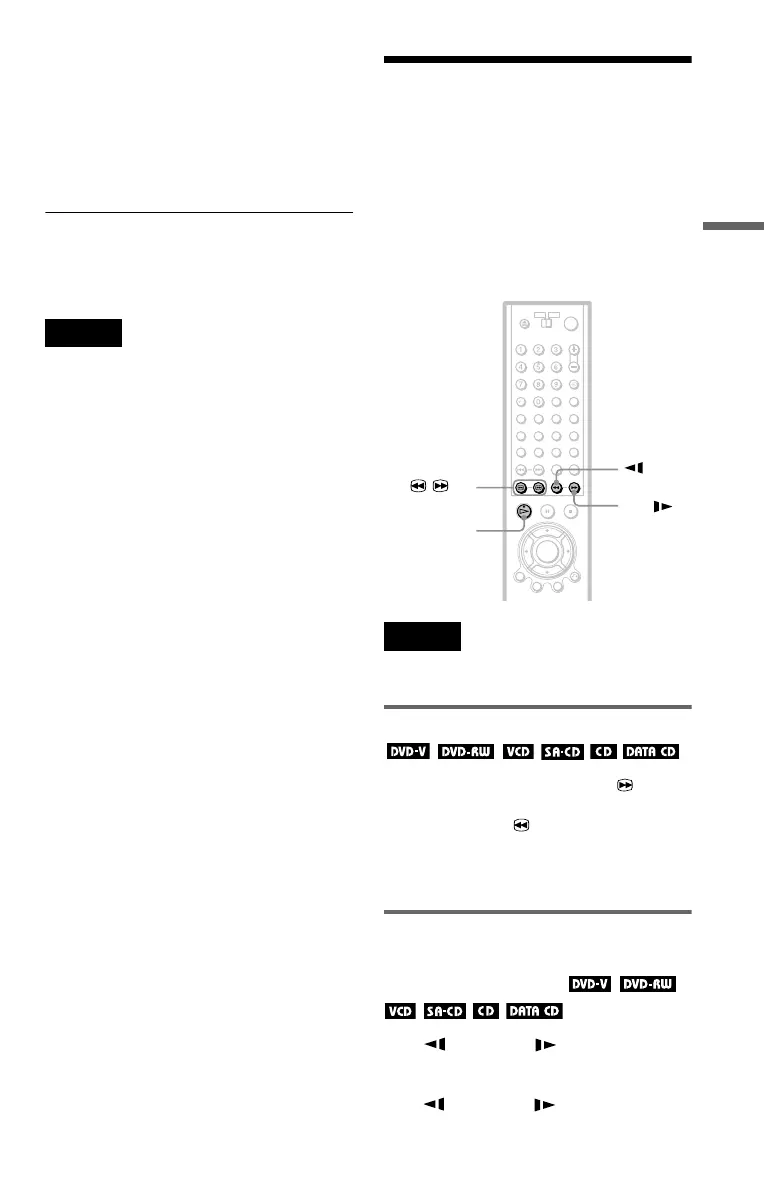
During playback, keep pressing C to
locate a point in the playback direction or
keep pressing c to locate a point in the
opposite direction. When you find the point
you want, release the button to return to
normal playback speed.
Locating a point quickly by
playing a disc in fast forward or
fast reverse (Scan)
Press m or M while playing a
disc. When you find the point you want, press
H to return to normal speed. Each time you
press m or M during scan, the
playback speed changes. Three speeds are
m
c / C
H
M
,continued


 To Next Page