26
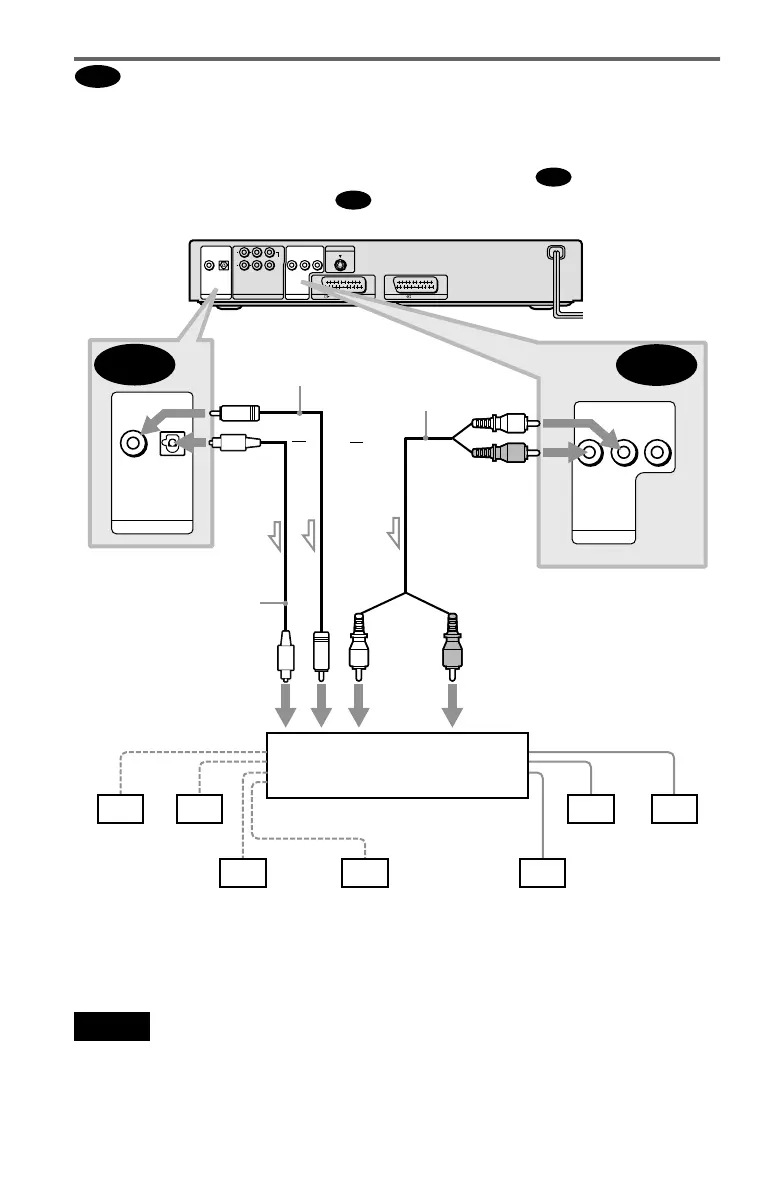
Connecting to an AV amplifier (receiver) having a Dolby Surround (Pro
Logic) decoder and 3 to 6 speakers
You can enjoy the Dolby Surround effects only when playing Dolby Surround audio or multi-
channel audio (Dolby Digital) discs.
If your amplifier (receiver) has L and R audio input jacks only, use . If your amplifier
(receiver) has a digital input jack, use .
z Hint
For correct speaker location, refer to the operating
instructions of the amplifier (receiver).
Notes
• When connecting 6 speakers, replace the
monaural rear speaker with a centre speaker, 2
rear speakers and a subwoofer.
• Super Audio CD audio signals are not output from
the digital jack.
C
C-1
C-2
DIGITAL OUT
PCM/DTS/MPEG/
DOLBY DIGITAL
COAXIAL
OPTICAL
5.1CH OUTPUT
WOOFER
L
R
FRONT REAR
CENTER
AUDIO
LR
VIDEO
LINE OUT
LINE 1 (RGB)-TV
S VIDEO OUT
LINE 2
C-2
C-1
DIGITAL OUT
PCM/DTS/MPEG/
DOLBY DIGITAL
COAXIAL
OPTICAL
AUDIO
LR
VIDEO
LINE OUT
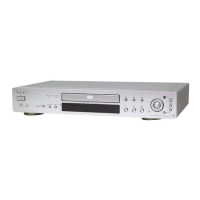
CD/DVD player
or
Front (R)
Front (L)
Rear (R)
Subwoofer
l: Signal flow
Rear (L)
Amplifier (receiver) with Dolby
Surround decoder
Centre
Rear (mono)
Stereo
audio cord (not
supplied)
[Speakers]
Coaxial digital cord
(not supplied)
(red)(white)
to coaxial or optical digital
input
Optical digital cord
(not supplied)
Remove jack cap
before connecting
[Speakers]
or
to audio input
(white)
(red)
to LINE OUT L/R (AUDIO)
to DIGITAL OUT
(COAXIAL or OPTICAL)


 To Next Page