7-3
DVP-NS36/NS37/NS45P/NS55P/NS61P/NS63P
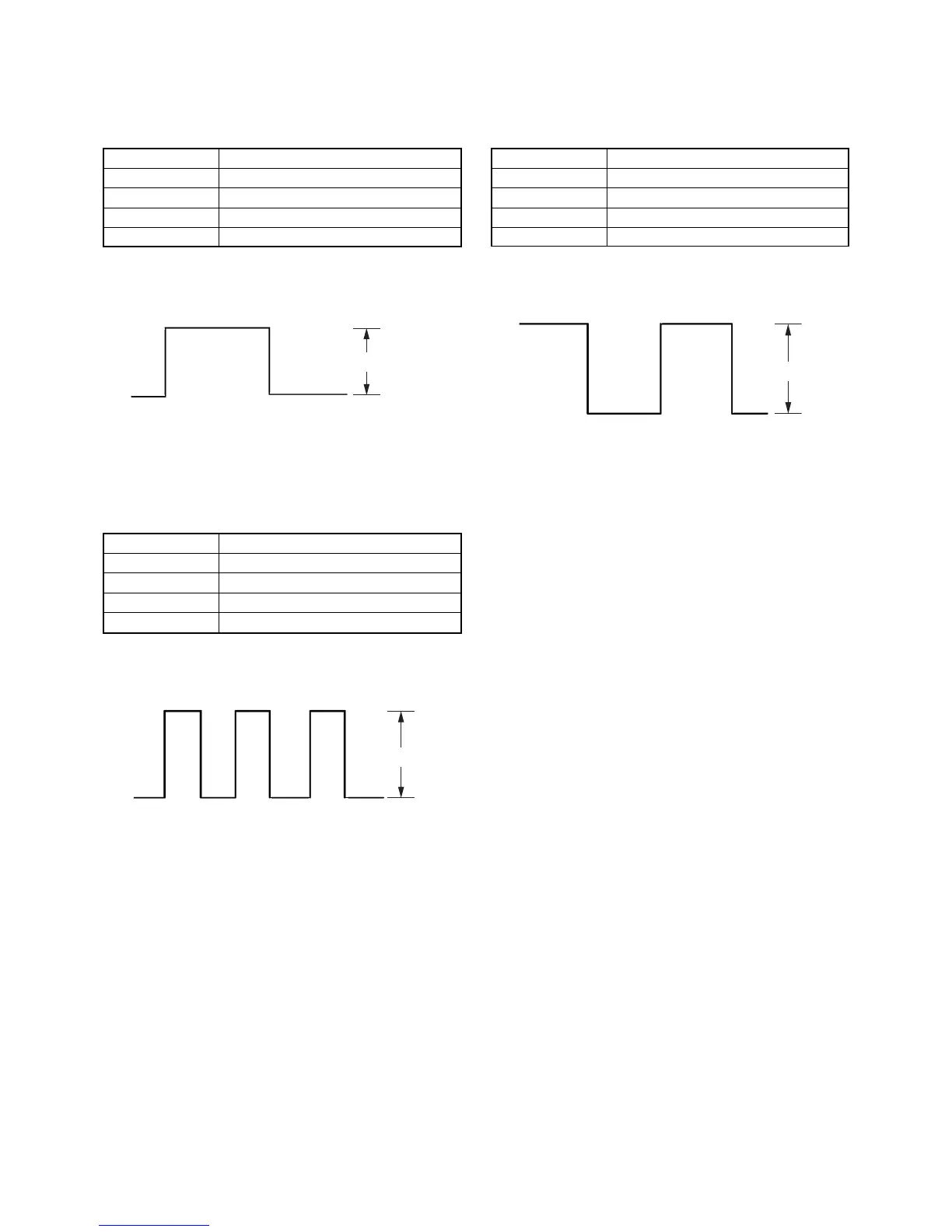
5. Checking RGB Output G (RGB Mode)
<Purpose>
This checks RGB video output G level. If it is incorrect, correct color
will not be remain some.
Mode HLX-504 play back
Signal Color bars
Test point Green Out (11p) (75 Ω terminated)
Instrument Oscilloscope
Specification A = 700 ± 70mVp-p
Checking method:
(1) In the Video Signal menu “1” Color Bar 100% play back.
(2) Confirm that the G level is 1.0 ± 0.08 Vp-p.
Fig. 7-5.
6. Checking RGB Output B (RGB Mode)
<Purpose>
This checks RGB video output B level. If it is incorrect, correct colors
will not be displayed when connected to, for instance, projector.
Mode HLX-504 play back
Signal Color bars
Test point Blue Out, (7p) (75 Ω terminated)
Instrument Oscilloscope
Specification B = 700 ± 70 mVp-p
Checking method:
(1) In the Video Signal menu “1” Color Bar 100% play back.
(2) Confirm that the B level is A.
Fig. 7-6.
A
B
C
7. Checking RGB Output R (RGB Mode)
<Purpose>
This checks RGB video output R level. If it is incorrect, correct colors
will not be displayed when connected to, for instance, projector.
Mode HLX-504 play back
Signal Color bars
Test point Red Out, (15p) (75 Ω terminated)
Instrument Oscilloscope
Specification C = 700 ± 70 mVp-p
Checking method:
(1) In the Video Signal menu “1” Color Bar 100% play back.
(2) Confirm that the R level is B.
Fig. 7-7.


 To Next Page