77
Connections
Installation and Connection
• Configure the COLOR SYSTEM and
VIDEO FORMAT based on the
specifications of the HD monitor.
• Depending on the performance
capabilities of the DVI cable, some picture
noise may occur. In particular, be sure to
use a cable for which performance is
guaranteed when using 1920×1080p/
59.94 or 1920×1080p/50 video output
format.
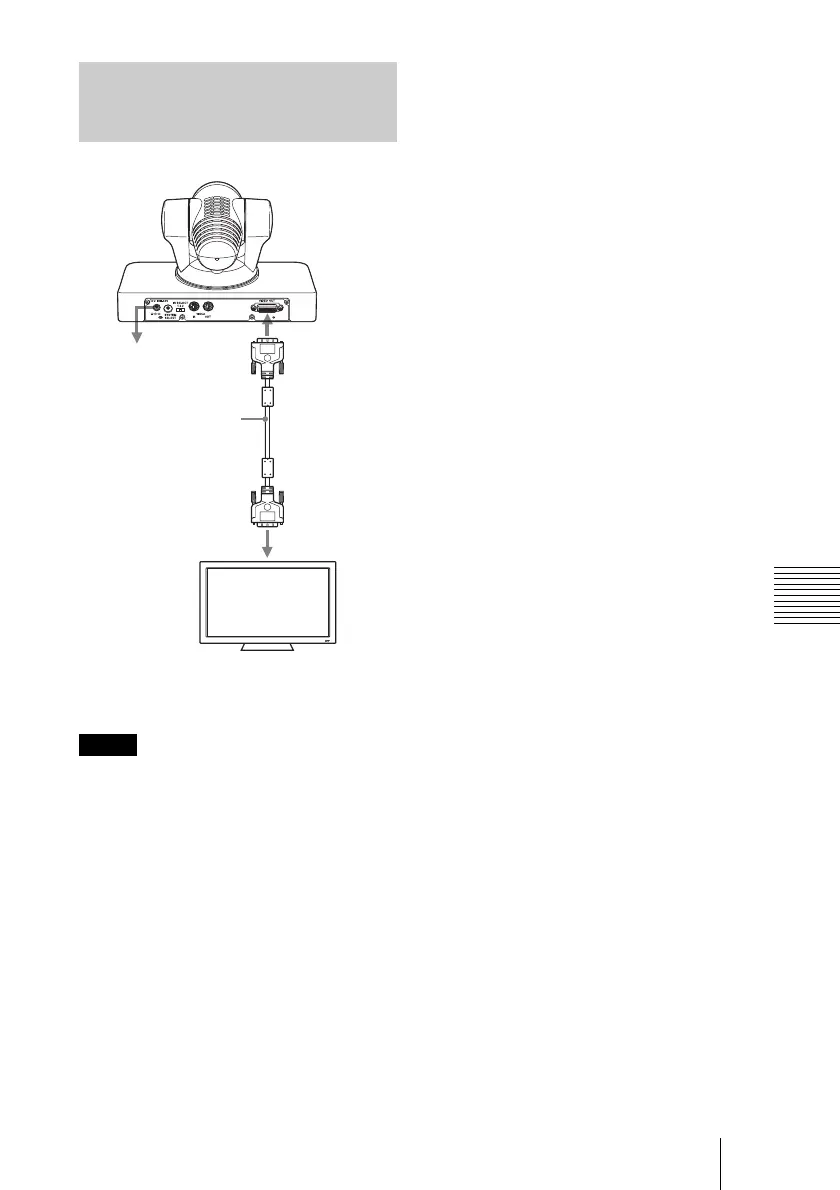
Connecting a Video Monitor,
etc., Equipped with a DVI
Input Connector
Notes
to AC outlet
DVI cable
(not supplied)
VIDEO OUT
to DVI input
connector
HD Video monitor, etc.


 To Next Page