EasyManua.ls Logo

Sony FH-B155 - Page 24

Sony FH-B155
84 pages
Print Icon
To Next Page IconTo Next Page
To Previous Page IconTo Previous Page
Loading...
iam
el
|
aj
ca00
Gai
Gee
TUNER
AUTO
ey
a
4
TUNING
+
E
BAND
.
EM
BGG
oc
24
latccel(e)
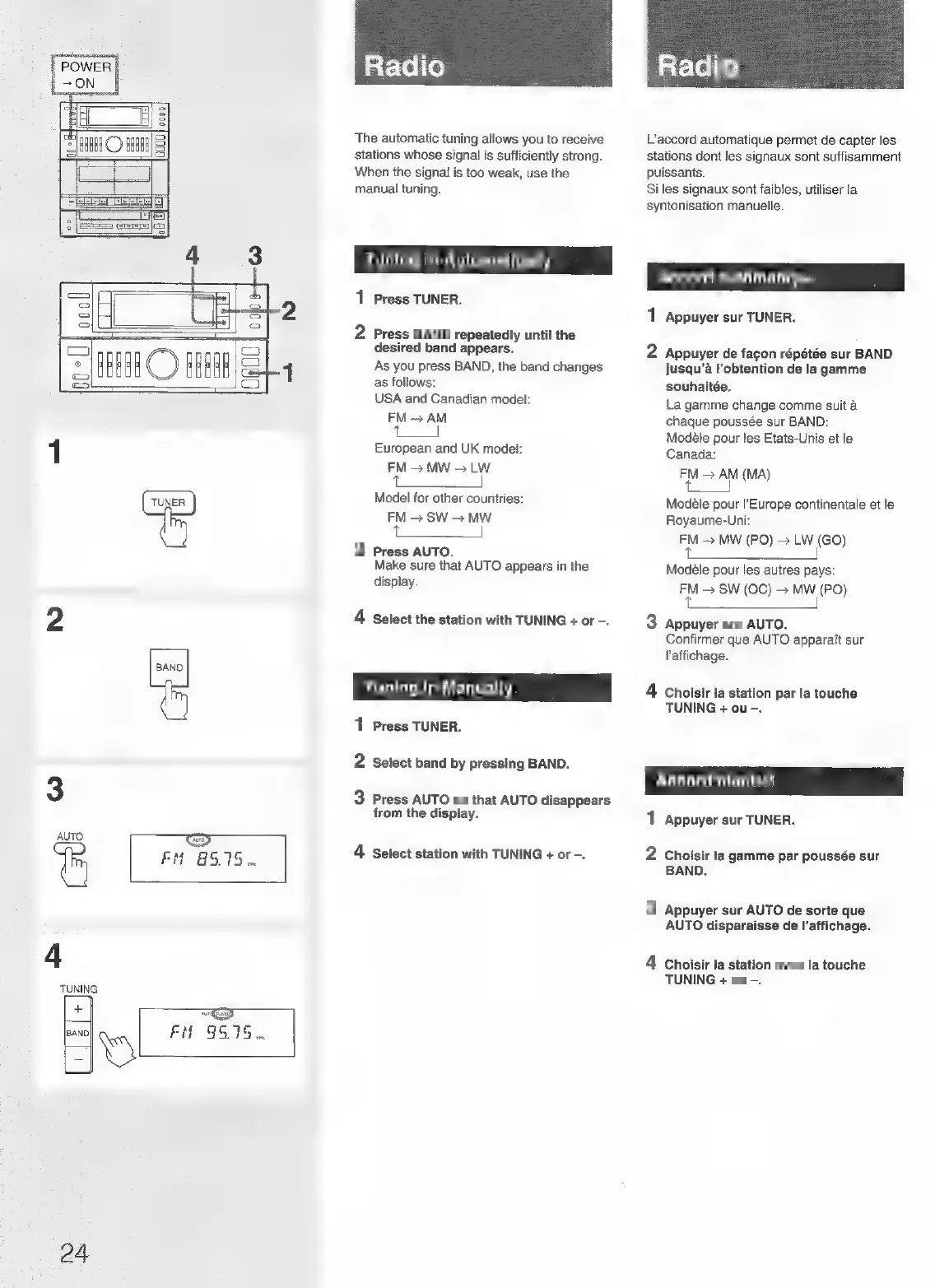
The
automatic
tuning
allows
you
to
receive
stations
whose
signal
is
sufficiently
strong.
When
the
signal
is
too
weak,
use
the
manual
tuning.
Tuning
in
Automatically
1
Press
TUNER.
Ny
Press
BAND
repeatedly
until
the
desired
band
appears.
As
you
press
BAND,
the
band
changes
as
follows:
USA
and
Canadian
model:
FM
>
AM
(a)
European
and
UK
model:
FM
>
MW
>
LW
|
Model
for
other
countries:
FM
>
SW
>
MW
a
|
o
Press
AUTO.
Make
sure
that
AUTO
appears
in
the
display.
4
Select
the
station
with
TUNING
+
or
-.
Tuning.in
Manually
1
Press
TUNER.
2
Select
band
by
pressing
BAND.
3
Press
AUTO
so
that
AUTO
disappears
from
the
display.
4
Select
station
with
TUNING
+
or
-.
atclel
ie)
L’accord
automatique
permet
de
capter
les
stations
dont
les
signaux
sont
suffisamment
puissants.
Si
les
signaux
sont
faibles,
utiliser
la
syntonisation
manuelle.
Accord
automatique
j
1
Appuyer
sur
TUNER.
2
Appuyer
de
fagon
répétée
sur
BAND
jusqu’a
l’obtention
de
la
gamme
souhaitée.
La
gamme
change
comme
suit
a
chaque
poussée
sur
BAND:
Modéle
pour
les
Etats-Unis
et le
Canada:
FM
AM
(MA)
|
eee
Modéle
pour
I’Europe
continentale
et
le
Royaume-Uni:
FM
MW
(PO)
LW
(GO)
Se
|
Modéle
pour
les
autres
pays:
FM
SW
(OC)
>
MW
(PO)
Beas
eS
S|
3
Appuyer
sur
AUTO.
Confirmer
que
AUTO
apparait
sur
laffichage.
4
Choisir
ta
station
par
la
touche
TUNING
+
ou
-.
Accord manuel
1
Appuyer
sur
TUNER.
2
Choisir
ta
gamme
par
poussée
sur
BAND.
3
Appuyer
sur
AUTO
de
sorte
que
AUTO
disparaisse
de
l’affichage.
4
Choisir
la
station
avec
la
touche
TUNING
+
ou
-.

Related product manuals