EasyManua.ls Logo

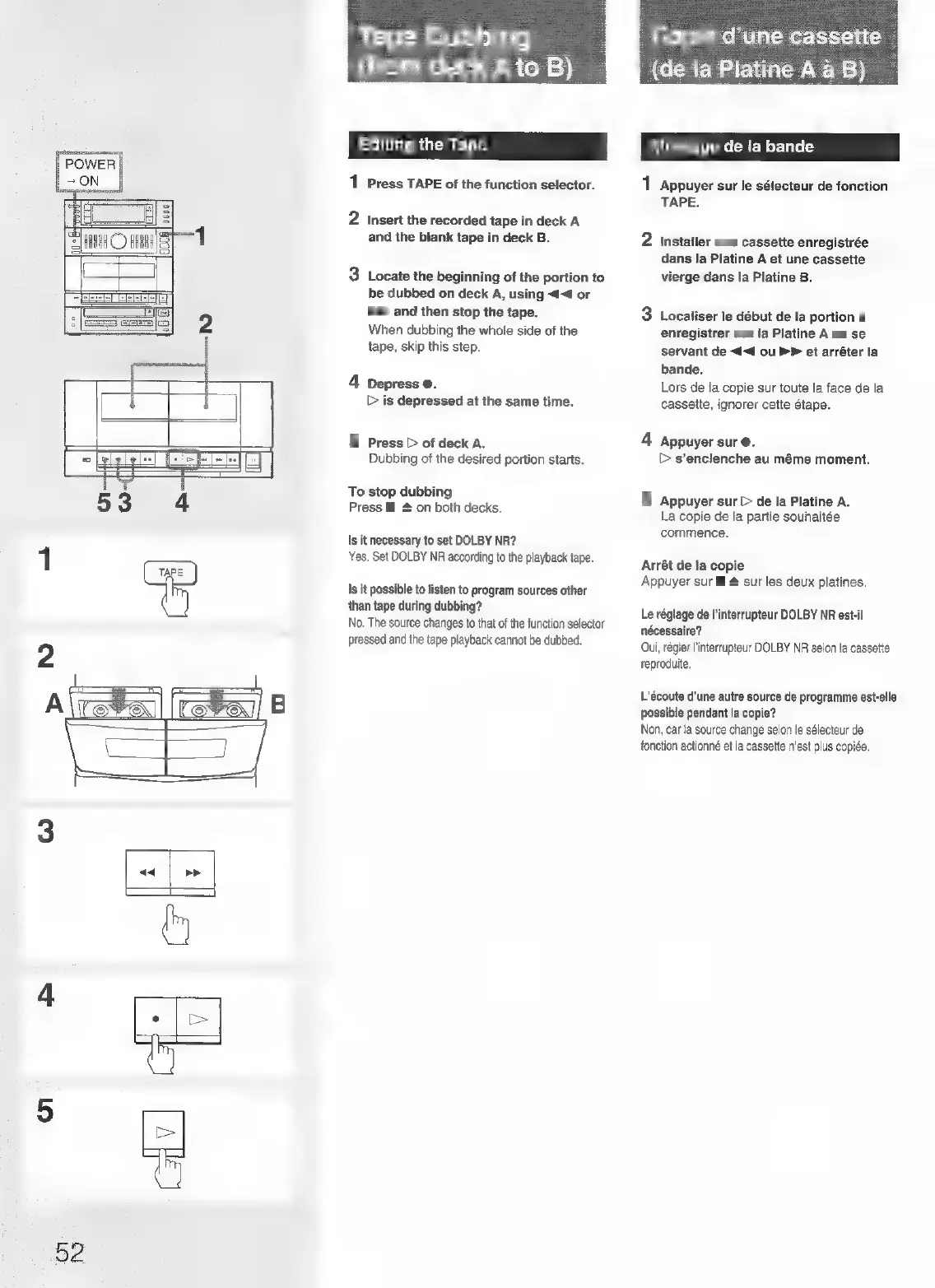
Sony FH-B155 - Tape Dubbing (Deck A to B); Editing the Tape

Sony FH-B155
84 pages
Print Icon
To Next Page IconTo Next Page
To Previous Page IconTo Previous Page
Loading...
<<
52
BE-\el-m
1810)
e)
fare]
(Cicelatics(:\e1,0:
sien
=})
Editing
the
Tape
1
Press
TAPE
of
the
function
selector.
2
Insert
the
recorded
tape
in
deck
A
and
the
blank
tape
in
deck
B.
3
Locate
the
beginning
of
the
portion
to
be
dubbed
on
deck
A,
using
<<
or
bP
and
then
stop
the
tape.
When
dubbing
the
whole
side
of
the
tape,
skip
this
step.
4
Depress
@.
©
is
depressed
at
the
same
time.
5
Press
>
of
deck
A.
Dubbing
of
the
desired
portion
starts.
To
stop
dubbing
Press
Ml
#
on
both
decks.
Is
it
necessary
to
set
DOLBY
NR?
Yes.
Set
DOLBY
NR
according
to
the
playback
tape.
Is
it
possible
to
listen
to
program
sources
other
than
tape
during
dubbing?
No.
The
source
changes
to
that
of
the
function
selector
pressed
and
the
tape
playback
cannot
be
dubbed.
Copie
d’une
cassette
(de
la
Platine
A
a
B)
Montage
de
la
bande
1
Appuyer
sur
le
sélecteur
de
fonction
TAPE.
2
Installer
une
cassette
enregistrée
dans
la
Platine
A
et
une
cassette
vierge
dans
la
Platine
B.
3
Localiser
le
début
de
la
portion
a
enregistrer
sur
la
Platine
A
en
se
servant
de
<<4
ou
PP
et
arréter
la
bande.
Lors
de
la
copie
sur
toute
la
face
de
la
cassette,
ignorer
cette
étape.
4
Appuyer
sur
@.
>
s’enclenche
au
méme
moment.
5
Appuyer
sur
[>
de
la
Platine
A.
La
copie
de
la
partie
souhaitée
commence.
Arrét
de
la
copie
Appuyer
sur
ll
&
sur
les
deux
platines.
Le
réglage
de
|’interrupteur
DOLBY
NR
est-il
nécessaire?
Oui,
régler
l'interrupteur
DOLBY
NR
selon
la
cassette
reproduite.
L’écoute
d'une
autre
source
de
programme
est-elle
possible
pendant
la
copie?
Non,
car
la
source
change
selon
le
sélecteur
de
fonction
actionné
et
la
cassette
n’est
plus
copiée.

Related product manuals