N
Notifications inform you of events such as new messages and calendar notifications
as well as activities in progress such as file downloads. Notifications appear in the
following places:
ವ
The status bar
ವ
The Notification panel
ವ
The lock screen
7RRSHQRUFORVHWKH1RWLILFDWLRQSDQHO
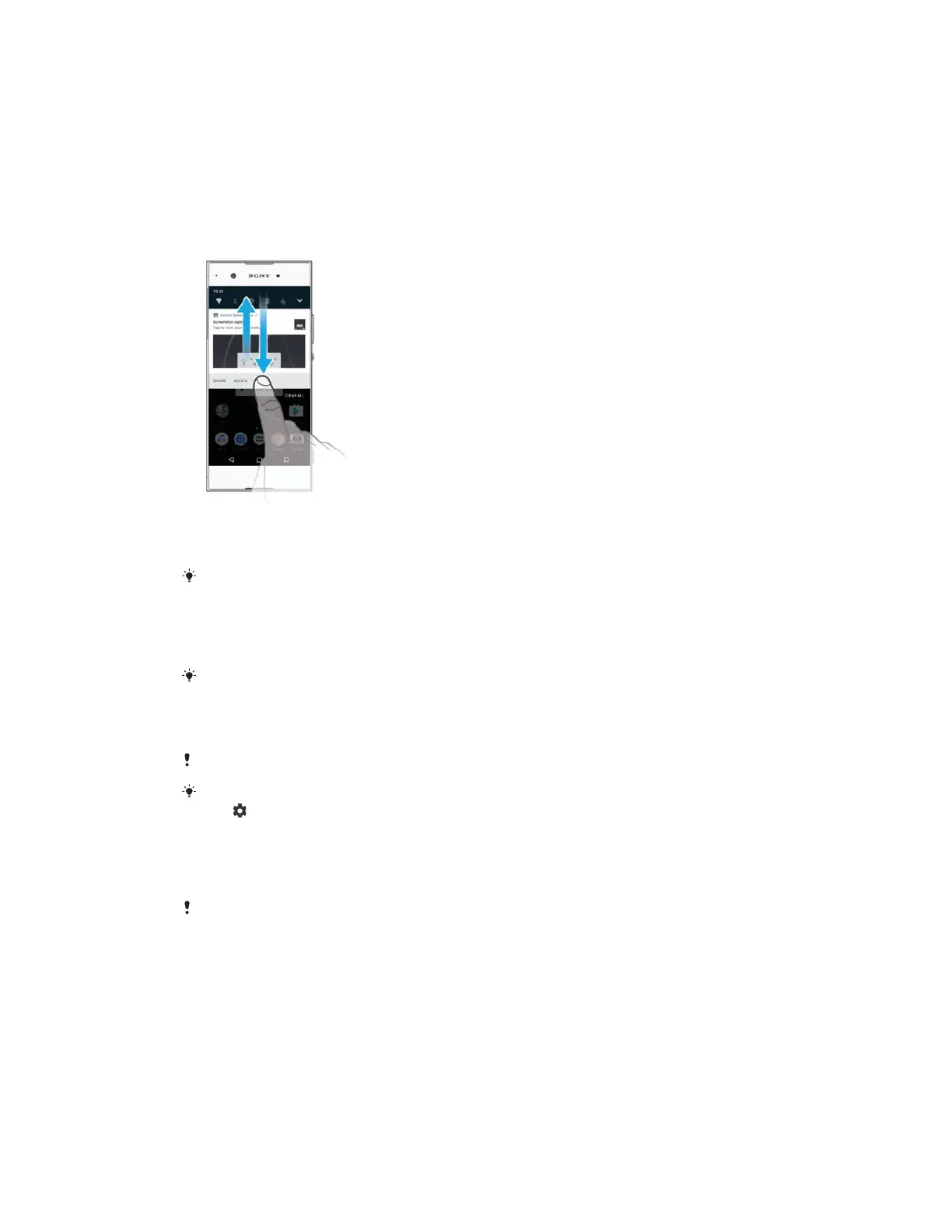
To open the Notification panel, drag the status bar downwards, or simply
double-tap it.
To close the Notification panel, drag or flick the panel upwards.
After opening the Notification panel, you can access the Quick settings panel by dragging the
status bar down again.
7RWDNHDFWLRQRQDQRWLILFDWLRQLQWKH1RWLILFDWLRQSDQHO
ವ
Tap the notification.
You can directly reply to chat or email messages in the Notification panel.
7RGLVPLVVDQRWLILFDWLRQIURPWKH1RWLILFDWLRQSDQHO
ವ
Swipe the notification left or right.
Not all notifications can be dismissed.
To change settings for notifications, simply drag the notification slowly to the left or right, then
tap
.
7RH[SDQGDQRWLILFDWLRQRQWKH1RWLILFDWLRQSDQHO
ವ
Drag the notification downwards to expand and view more information about
the notification without opening the app.
Not all notifications are expandable.
7RFOHDUDOOQRWLILFDWLRQVIURPWKH1RWLILFDWLRQSDQHO
ವ
Tap
.
7RWDNHDFWLRQRQDQRWLILFDWLRQIURPWKHORFNVFUHHQ
ವ
Double-tap the notification.
7RGLVPLVVDQRWLILFDWLRQIURPWKHORFNVFUHHQ
ವ
Swipe the notification left or right.
28
This is an internet version of this publication. © Print only for private use.



 To Next Page