0HVVDJLQJDQGFKDW
R
Reading and sending messages
The Messaging application shows your messages as conversations, which means
that all messages to and from a particular person are grouped together.
The number of characters that you can send in a single message varies depending on the
operator and the language you use. The maximum size of a multimedia message, which
includes the size of added media files, is also operator dependent. Contact your network
operator for more information.
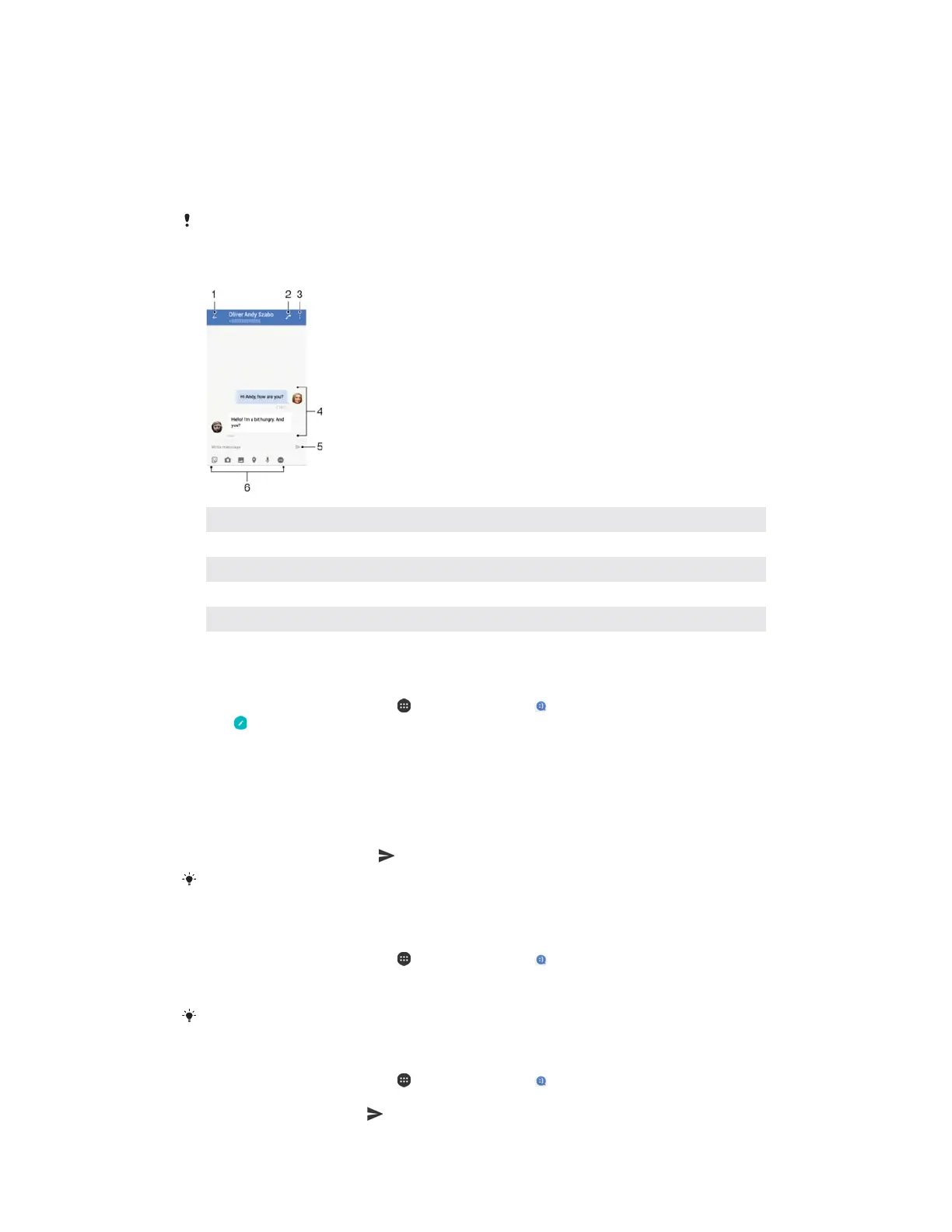
1 Go back to the list of conversations
2 Call the message sender
3 View more options
4 Sent and received messages
5 Send a completed message
6 Add attachments
7RFUHDWHDQGVHQGDPHVVDJH
From your
, tap , then find and tap .
Tap .
Enter the recipient’s name or phone number, then select from the suggestions
that appear. If the recipient is not listed as a contact, enter the recipient's
number manually.
If you want to send a group message, repeat the procedure described above to
add more recipients.
Tap
and enter your message text.
If you want to add an attachment, select the relevant attachment option.
To send the message, tap
.
If you exit a message before sending, it gets saved as a draft. The conversation gets tagged
with the word
.
7RUHDGDUHFHLYHGPHVVDJH
From your
, tap , then find and tap .
Tap the desired conversation.
If the message is not yet downloaded, tap it.
All received messages are saved by default to the device memory.
7RUHSO\WRDPHVVDJH
From your
, tap , then find and tap .
Tap the conversation containing the message.
Enter your reply and tap
.
79
This is an internet version of this publication. © Print only for private use.



 To Next Page