Tuner
13
GB
Notes
• When “CD POWER” and “OFF” are selected, CD
access time is increased.
• In the Power Saving Mode, switching the CD power
on or off using the CD power manage function is not
possible.
Tips
• The preset stations are retained for about half a day
even if you disconnect the power cord or if a power
failure occurs.
• To improve the reception, adjust the supplied
antennas or connect an external antenna.
You can listen to a radio station either by
selecting a preset station, or by manually tuning
in the station.
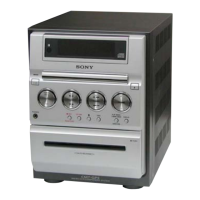
Use buttons on the unit for the operation.
Listening to a preset station
— Preset Tuning
Preset radio stations in the tuner’s memory first
(see “Presetting radio stations” on page 12).
1 Press TUNER/BAND repeatedly to
select “FM” or “AM”.
2 Press PLAY MODE/TUNING MODE
repeatedly until “PRESET” appears in
the display.
3 Press PRESET +/– on the remote
repeatedly to select the desired preset
station.
Selecting the desired preset
number using the numeric
buttons
Press the numeric button(s) on the remote
instead of performing step 3.
Listening to non-preset radio
station
— Manual Tuning
1 Press TUNER/BAND repeatedly to
select “FM” or “AM”.
2 Press PLAY MODE/TUNING MODE
repeatedly until “AUTO” and
“PRESET” disappear from the display.
3 Press TUNING +/– repeatedly to tune in
the desired station.
Listening to the radio
continued



 To Next Page