10
GB
You can play all the tracks or a single track on a
disc repeatedly.
Press REPEAT/FM MODE on the unit
repeatedly during playback until
“REPEAT” or “REPEAT 1” appears.
REPEAT: For all the tracks on the disc up to five
times (or endlessly for MP3 tracks when
“SHUF” is displayed).
REPEAT 1: For a single track only.
To cancel Repeat Play
Press REPEAT/FM MODE on the unit
repeatedly until both “REPEAT” and “REPEAT
1” disappear.
You can make a program of up to 25 steps.
You can synchro record the programed tracks
onto a cassette tape (page 16).
Use buttons on the remote for the operation.
1 Press FUNCTION repeatedly to switch
the function to CD.
2 Press PLAY MODE/TUNING MODE on
the unit in stop mode repeatedly until
“PGM” appears.
3 Press ./> repeatedly until the
desired track number appears.
When programing an MP3, press ALBUM
+/– repeatedly to select the album, then
press ./> repeatedly until the
desired track number appears.
4 Press ENTER (or PLAY MODE/TUNING
MODE on the unit).
The track is programed.
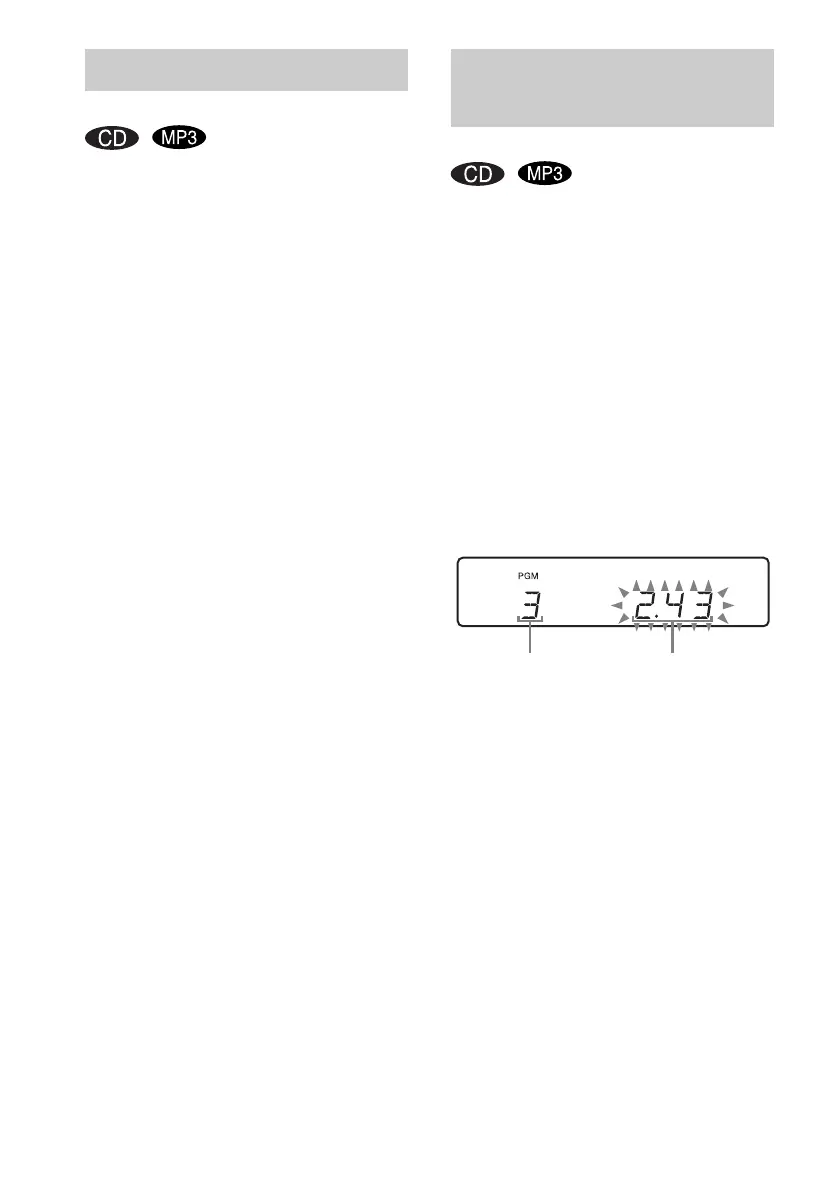
The program step number appears,
followed by the last programed track
number.
5 To program additional tracks, repeat
steps 3 and 4.
6 Press N (or CD NX on the unit).
Program Play starts.
Playing repeatedly
— Repeat Play
Creating your own
program
— Program Play
Selected track number Total playing time



 To Next Page