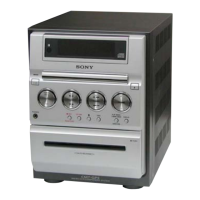
Display
21
GB
You can check the playing time and remaining
time of the current track or that of the disc.
When a CD-TEXT disc or a disc with MP3
audio tracks is loaded, you can also check the
information recorded on disc, such as the titles.
When the system detects CD-TEXT discs, the
“TEXT” indication appears in the display.
Checking the remaining time
and titles (CD/MP3)
Press DISPLAY on the remote repeatedly
during playback.
Each time you press the button, the display
changes cyclically as follows:
Current track number and elapsed playing time
t Current track number and remaining time or
“– –.– –”*
1
t Remaining time of the disc or
“– –.– –”*
1
t Track title (CD-TEXT disc or
disc with MP3 audio tracks*
2
only) t Album
name*
1
t Clock display t Bass level t
Treble level
*1
For disc with MP3 audio tracks
*2
When you play back a track with an ID3 tag ver. 1
(ver. 1.0 or 1.1), the ID3 tag appears. The ID3 tag
displays only the track title information.
Checking the total playing
time and titles (CD/MP3)
Press DISPLAY on the remote repeatedly in
stop mode.
Each time you press the button, the display
changes cyclically as follows:
TOC display*
1
or total number of albums on the
disc*
2
or total track number of the current
album*
2
t Disc title*
3
or album name*
2
t
Clock display t Bass level t Treble level
*
1
TOC = Table of Contents; displays current disc
number, total number of tracks on the disc, and total
playing time of the disc
*
2
For discs with MP3 audio tracks, album titles may
not be displayed depending on the play mode.
*
3
For disc with CD-TEXT
Depending on the disc, some CD-TEXT information
may not appear.
Viewing information
about the disc in the
display



 To Next Page