22
GB
To enhance your system, you can connect optional components. Refer to the operating instructions
provided with each component.
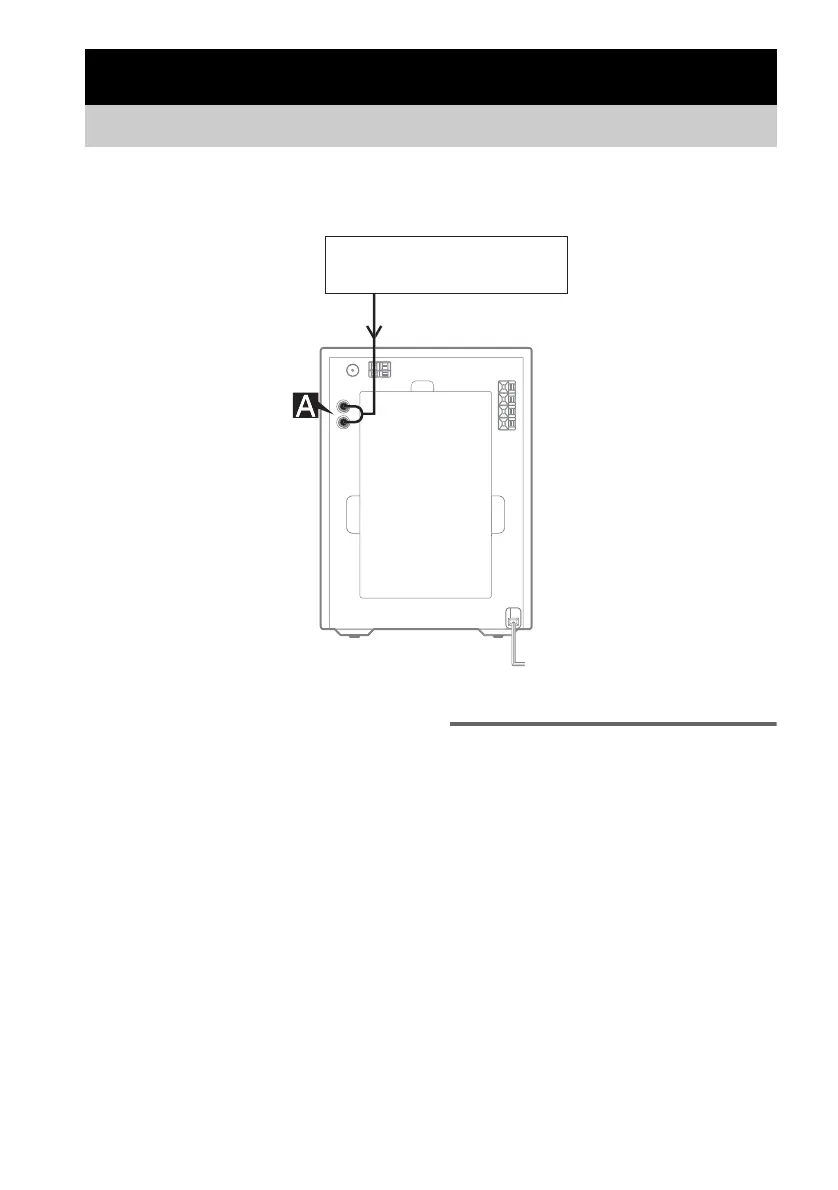
A MD (VIDEO) jacks
Use audio cords (not supplied) to connect an
optional analog component (MD deck, etc.) to
these jacks. You can then listen to the sound
from the component.
Listening to audio from a
connected component
1
Connect audio cords.
See “Hooking up optional components” on
page 22.
2 Press FUNCTION on the remote repeatedly
(or MD (VIDEO) on the unit) until “MD” or
“VIDEO” appears.
Start playing the connected component.
Optional Components
Hooking up optional components
Optional analog component
From the audio output
jacks of an optional
analog component



 To Next Page