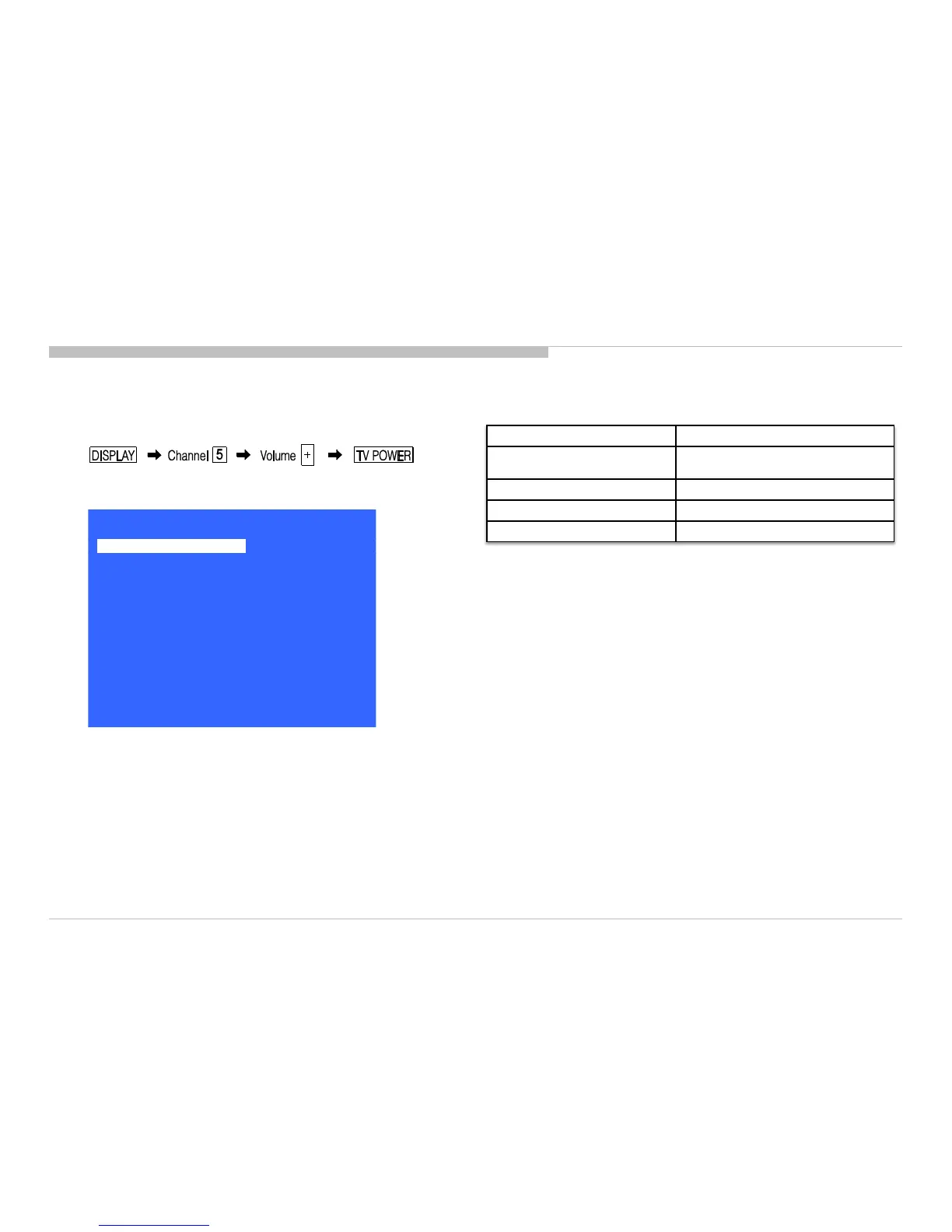
ACCESSING SERVICE MODE
1) Turn on the main power switch to place this set in standby mode.
2) Press the buttons on the remote commander as follows, and entering service
mode.
3) Service mode display.
25
SEC 2. ADJUSTMENT
4) How to use the remote commander.
5) After entering service mode, then turn off the power switch.
Function The flow of control
Service mode on
<Test>+<TV>/
<Display><5><Vol Up><Power>
Service mode off <MENU>/<HOME>
Item up / down <↑>/ <↓>
Execute <OK>
KDL-50W800C, 805C, 807C, 809C/KDL-55W800C, 805C








 To Next Page