3. Select your desired item from the menu.
Descriptions of menu settings
Selectable menu items are described below.
Off:
The backlight of the display and the DSEE lamp are turned off. The power consumption is the
lowest of all of the settings.
Low:
The backlight of the display is dim and the power consumption is low.
Mid:
The backlight of the display is set to medium brightness.
High:
The backlight of the display is bright and the power consumption is high.
Max:
The backlight of the display is at its brightest. The power consumption is the highest of all of the
settings (factory default setting).
Note
The power lamp lights up even if the brightness of the screen is set to [Off].
If the brightness of the screen is set to [Off], the brightness of the backlight changes to [Low]
for a fixed period of time when you start up the HDD AUDIO PLAYER or perform the
operation on the screen.
If the brightness of the screen is set to [Off], the brightness of the backlight briefly changes to
[Low] during the following processes:
Updating the software
Formatting a hard disk drive
Rescanning a hard disk drive
Resetting the product (performing the Factory Reset function)
Displaying an alert message to notify the user of an operational error
Setting the Network Standby function (Network Standby)
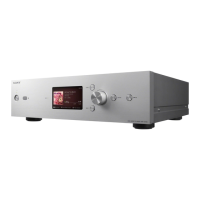
When you set the Network Standby function to [On], you can start up or operate the HDD
AUDIO PLAYER via the network even when the HDD AUDIO PLAYER is in standby mode.




 To Next Page