[52] Parts and controls
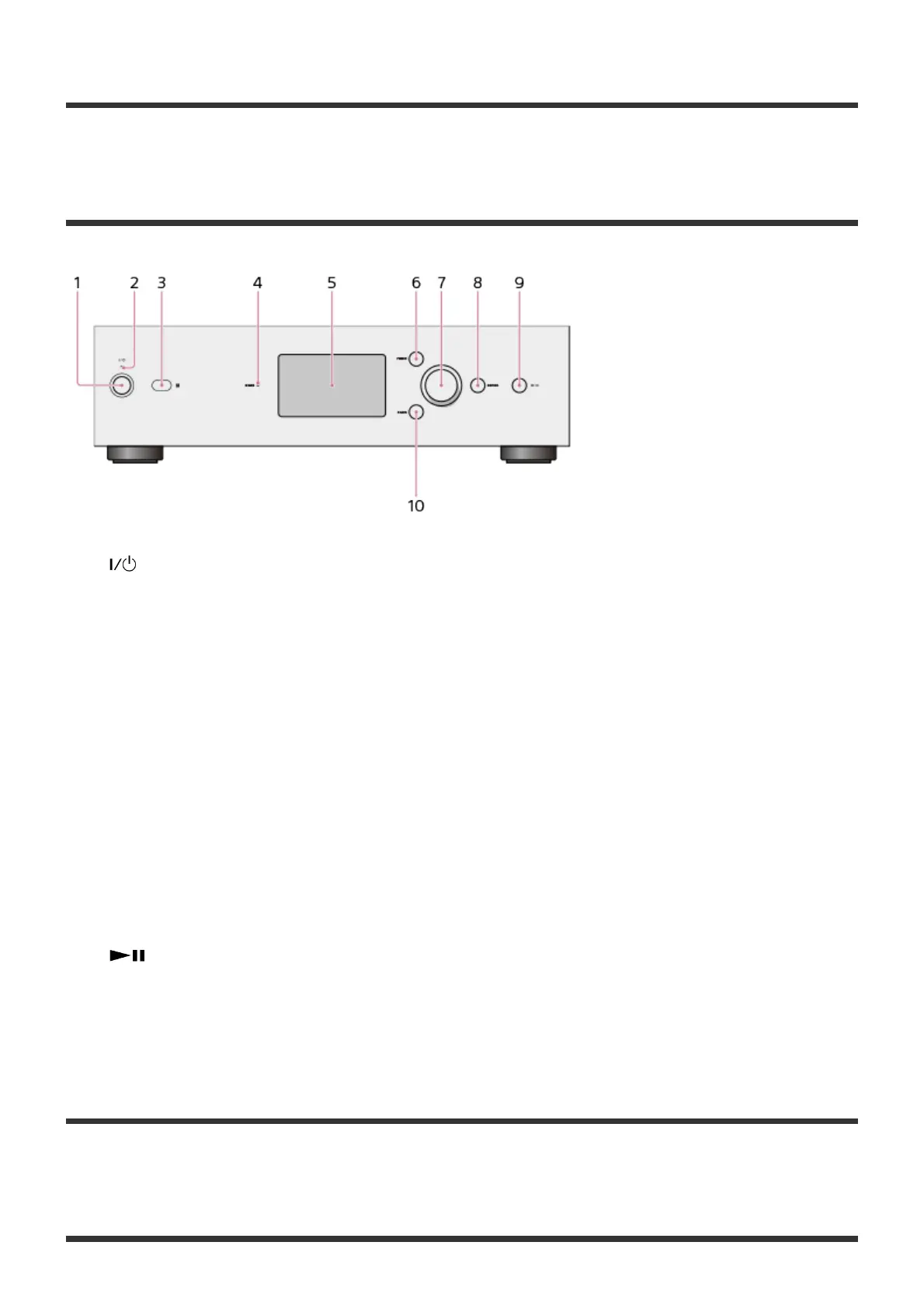
Front panel
1. (Power) button
Turns the HDD AUDIO PLAYER on and off.
2. Power lamp
When the HDD AUDIO PLAYER is turned on, this lamp lights up in green.
3. Remote sensor
4. DSEE lamp
Lights up when the DSEE function is active.
5. LCD display
6. HOME button
Displays the Home screen.
7. Jog dial
Turn this dial to select items displayed on the screen.
8. ENTER button
Commits a selected item.
9. (Play/Pause) button
Starts and pauses playback.
10. BACK button
Returns to the previous screen.
[53] Parts and controls
Rear panel





 To Next Page