2. Select [Delete].
3. Select [Yes].
The selected track, album, or folder will be deleted.
Note
You can delete pre-installed sample files, but they will be restored if you perform the Factory
Reset function.
Do not turn the HDD AUDIO PLAYER off during deleting.
Do not disconnect the external hard disk drive during deleting.
[46] Useful functions
Deleting music files from the HDD AUDIO PLAYER (when
using the HAP Music Transfer)
You can delete music files from the HDD AUDIO PLAYER using the HAP Music Transfer
application.
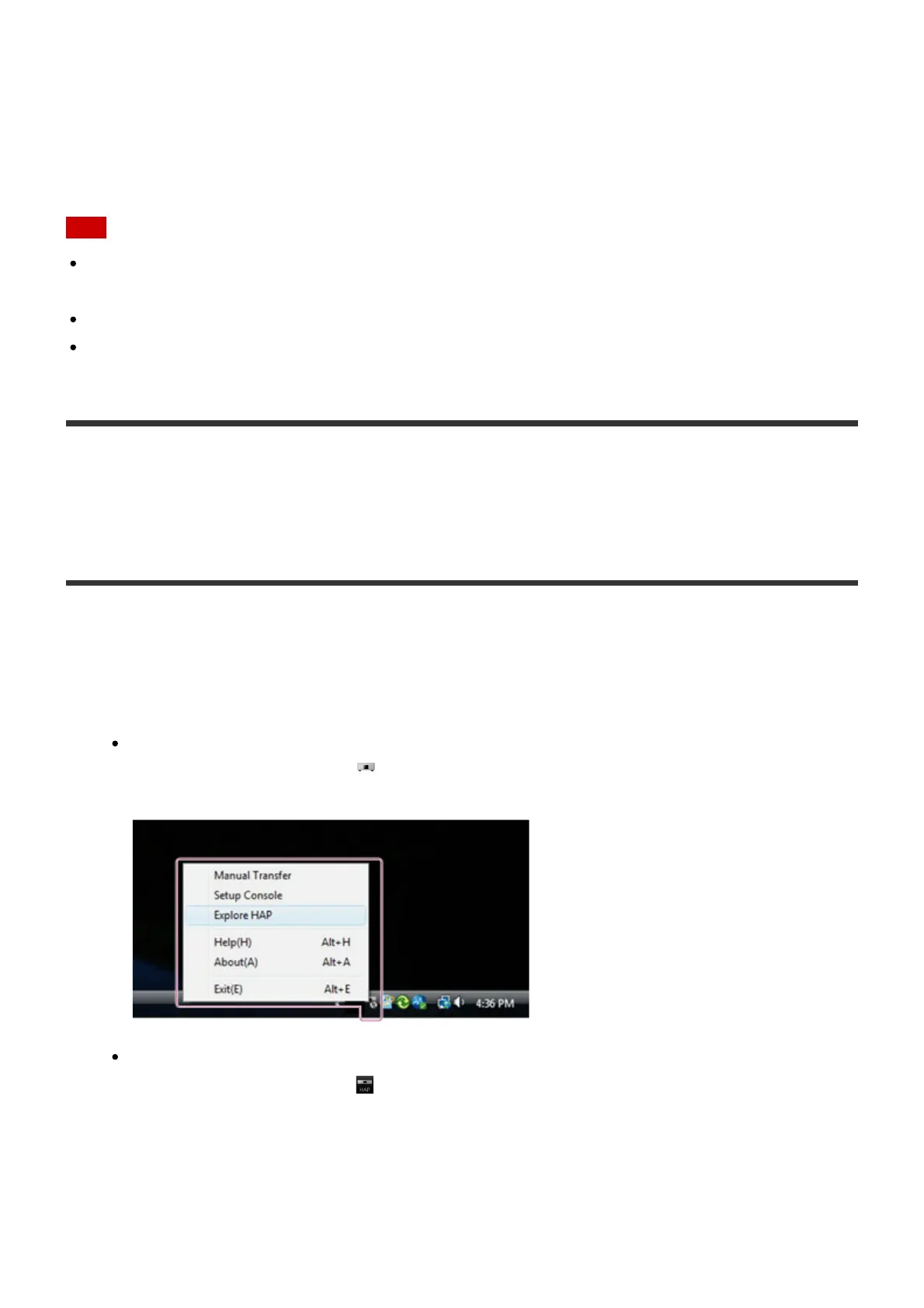
1. Perform one of the following operations.
For Windows:
Select [Explore HAP] from (the HAP Music Transfer icon) on the task tray of your
computer.
For Mac:
Select [Explore HAP] from (the HAP Music Transfer icon) on the Dock of your
computer.





 To Next Page