10
US
HT-A9
5-025-229-11(1)
C:\HT2020\AC\Data\UC2\5025229111\5025229111HTA9UC2\01GB-HTA9UC2\050PAC.fm
masterpage: Left
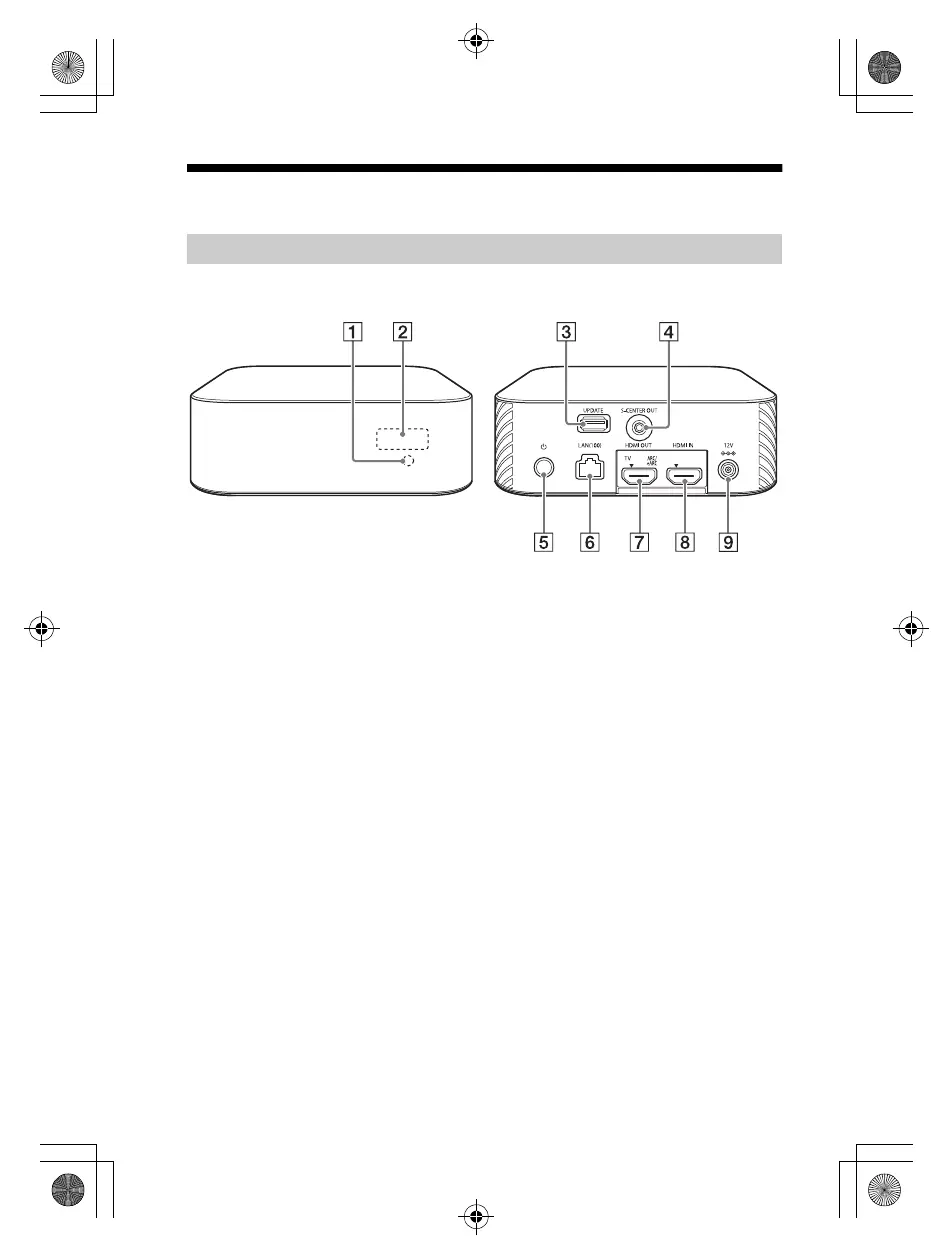
Guide to Parts and Controls
Remote control sensor
Point the remote control at the
remote control sensor to operate
the speaker system.
Front panel display
UPDATE port (page 46)
Connect the USB memory when
updating the speaker system.
S-CENTER OUT jack (page 17)
(power) button
Turns on the speaker system or
sets it to standby mode.
LAN(100) port
HDMI OUT (TV ARC/eARC) jack
Connect a TV that has an HDMI
input jack with an HDMI cable.
The speaker system is compatible
with eARC and ARC. ARC is the
function that sends TV sound to
an AV device such as the speaker
system from the TV’s HDMI jack.
eARC is an extension of ARC and
enables transmission of the
object audio and multi-channel
LPCM content that cannot be
transmitted with ARC.
HDMI IN jack
DC IN terminal
Control Box
010COV.book Page 10 Wednesday, November 25, 2020 3:33 PM



 To Next Page