21
US
C:\HT2020\AC\Data\UC2\5025229111\5025229111HTA9UC2\01GB-HTA9UC2\070CON.fm
masterpage: Right
HT-A9
5-025-229-11(1)
Performing Initial
Settings
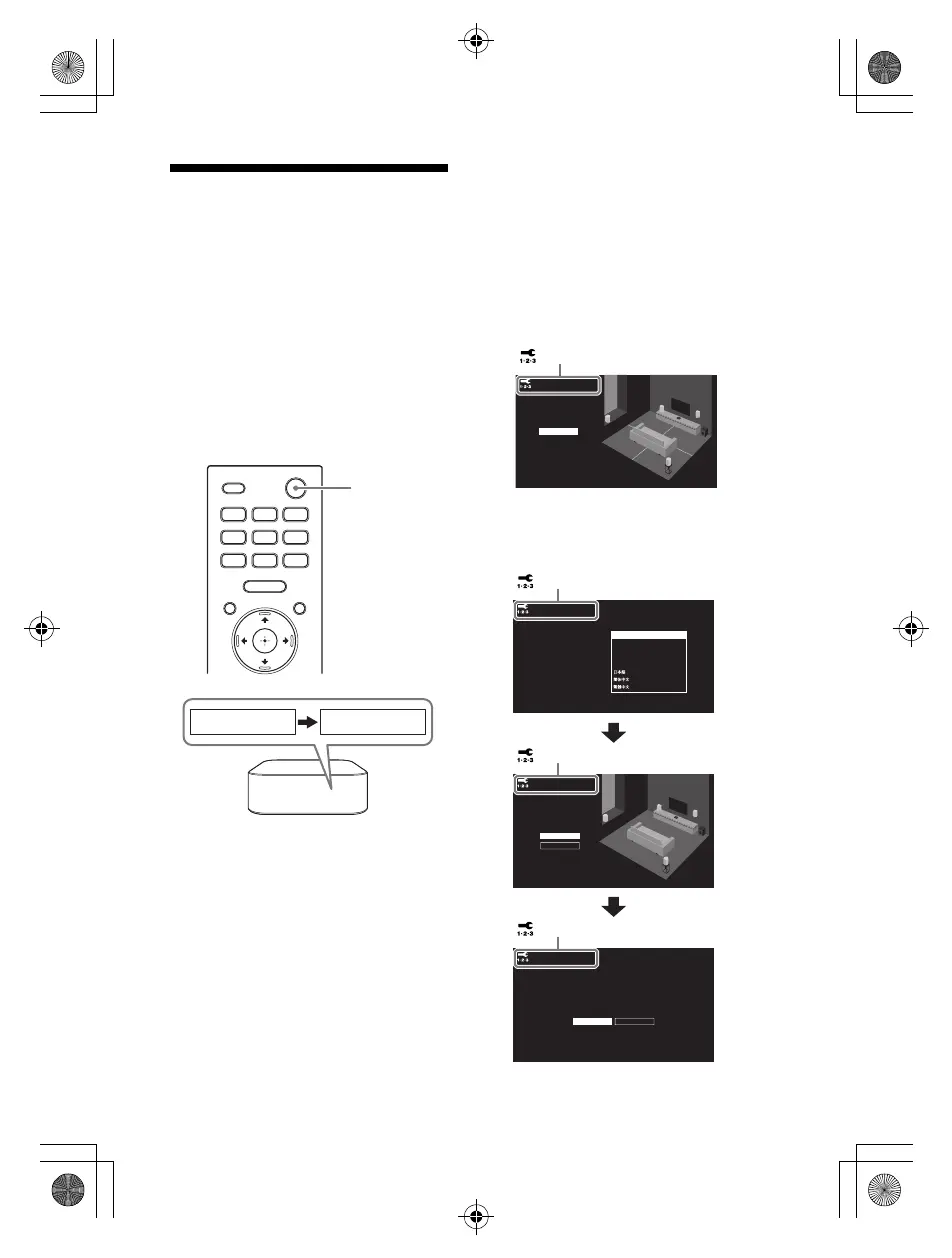
1 Press (power) on the remote
control supplied with the speaker
system to turn on the speaker
system.
Operate the remote control by
pointing it toward the front of the
control box.
When the speaker system turns on,
[SETUP] appears in the front panel
display.
2 Turn on the TV.
If the speaker setting screen does
not appear on the TV screen, change
the TV input setting to the input that
the speaker system is connected.
3 Check that the connection
between the control box and four
speakers is completed on the TV
screen.
The control box and speakers are
connected automatically.
The sound for connection
completion is output after the check
marks appear on all the speakers.
4 Perform initial settings by
following the on-screen
instructions.
Speaker connection check
Next
Speaker connection successful.
[ Speaker connection check]
Sound Field Optimization
Later
Language
Select your language.
Easy Network Setup - Start
Optimize the surround sound for your environment.
Connect this unit to the Internet to:
Optimization takes about a minute. A loud sound
may come from your speakers during optimization.
Do not make loud noises, walk or stand in front of
the speakers during optimization.
- Use your mobile device to play streaming music on the unit.
- Install software updates to keep the latest functions available.
You can do this later from [Easy Setup] > [Easy Network Setup].
Start
Next Later
Français (France)
English
Français (Canada)
Español
Deutsch
[ Language]
[ Sound Field Optimization]
[ Easy Network Setup - Start]
010COV.book Page 21 Wednesday, November 25, 2020 3:33 PM



 To Next Page