Name Function
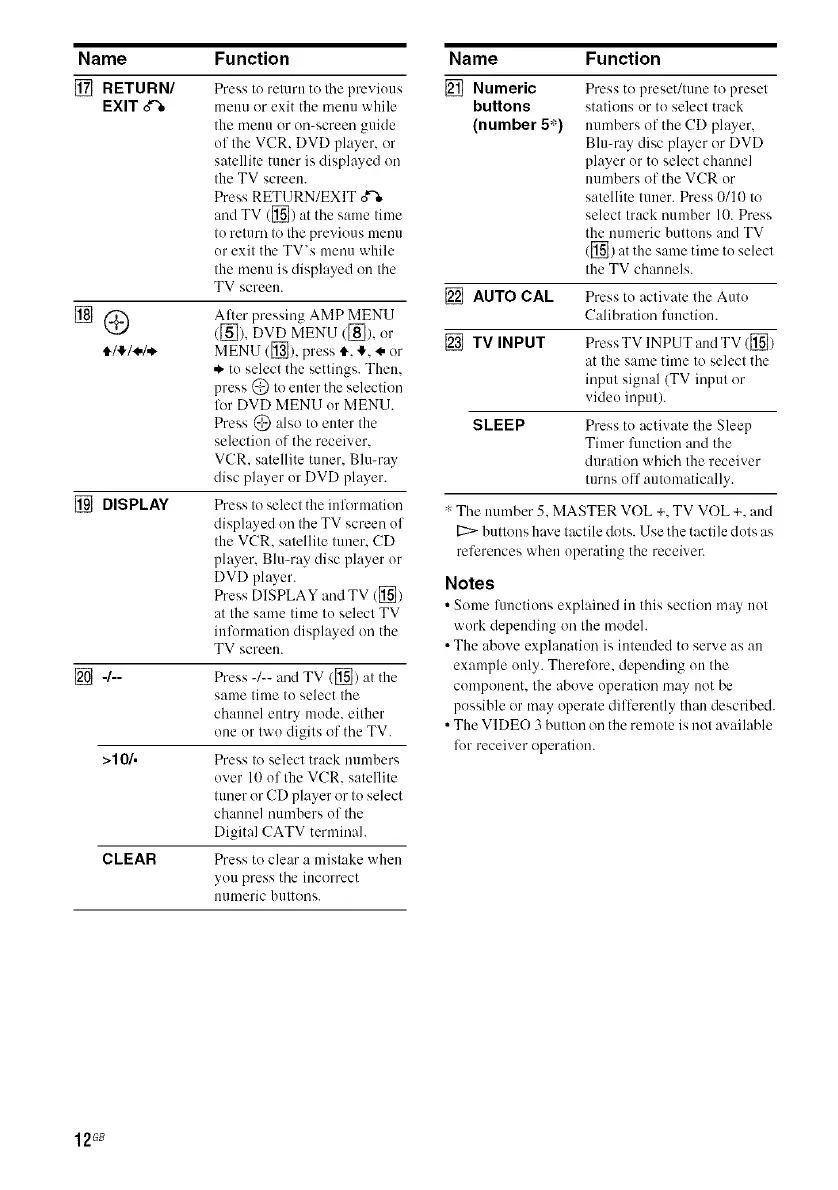
[] RETURN/
EXIT o%
Press to return to the previous
menu or exit the menu while
the meuu or on-screen guide
of the VCR. DVD player, or
satellite tmmr is displayed on
the TV screen.
Press RETURN/EXIT o'%
and TV ([_) at the same lime
to return to the previous menu
or exit the TV's menu while
the menu is displayed on the
TV screen.
[] DISPLAY
After pressing AMP MENU
([_), DVD MENU ([_), or
MENU([]), presst, !, * or
.._to select the settings. Them
press (_) Io enter the selection
lot DVD MENU or MENU.
Press @ also lu enter tile
selection of the receiver.
VCR. satellite tuner. Blu-my
disc player or DVD player.
Press to select the iulormation
displayed on the TV screen of
the VCR. satellite tuner. CD
player, Blu-ray disc player or
DVD player.
Press DISPLAY and TV ([])
fit the same time to select TV
inlkirmation displayed on the
TV screen.
[] -/-- Press -/-- and TV ([]) at tile
same time to select the
channel entry mode. either
one or two digits of the TV.
>10/. Press to select track numbers
over 10 of the VCR. satellite
tuner or CD player or to select
channel numbers of the
Digital CATV tenninah
CLEAR Press to clear a mistake when
you press the incorrect
numeric buttons.
Name
[] Numeric
buttons
(number 5*)
[] AUTO CAL
[]TVINPUT
SLEEP
Function
Press to preset/tune to preset
stations or to select track
numbers of the CD player,
Blu-ray disc player or DVD
player or to select channel
numbers of the VCR or
satellite tuner. Press 0/10 to
select track number 10. Press
the numeric buttons and TV
([]) tit tile same time to select
the TV channels.
Press to activate the Auto
Calibration luuction.
Press TV INPUT and TV ([])
fitthe same time to select the
input signal (TV input or
video input).
Press to activate the Sleep
Timer lhnction arid the
duration which the receiver
tunis olf automatically.
* The mlmber 5. MASTER VOL +. TV VOL +. and
[2::>buttons have tactile dots. Use the tactile dots as
references when operating the receiver.
Notes
• Some limctions explained in this section may not
work depending on the modeh
• The above explanation is intmlded to serve as an
example only. Therelore. depending on the
component, the above operation may not be
possible or may operate dillk:rently than described.
• The VIDEO 3 button on the remote is not available
fur receiver operation.
12G8



 To Next Page