iiiiiiii!i!i!!i!!i ii ii ii ii ii!iiiiiii ; ii i !!ii........ 7
Notes
• Relier to the operating
instrucfions supplied with the
TV and DVD player.
• Check the lollowing if you
cannot listen to multi channel
SOUU(I.
Be sure this receiver is
connected to the DVD player
via a digital connectiou.
Be sure the digital audio
output of the DVD player is
set up properly.
Tips
• Select the sound fornmt ol the
disc to be played, if necessary.
• You can select the sound field to
suit the movie/music. Reli:r to
page 42 for details.
Recommended sound fields:
Movie: C.ST.EX
Music: CONCERT
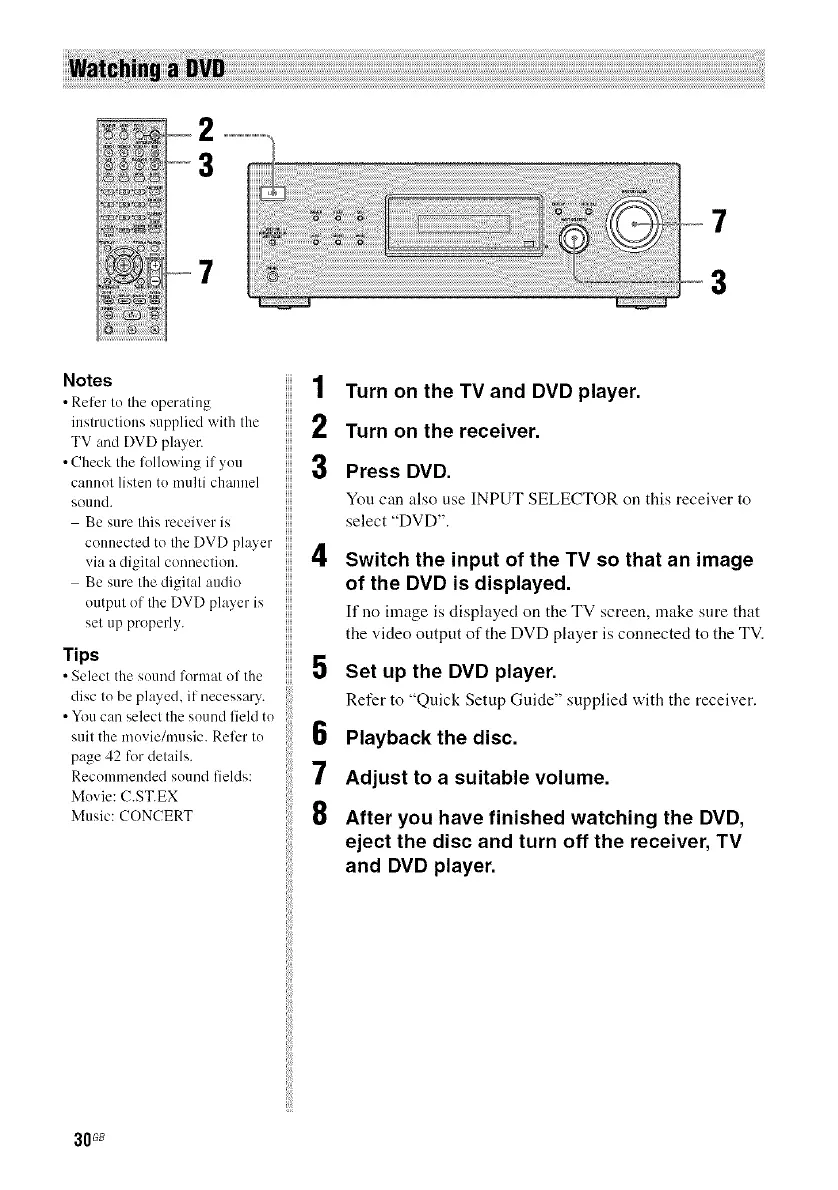
1 Turn on the TV and DVD player.
2 Turn on the receiver.
3 Press DVD.
Youcan also use INPUT SELECTOR on this receiver to
select "DVD".
4 Switch the input of the TV so that an image
of the DVD is displayed.
If no image isdisplayed on theTV screen, make sure that
the video output ofthe DVD player is connectedto the TV.
5 Set up the DVD player.
Refer to "Quick Setup Guide" supplied with the receiver.
6 Playback the disc.
7 Adjust to a suitable volume.
8 After you have finished watching the DVD,
eject the disc and turn off the receiver, TV
and DVD player.
30_



 To Next Page