19
GB
Playback Options
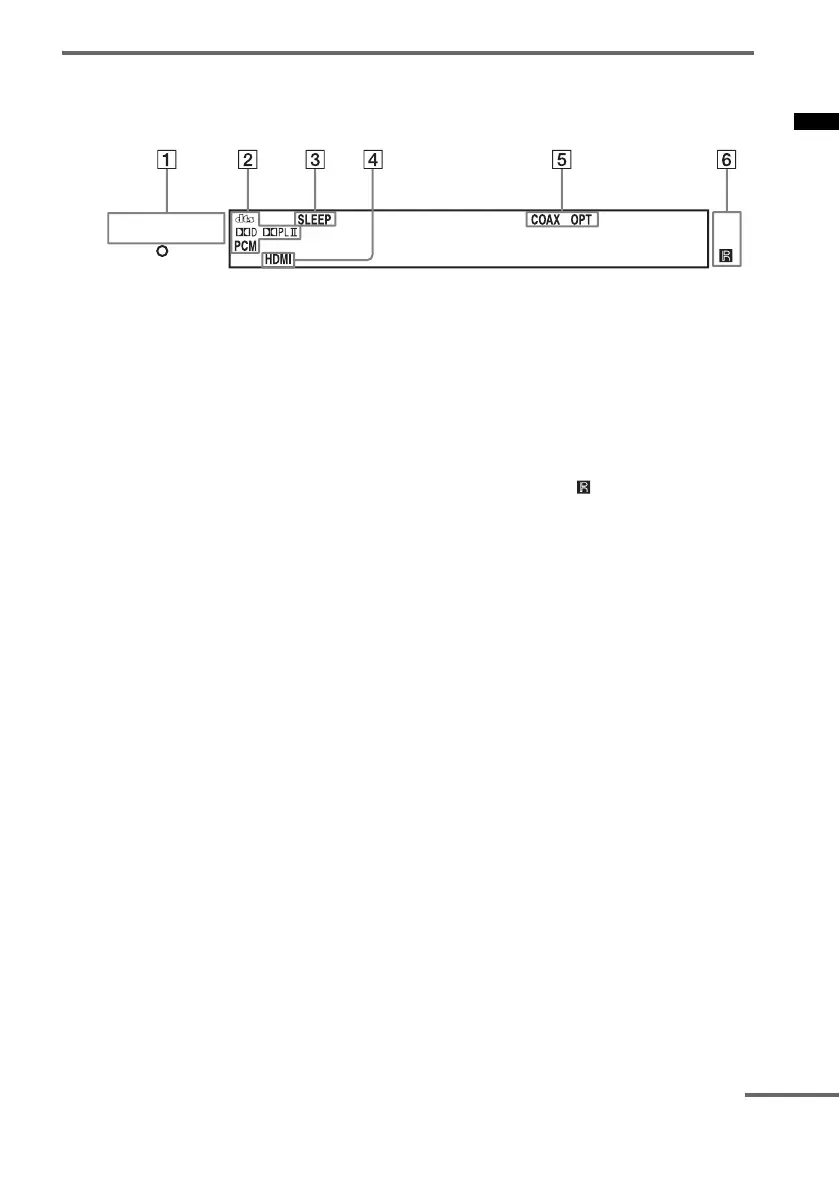
Front panel display (Active subwoofer)
About the indications in the front panel display
A POWER / ACTIVE STANDBY indicator
Lights as follows:
Green: The system is turned on.
Amber: Control for HDMI function is
working while the system is turned
off.
Off: The system is turned off, and the
Control for HDMI function is not
working.
B Audio decoding indicators
Lights up according to the audio input
signals.*
* When “;PLII” lights up, S-Force PRO Front
Surround is applied after Dolby Pro Logic II.
C SLEEP (38)
Flashes when the sleep timer function is
active.
D HDMI (13, 40)
Lights up when HDMI equipment is in use.
E COAX/OPT
Lights up according to the cable that you are
using.
F Remote sensor
Point the remote here.
POWER /
ACTIVE STANDBY
continued



 To Next Page