27
GB
“BRAVIA” Sync Features
Play back a connected component.
The system and the TV are turned on
automatically and switch to the appropriate
HDMI input.
• Depending on the TV, the start of the content may not
be output.
• You can enjoy the Blu-ray Disc/DVD player
(recorder) connected to the system, even if you turn
the system off. The POWER / ACTIVE STANDBY
indicator lights up in amber at this time.
You can enjoy the TV sound from the speakers
of the system by means of a simple operation.
For details, see the operating instructions of the
TV.
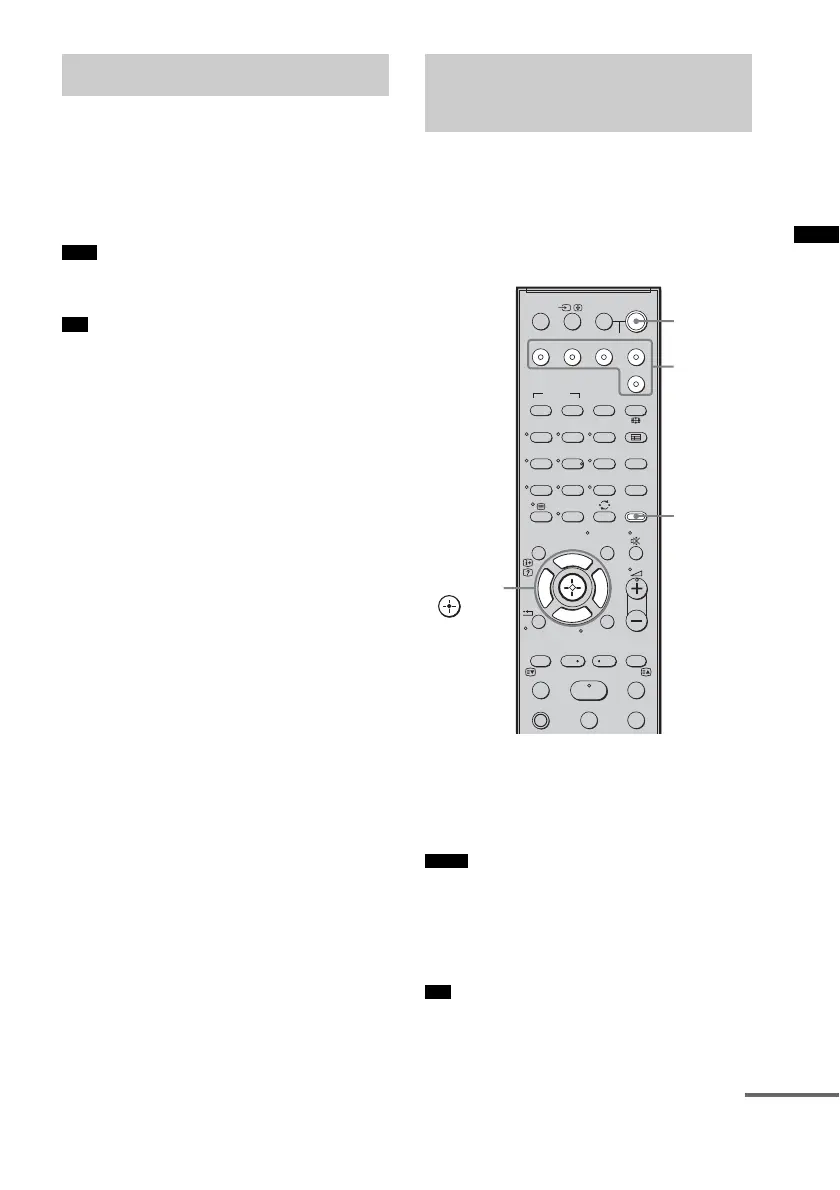
Press ?/1 to turn on the system.
The sound is output from the speaker of the
system. The sound is output from the TV's
speaker when you turn the system off.
• When the TV is turned on before this system is turned
on, the TV sound will not be output for a moment.
• When you connect a TV that does not have System
Audio Control function, the System Audio Control
function does not work.
• You can adjust the volume or turn off the sound of the
system using the TV remote.
Enjoying Blu-ray Disc/DVD
(One-Touch Play)
Note
Tip
Enjoying the TV sound
from the speakers
(System Audio Control)
Notes
Tip
SYSTEM STANDBY
MENU/HOME
TOOLS/
OPTIONS
TV VOL
MASTER VOL
123
46
78
0
ENTER
9
THEATRE
TV
?/1
AV
?/1
TV BD DVD SAT
TOP MENU MENU
BD/DVD
RETURN/EXIT
TV
F1 F2
AMP MENU
CLEAR
DISPLAY
SOUND
FIELD
LEVEL
MODE
A/B
DIGITALANALOG
DMPORT
?/1
PROG - PROG +
F
Gg
f
.
HmM
Xx
<
<
>
5
SYSTEM STANDBY
MENU/HOME
TOOLS/
OPTIONS
?/1
AMP
MENU
Input
buttons
C, X, x, c,
continued



 To Next Page