9
GB
Getting Started
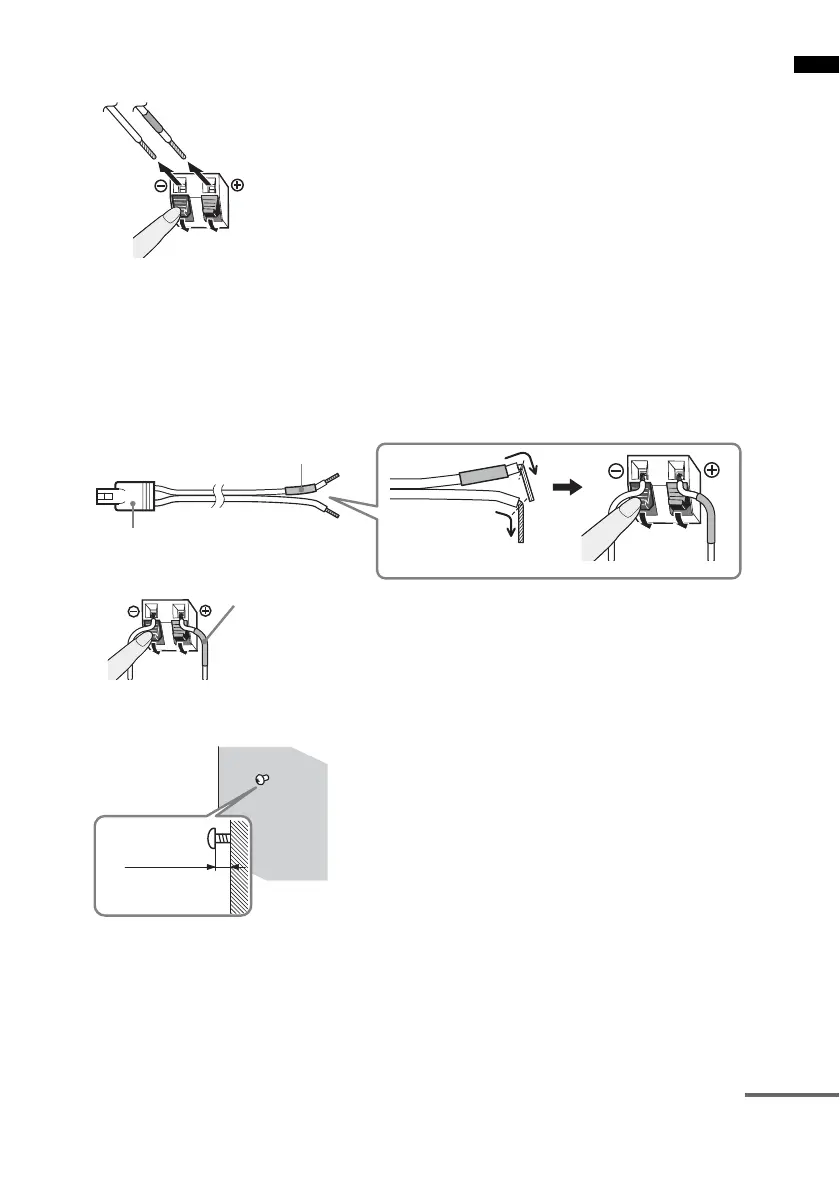
3 Disconnect the speaker cords from the speaker.
4 Take the speaker stand out.
5 Reconnect the speaker cords to the speakers.
The connector and color tube of the speaker cords are the same color as the label of the jacks to be
connected. Be sure to match the speaker cords to the appropriate terminals on the speakers: the
speaker cord with the color tube to 3, and the speaker cord without the color tube to #. Do not
catch the speaker cord insulation in the speaker terminals.
6 Fasten the screws to the wall.
Color tube
(–)
(+)
Connector
Rear of speaker
Color tube
Speaker (L): White
Speaker (R): Red
5 to 7 mm
continued



 To Next Page