EasyManua.ls Logo

Sony ICF-CD855V - Speaker (SP101;SP201); CD Lid Block

Sony ICF-CD855V
50 pages
Print Icon
To Next Page IconTo Next Page
To Previous Page IconTo Previous Page
Loading...
9
ICF-CD855V
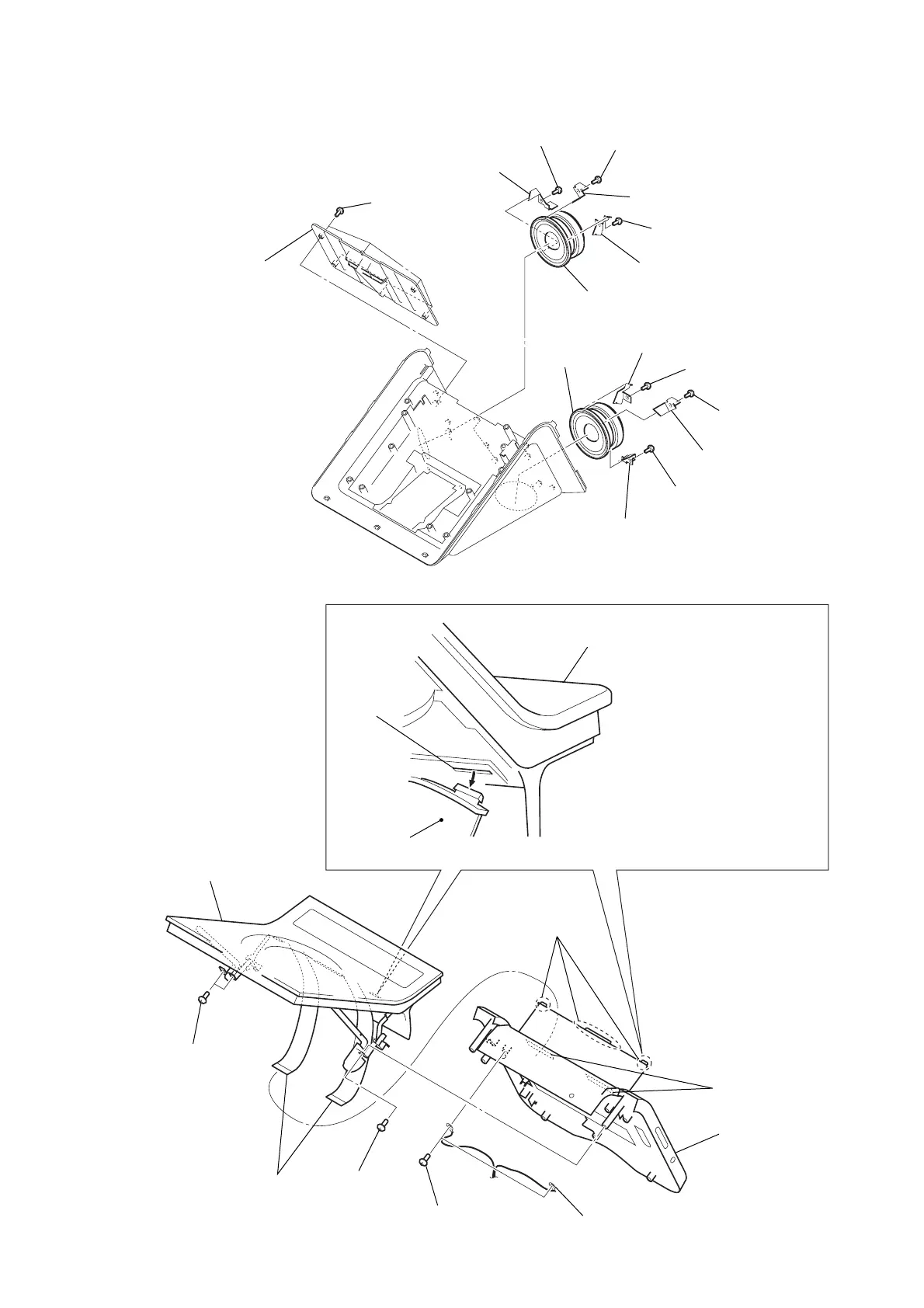
3-8. SPEAKER (SP101/SP201)
CD lid block
2
screw
cover (FFC)
4
Draw two flexible flat
cables out of the holes
in the cabinet (rear)
block.
6
cabinet (rear)
block
5
three bosses
slot
Disengage three bosses of the cover (FFC)
from the slots in the CD lid block.
Note: Be careful about the cover (FFC),
because it very sharp.
holes
harness with
connector
1
two screws
3
two screws
7
CD lid block
2
cover (SP)
1
six screws
(B2.6)
4
bracket (C) L
3
screw (B2.6)
5
screw (B2.6)
6
bracket (B) L
7
screw (B2.6)
8
bracket (A) L
9
speaker (SP101)
9
speaker
(SP201)
8
bracket (A) R
7
screw (B2.6)
5
screw (B2.6)
6
bracket (B) R
3
screw (B2.6)
4
bracket (C) R
3-9. CD LID BLOCK

Other manuals for Sony ICF-CD855V

Related product manuals