Help Guide
Interchangeable Lens Digital Camera
ILCE-7RM5 α7RV
Focusing using subject recognition functions
If you set the subject in advance, the camera will automatically recognize the subject and can focus on the eyes, etc.
when shooting images.
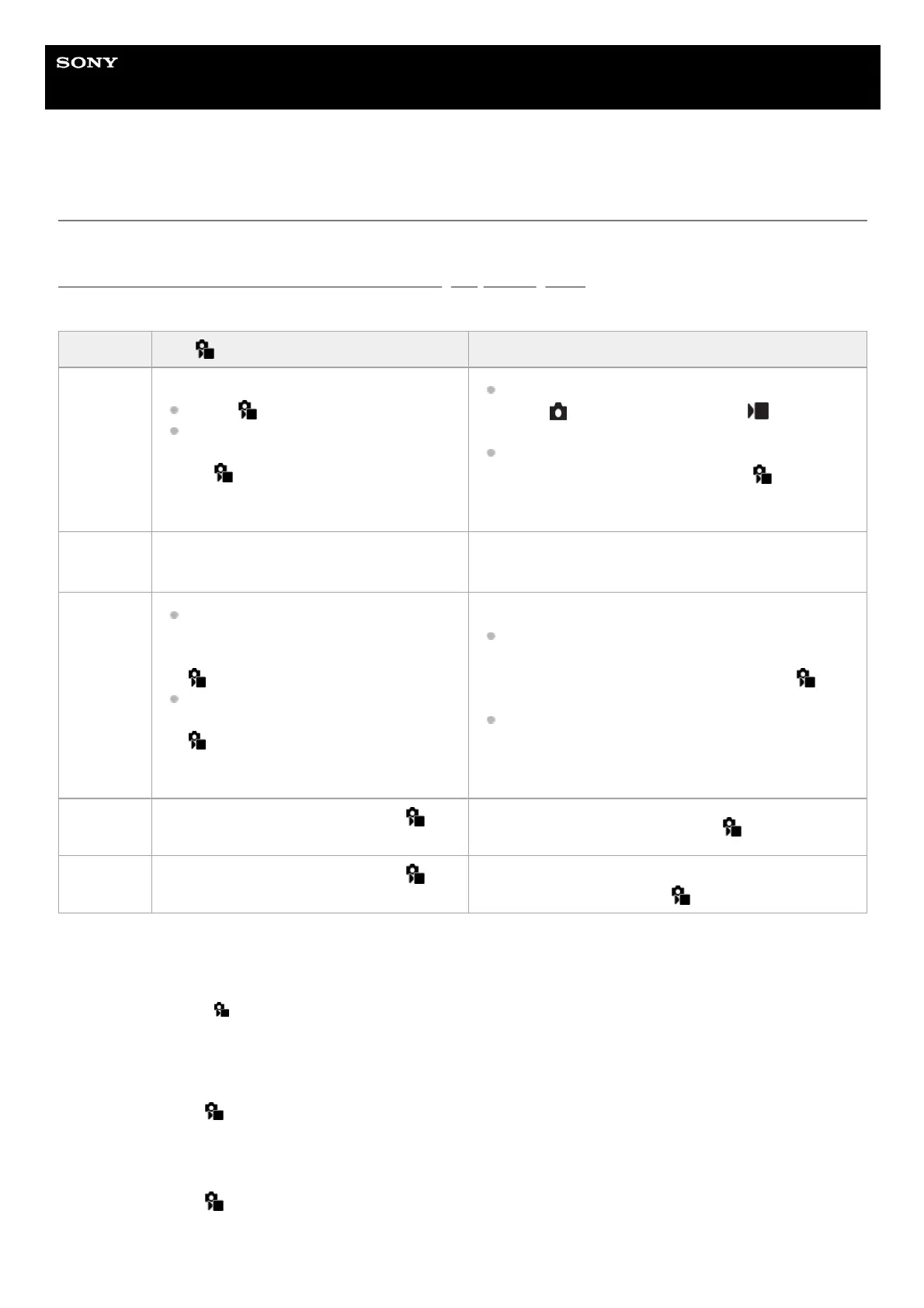
This table describes two methods to focus and shoot using subject recognition. Select the appropriate method according
to your purpose.
To focus on the eyes of an animal or a bird
Before shooting, set [
Recognition Target] to [Animal], [Bird], or [Animal/Bird] according to the subject. You can select
[Eye/Head/Body], [Eye/Head], or [Eye] as the desired part to be recognized with priority.
To focus on insects
Before shooting, set [
Recognition Target] to [Insect].
To focus on cars, trains, or airplanes
Item [ Subject Recog in AF] function [Subject Recognition AF] via a custom key
Advance
preparation
Select [
Subject Recog in AF] → [On].
Select [Human], [Animal/Bird], [Animal],
[Bird], [Insect], [Car/Train], or [Airplane]
for [
Recognition Target].
Assign [Subject Recognition AF] to the desired key
using [
Custom Key/Dial Set.] or [ Custom
Key/Dial Set.].
Select [Human], [Animal/Bird], [Animal], [Bird],
[Insect], [Car/Train], or [Airplane] for [
Recognition
Target].
How to
focus
Press the shutter button halfway down.
*1
Press the key to which you have assigned the [Subject
Recognition AF] function.
*2
Function
details
The camera focuses on the eye, head,
body, or entirety of the subject
recognized in or around the designated [
Focus Area].
If the camera does not recognize any
subjects in or around the designated [
Focus Area], normal auto-focusing
will be performed.
The camera focuses on the recognized subject's eye,
head, or body or the entirety of the subject anywhere
on the screen, regardless of the setting for [
Focus Area].
The camera will not perform auto-focusing if no
subjects are recognized anywhere on the screen.
Focus
mode
Follows the setting designated with [
Focus Mode]
Follows the setting designated with [
Focus Mode]
Focus area
Follows the setting designated with [
Focus Area]
The focus area temporarily becomes the entire screen,
regardless of the setting for [ Focus Area].
This operation is for focusing when shooting still images. When shooting movies, the camera will focus on the recognized subject, even if you do
not press the shutter button.
*1
Regardless of whether [
Subject Recog in AF] is set to [On] or [Off], if you have assigned [Subject Recognition AF] to a custom key, you can
use [Subject Recognition AF] while you are pressing that custom key.
*2



 To Next Page