Help Guide
Interchangeable Lens Digital Camera
ILCE-7RM5 α7RV
Rec. Media Settings (still image/movie): Auto Switch Media
If a memory card in use becomes full or you have forgotten to insert a memory card into a slot, you can record images to
the other memory card.
Menu item details
On:
The camera automatically starts recording on the other memory card when a memory card in use becomes full or if you
have forgotten to insert a memory card.
Off:
The camera does not perform [Auto Switch Media].
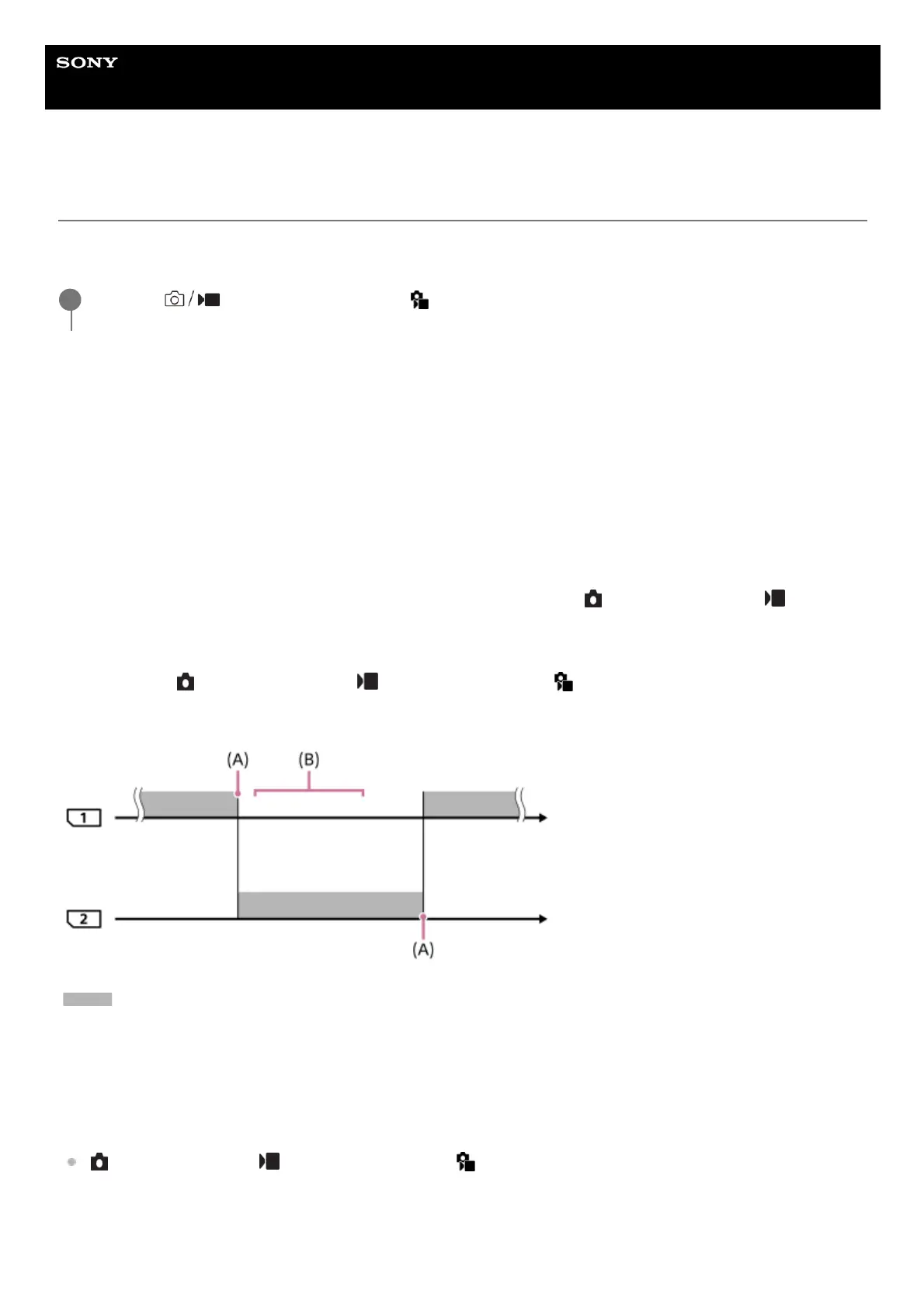
How the camera switches the memory card slot in use
When recording both still images and movies on a single memory card:
When images cannot be recorded to the memory card in use, the settings for [
Recording Media] and [ Recording
Media] change automatically and images are recorded to the other memory card.
When the other memory card becomes full after switching, the camera starts recording in the former slot again.
Example: When [
Recording Media] and [ Recording Media] under [ Rec. Media Settings] are both set to [Slot
1]
: Recording images
(A): Recording is no longer possible on the memory card (due to lack of capacity, etc.).
(B): The memory card is replaced with a recordable one.
When recording the same image simultaneously to two memory cards:
[
Recording Media] or [ Recording Media] under [ Rec. Media Settings] is set to [Simult. Recording].
After either of the memory cards becomes full, images are recorded to the other card.
When you replace the full memory card with a recordable memory card, the camera is once again able to simultaneously
record images with the selected setting.
MENU →
(Shooting) → [Media] → [ Rec. Media Settings] → [Auto Switch Media] → desired
setting.
1



 To Next Page