Help Guide
Interchangeable Lens Digital Camera
ILCE-7RM5 α7RV
Shooting still images (Intelligent Auto)
This section describes how to shoot still images in the [Intelligent Auto] mode. In the [Intelligent Auto] mode, the camera
automatically focuses and automatically determines the exposure based on the shooting conditions.
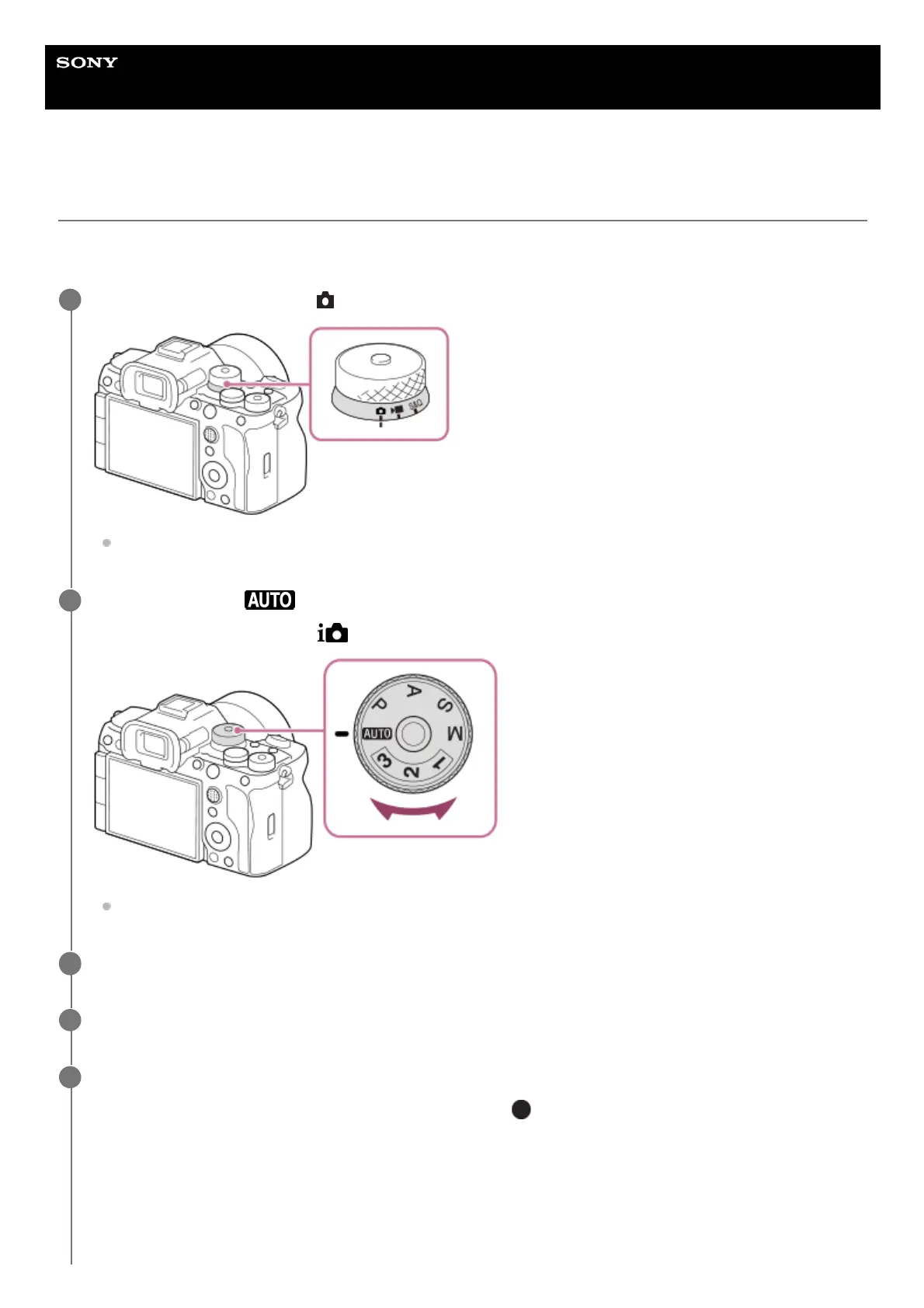
Set the Still/Movie/S&Q dial to (Still) to select the still image shooting mode.
Turn the Still/Movie/S&Q dial while pressing the lock release button on the front of the Still/Movie/S&Q dial.
1
Set the mode dial to (Auto Mode).
The shooting mode will be set to
(Intelligent Auto).
Turn the mode dial while pressing the mode dial lock release button in the center of the mode dial.
2
Adjust the monitor angle, and hold the camera. Or look through the viewfinder and hold the camera.
3
When a zoom lens is mounted, enlarge images by rotating the zoom ring.
4
Press the shutter button halfway down to focus.
When the image is in focus, a beep sounds and the indicator (
, etc.) lights up.
5



 To Next Page