Help Guide
Interchangeable Lens Digital Camera
ILCE-7RM5 α7RV
Shooting movies (Intelligent Auto)
This section describes how to record movies in the [Intelligent Auto] mode. In the [Intelligent Auto] mode, the camera
automatically focuses and automatically determines the exposure based on the recording conditions.
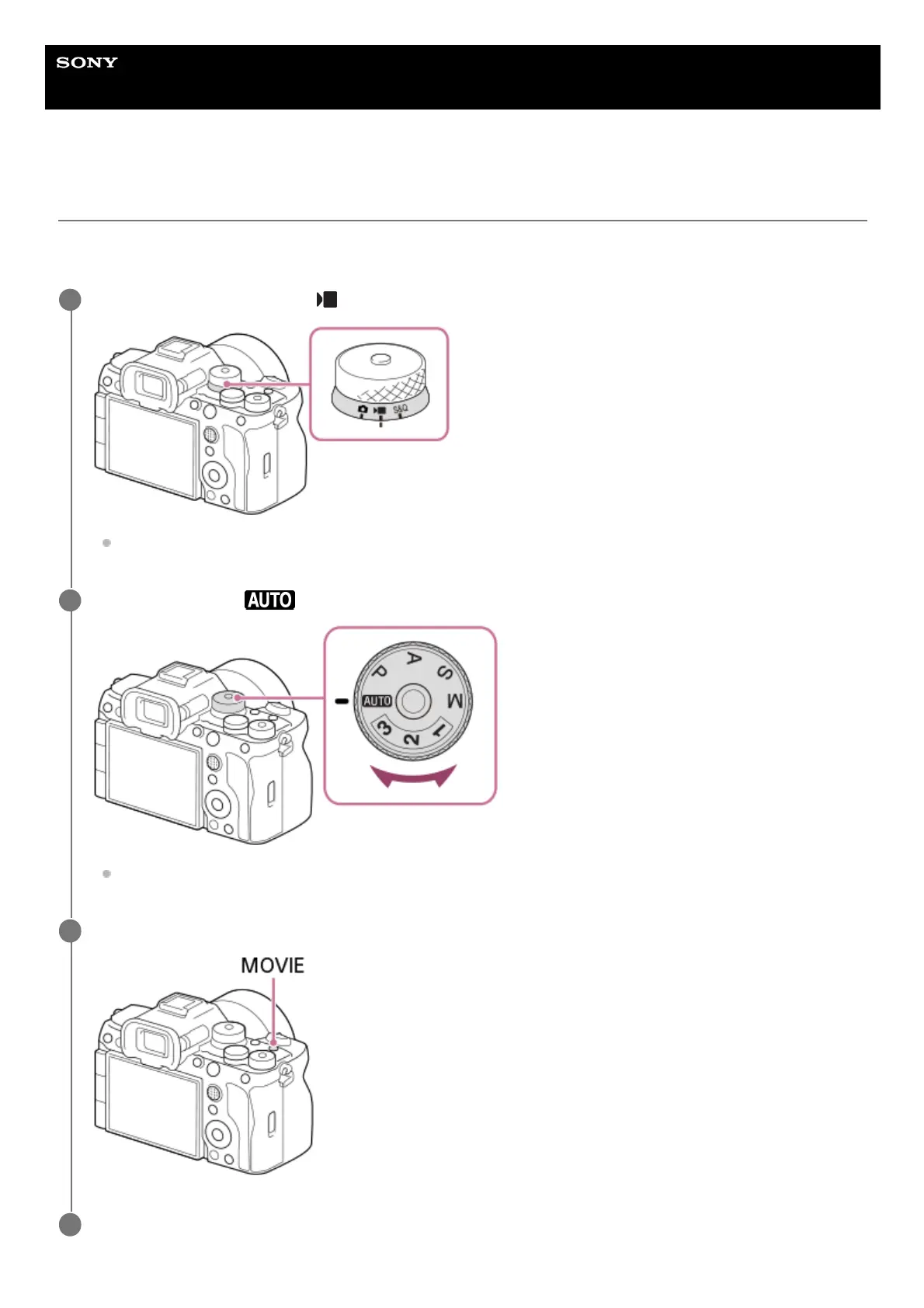
Set the Still/Movie/S&Q dial to (Movie) to select the movie recording mode.
Turn the Still/Movie/S&Q dial while pressing the lock release button on the front of the Still/Movie/S&Q dial.
1
Set the mode dial to (Auto Mode).
Turn the mode dial while pressing the mode dial lock release button in the center of the mode dial.
2
Press the MOVIE (Movie) button to start recording.
3
Press the MOVIE button again to stop recording.
4



 To Next Page