Help Guide
Wireless Noise Canceling Gaming Headset
INZONE Buds
Pairing and connecting with an Android smartphone
The operation to register the device that you wish to connect to is called “pairing”. When using the device with the
headset via a Bluetooth connection for the first time, pair the device first.
Your Android smartphone must support LE Audio (sound communication standard for Bluetooth technology). Use the
supplied USB transceiver to connect to an Android smartphone that does not support LE Audio. It is not possible to hear
audio from the Bluetooth connected device and the USB transceiver connected device at the same time.
Before starting the operation, make sure of the following:
The Android smartphone is placed within 1 m (3.2 ft) of the headset.
The headset is charged sufficiently.
The operating instructions for the Android smartphone is at hand.
Devices supporting LE Audio (as of October 2023)
Android smartphone Xperia 1 Ⅴ / Xperia 1 Ⅳ / Xperia 5 Ⅳ (use the latest version of the smartphone software)
For the latest information on the compatible devices, refer to the support website.
About LE Audio
LE Audio supports the “LC3” codec.
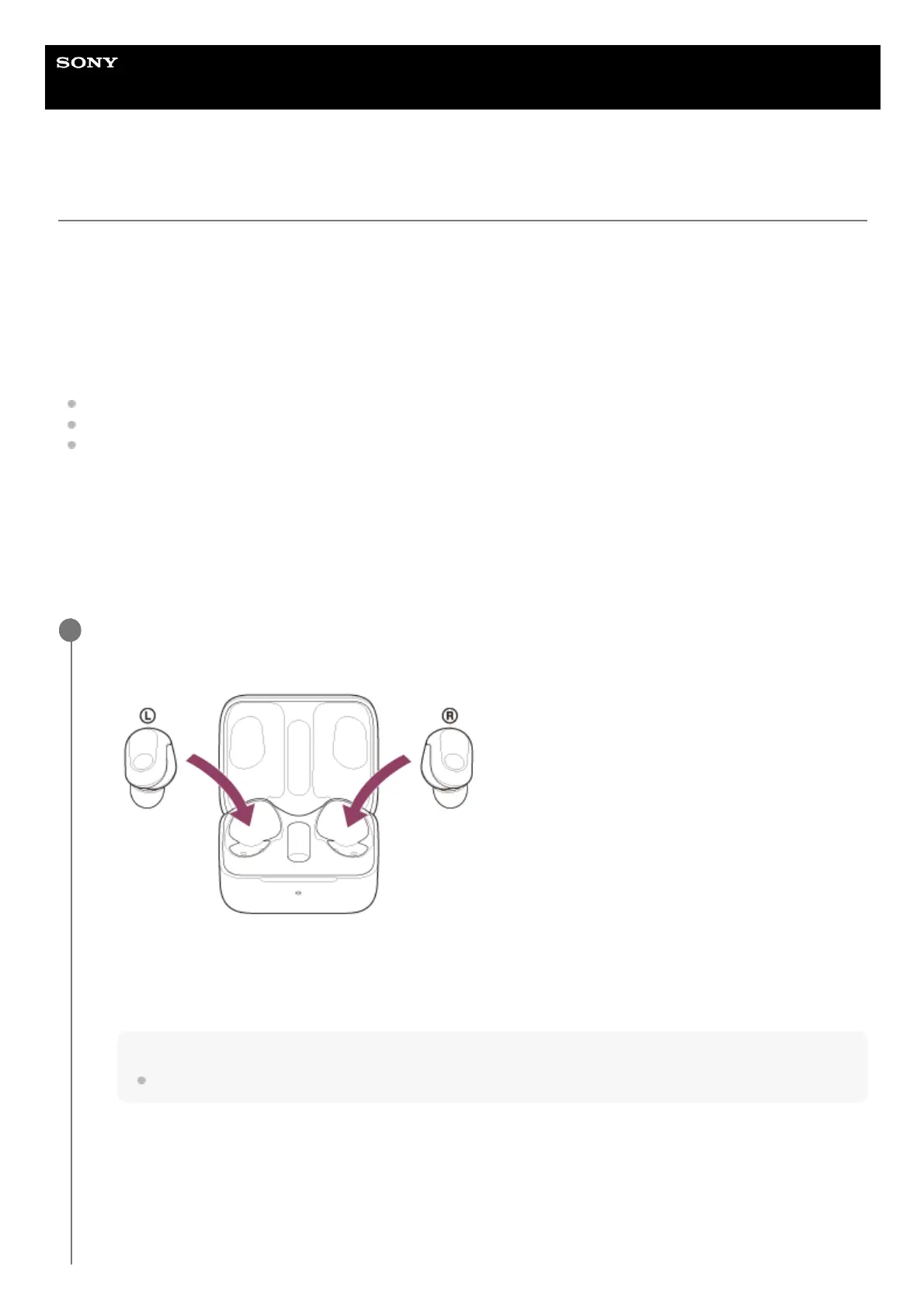
Enter pairing mode on this headset.
1
Set the headset units into the charging case.
Leave the charging case lid open.
1.
With the charging case lid open, press and hold the pairing button on the back of the charging case for about 5
seconds or more.
Note
The headset does not enter pairing mode with the charging case lid closed.
2.












 To Next Page