Help Guide
Wireless Noise Canceling Gaming Headset
INZONE Buds
Receiving a call
You can talk hands-free via a Bluetooth connection on a smartphone or mobile phone that supports the Bluetooth profile
CCP (Call Control Profile).
The operation may vary depending on the smartphone or mobile phone. Refer to the operating instructions supplied
with the smartphone or mobile phone.
Depending on the connected device or the application you are using, the functions may not work properly even if you
try to operate them with the headset.
Ring tone
When you receive an incoming call, a ring tone will be heard from the headset.
You will hear either of following ring tones, depending on your smartphone or mobile phone.
Ring tone set on the headset
Ring tone set on the smartphone or mobile phone
Ring tone only for a Bluetooth connection set on the smartphone or mobile phone
Connect the headset to a smartphone or mobile phone via a Bluetooth connection beforehand.
1
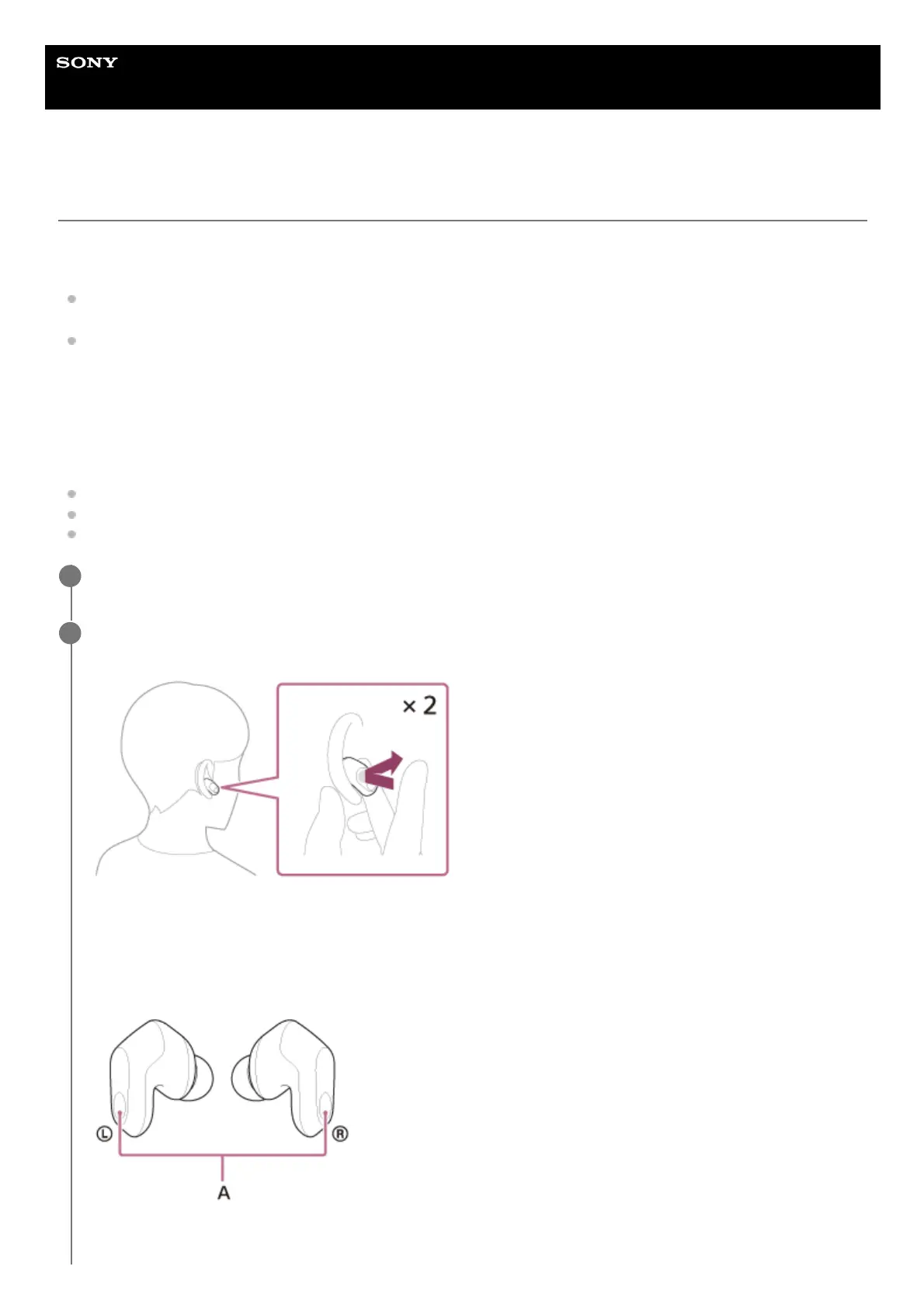
When you hear a ring tone, tap the touch sensor on the left or right headset unit twice quickly (at about 0.3-
second intervals between taps) to receive the call.
Sound will be heard from the headset.
When you receive an incoming call while listening to music, playback pauses automatically and a ring tone will be
heard from the headset.
If playback is not paused, operate the headset to pause playback.
You can talk using the microphones on the left and right headset units.
A: Microphones (left, right)
2












 To Next Page