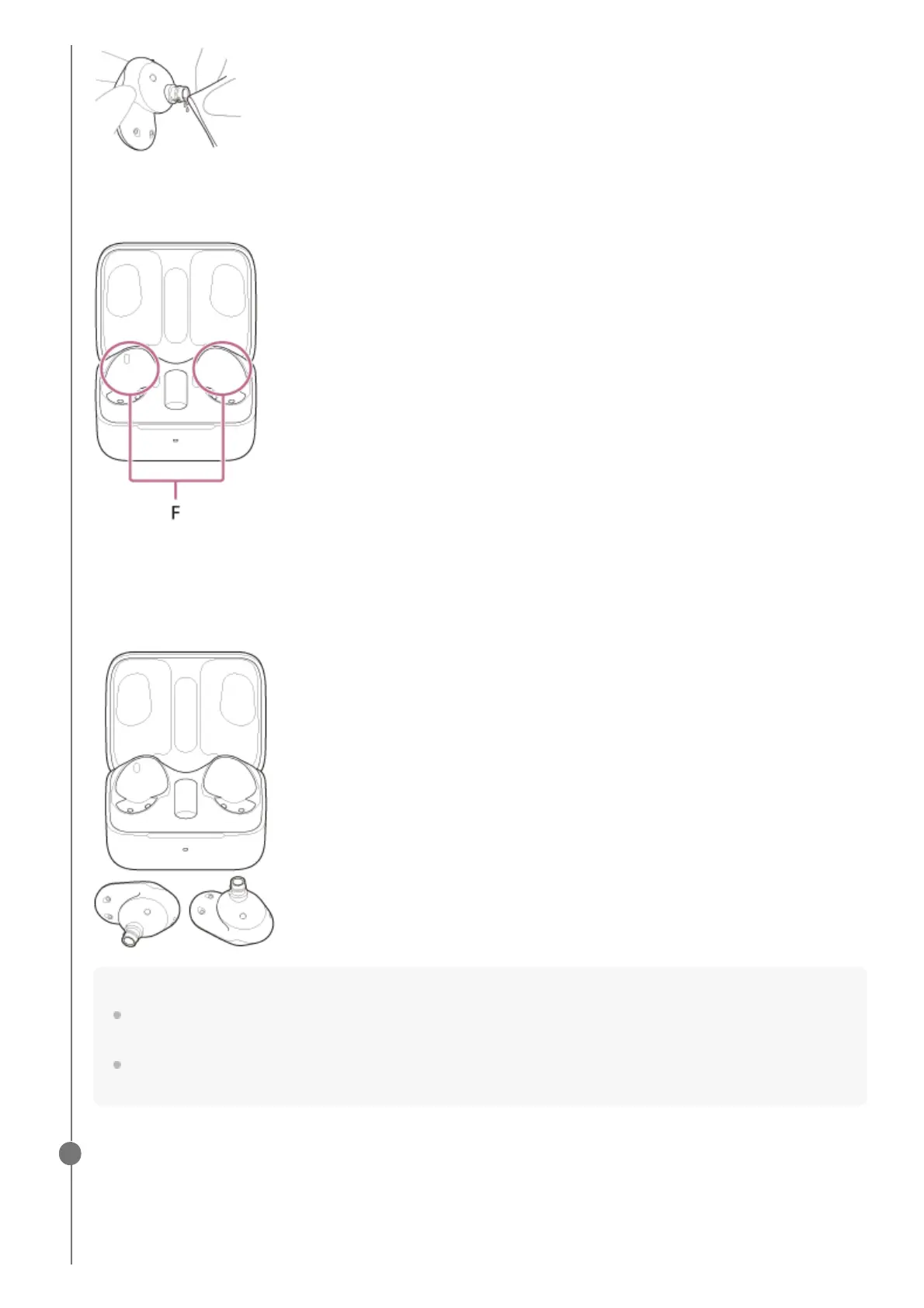
Cleaning the holes of the charging case
Clean the holes where the earbud tips fit with a cotton swab, etc.
F: Holes of the charging case (left, right)
Drying the headset
After cleaning is complete, leave the headset to dry thoroughly at room temperature.
Note
When drying the headset, if the IR sensors touch the table, the headset will be considered worn and the rechargeable
battery may continue to be consumed. Place the headset units with the IR sensors facing sideways or upwards.
The mesh part at the sound output part of the headset unit may peel off or break if it is rubbed forcefully. Do not rub this
part with too much force.
Attach the earbud tip.
Push the earbud tip firmly onto the sound conduit (sound output tube) on the headset so that the earbud tip covers
the inner end of the sound conduit. Do not attach the earbud tip in a loose or skewed manner.
3












 To Next Page