Help Guide
Wireless Noise Canceling Gaming Headset
INZONE Buds
When the headset units, charging case or USB transceiver gets wet
When the headset units get wet
On water resistant performance of the headset
The charging case and USB transceiver are not water resistant.
The water resistant specifications of this headset are equivalent to IPX4 in IEC 60529 “Degrees of protection against
ingress of water (IP Code)”, which specifies the degree of protection provided against the entry of water. The headset
cannot be used in water.
Unless the headset is used correctly, water may get into the headset and cause fire, electrocution, or malfunctions.
Note the following cautions carefully and use the headset correctly.
IPX4: Protected against water splashing from any direction.
The sound conduits (sound output tubes), air holes, and microphone part of the headset are not completely
watertight.
If any water droplets are left in the sound conduits, air holes, or microphone part, the following issues may occur
temporarily. However, they are not malfunctions.
Sounds become difficult to hear.
The noise canceling effect is weakened.
Unusual sounds are heard.
Voices during phone calls become difficult to hear.
Liquids that the water resistant performance specifications of the headset apply to
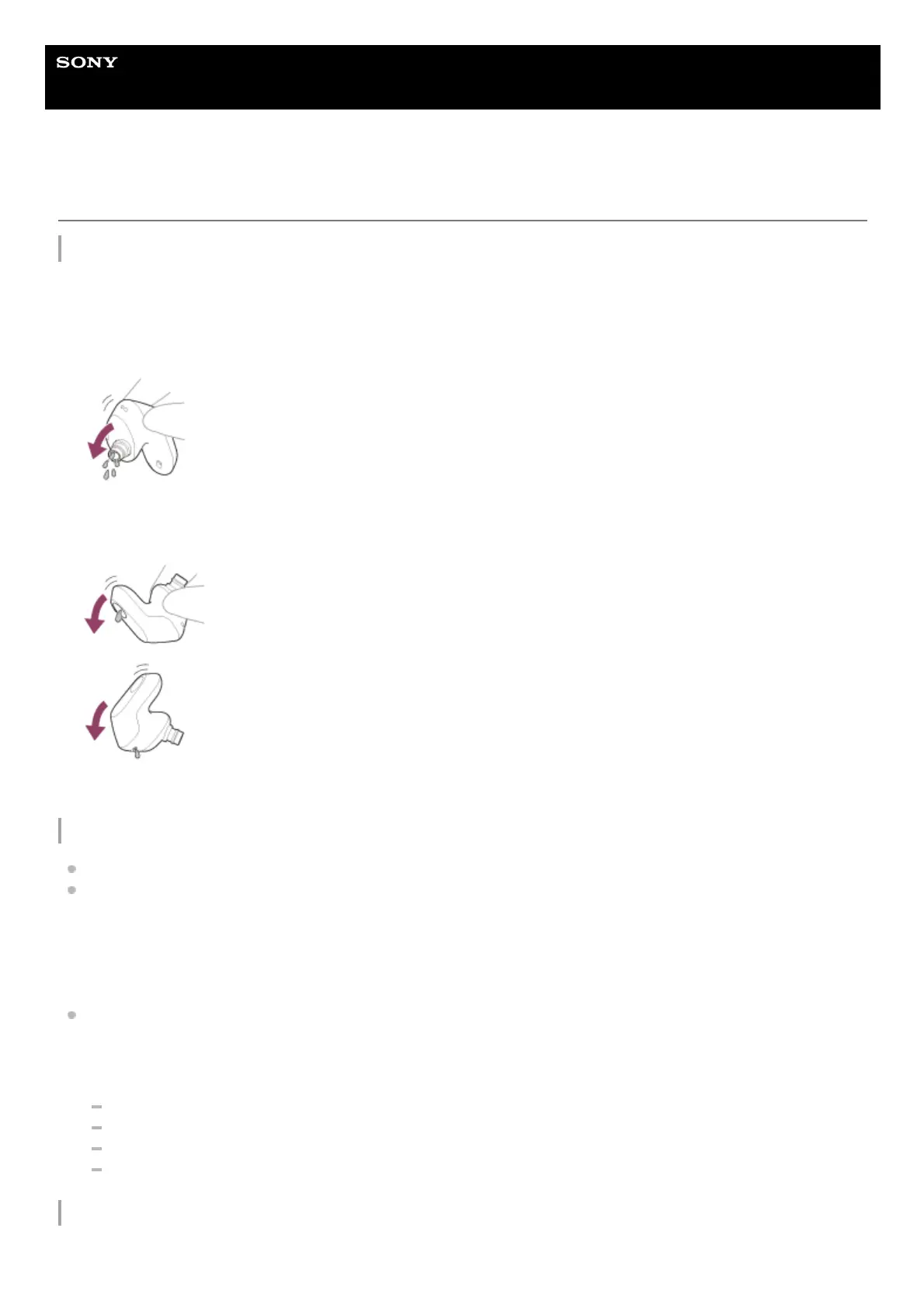
Use a soft dry cloth to wipe off any water that gets on the headset units.1.
Remove the earbud tips, turn the sound conduits (sound output tubes) downward, and shake several times to get the
water out.
2.
Turn the microphone part or air hole part downward and gently tap it about 20 times on a dry cloth, etc. to remove
any water collected inside.
3.
Leave the headset to dry at room temperature.4.












 To Next Page