i-Manual online
Print Font Size
How to Use i-Manual
“BRAVIA” TV Features
Watching TV
Settings/Home Menu
Using Other
Equipment/Internet
Parts Description
Troubleshooting
Bookmarks
Index
i-Manual online map
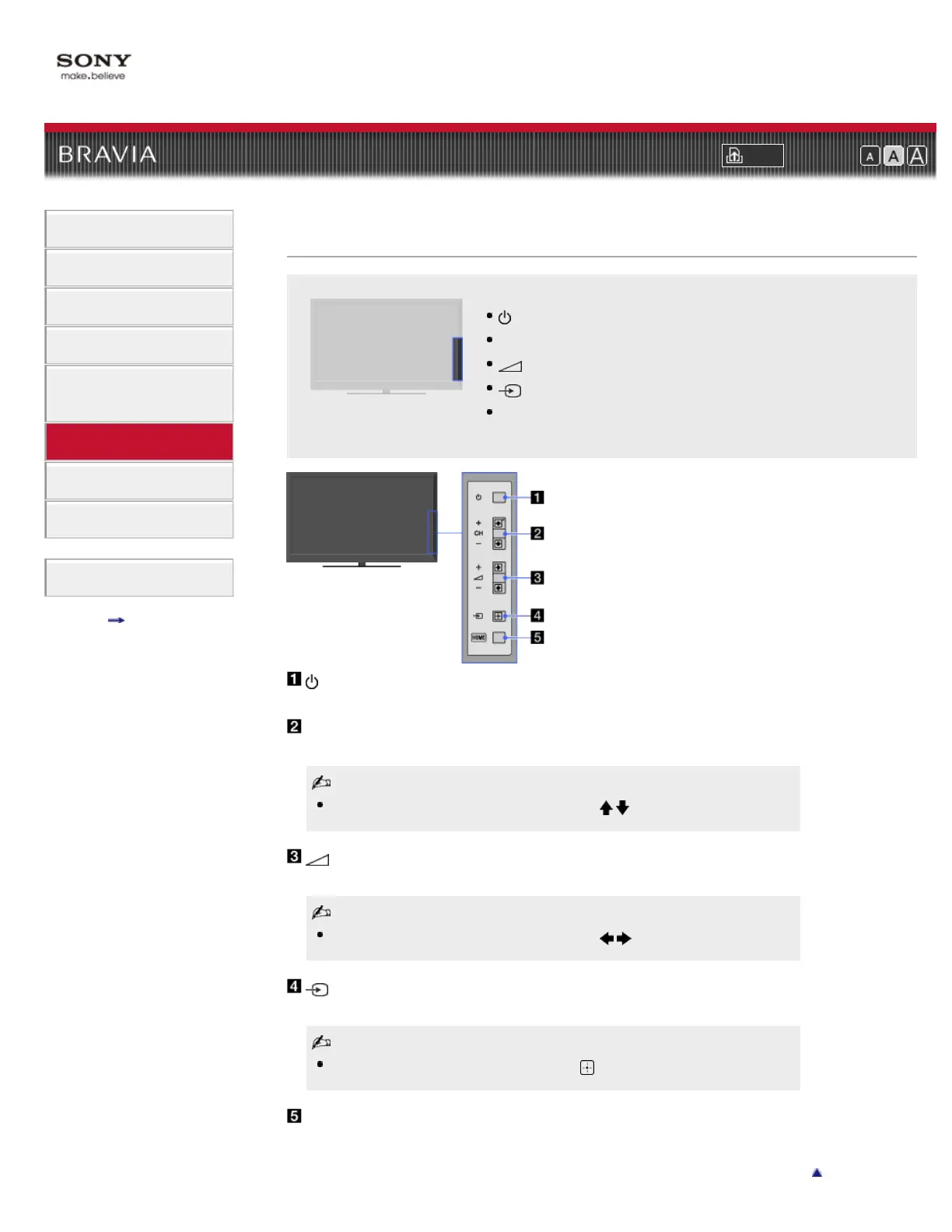
(Power)
CH +/– (Channel)
+/- (Volume)
(Input select)
HOME
Top Page > Parts Description > Right
Right
(Power)
Press to turn on the TV or to enter standby mode.
CH +/– (Channel)
Press to select the next (+) or previous (–) channel.
In the TV menu, these buttons will work as / .
+/- (Volume)
Press to adjust the volume.
In the TV menu, these buttons will work as / .
(Input select)
Press to display a list of inputs.
In the TV menu, this button will work as .
HOME
Press to display the TV Home Menu.













 To Next Page