i-Manual online
Print Font Size
How to Use i-Manual
“BRAVIA” TV Features
Watching TV
Settings/Home Menu
Using Other
Equipment/Internet
Parts Description
Troubleshooting
Bookmarks
Index
i-Manual online map
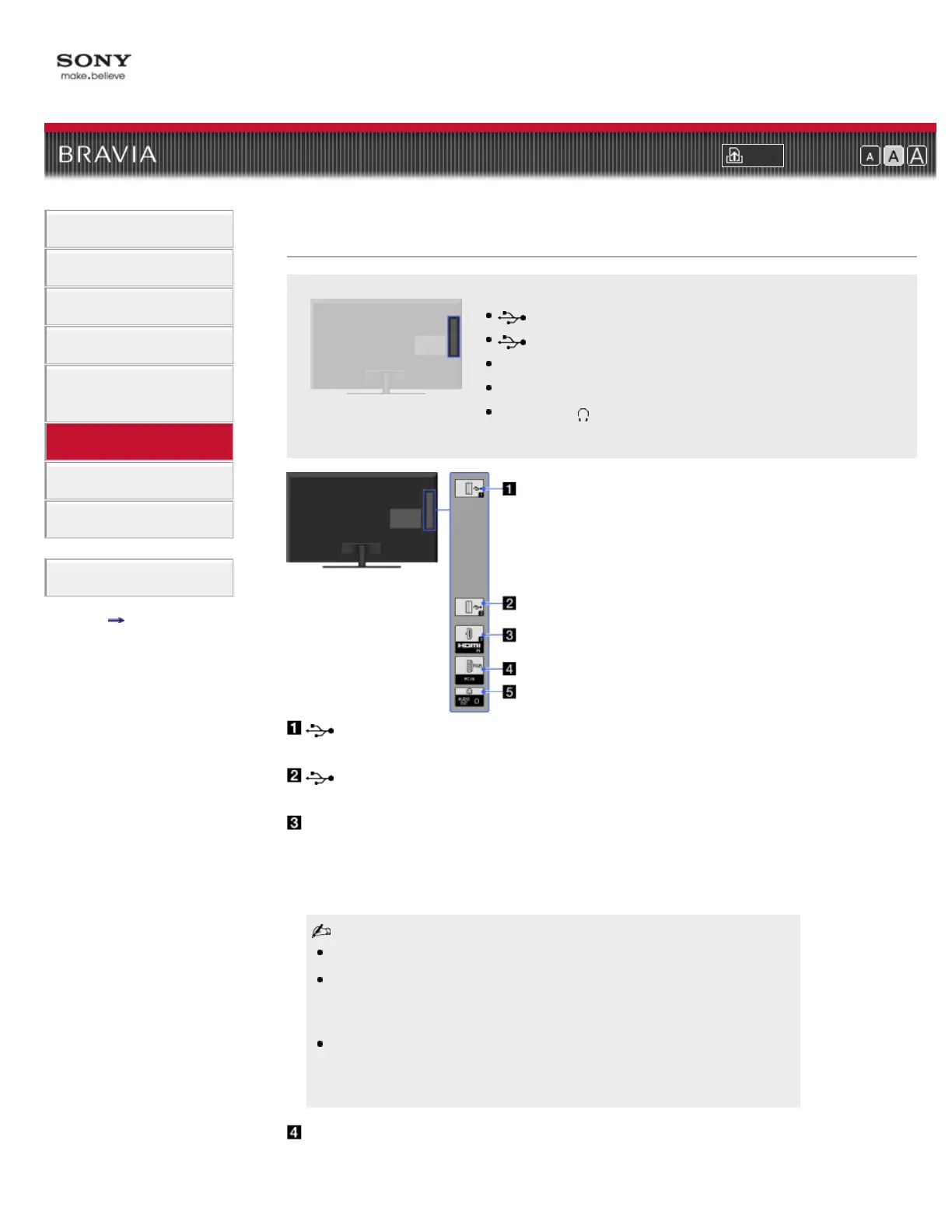
USB 1
USB 2
HDMI IN 2
PC IN
AUDIO OUT/
Top Page > Parts Description > Right
Right
USB 1
You can enjoy photo, music and video files stored on a USB device.
USB 2
You can enjoy photo, music and video files stored on a USB device.
HDMI IN 2
HDMI (High-Definition Multimedia Interface) provides an uncompressed, all-
digital audio/video interface between this TV and any HDMI-equipped audio/video
equipment. In addition, when you connect equipment that is compatible with
“Control for HDMI,” communication with the connected equipment is supported.
Be sure to use only an authorized HDMI cable bearing the HDMI logo.
If connecting a digital audio system that is compatible with Audio Return
Channel (ARC) technology, use HDMI IN 1 on the rear of the TV. If not, an
additional connection with DIGITAL AUDIO OUT (OPTICAL) is necessary.
If the equipment has a DVI jack, connect it to HDMI IN 4 through a DVI -
HDMI adapter interface (not supplied), and connect the equipment’s audio
out jacks to PC/HDMI 4 AUDIO IN on the rear of the TV.
PC IN
Connects to a personal computer’s video and audio output connector. Can also













 To Next Page