— 27 —
KV-25F3
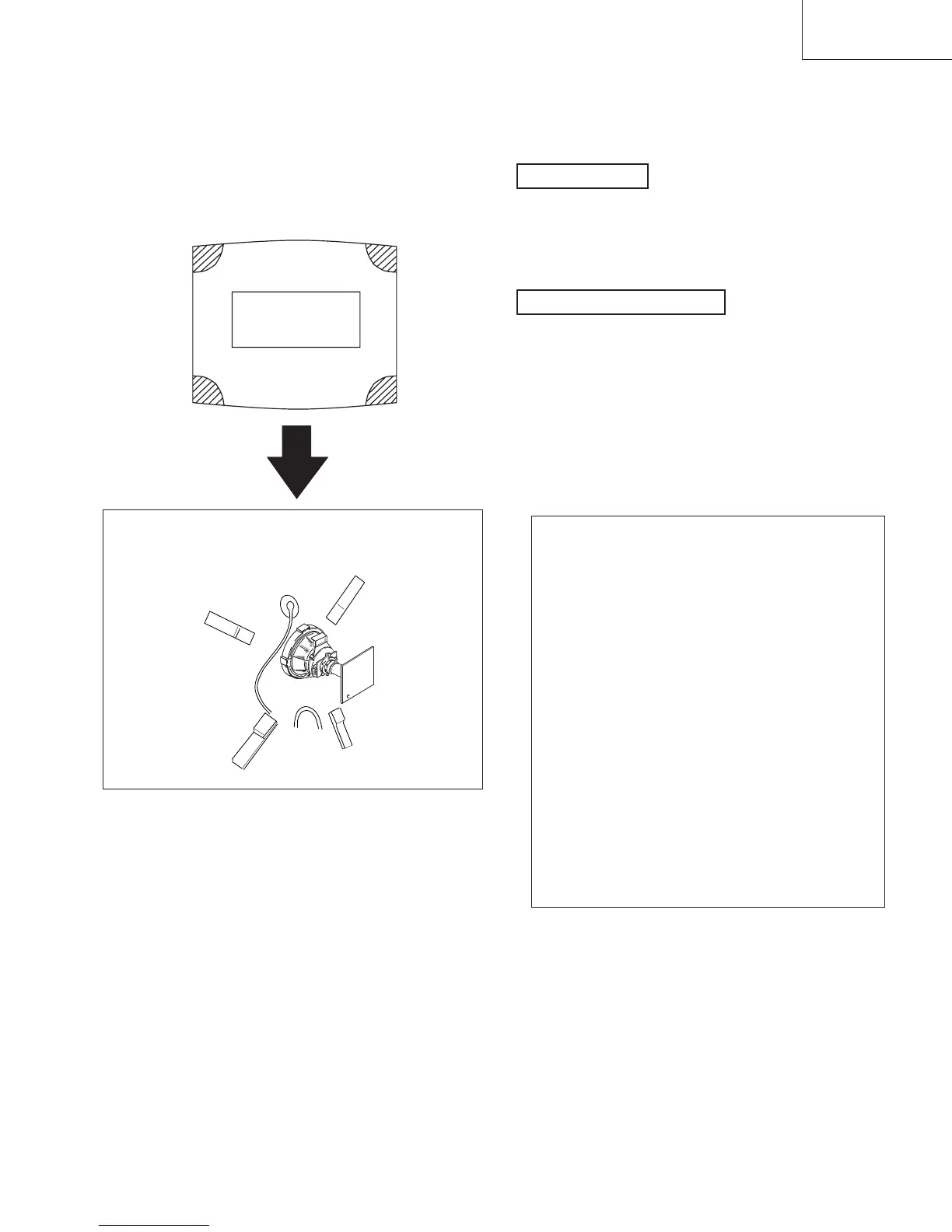
a—d: angoli dello
schermo non in
convergenza.
a
b
c
d
(3) Screen corner convergence.
If you are unable to adjust the corner convergence properly,
correct them with the use of permalloy assemblies.
Permalloy
Install the permalloy assembly
for the section with fault
a-d:
screen-corner
convergence defect
3-3. WHITE BALANCE
1. Switch the set into AV mode (apply no signal to the AV
connectors).
2. Connect a Volt Meter to Test Point 1 on the A board.
3. Adjust RV01 to obtain a voltage of 3.0V ±0.3V.
1. Input an all white signal from the pattern generator.
2. Enter into the service mode.
3. Enter into Picture Adjustment service menu.
4. Select sub-contrast and adjust to 7.
5. Select the Green Drive and adjust so that the white balance
becomes optimum.
6. Select the Blue Drive and adjust so that the white balance
becomes optimum.
7. Press the TV button to return to TV operation.
G2 Setting
White balance adjustment
PICTURE ADJUSTMENT
AFC mode 1
REF position 3
SCP BGR 1
SCP BGF 1
Trap Fo 7
Sub contrast Adj
Sub colour Adj
Sub brightness Adj
Sub hue Adj
Green drive Adj
Blue drive Adj
Green cutoff Adj
Blue cutoff Adj
Gamma 0
Pre / overshoot 0
Y delay 5
c
a
d
b



 To Next Page