— 29 —
KV-25F3
SUB BRIGHTNESS ADJUSTMENT
MSP
AGC ON/OFF ON
Constant gain CDB 0
FM prescale FMP 36
Zwei mono-st WHI 36
Zwei st-mono WLO 18
Zwei mono-bi WMH 36
Zwei bi-mono WLO 18
Time zwei WML 41
Fawct limit 10
Fawct soll init FAW 12
Fawer tol 2
Nicam Err Max CCT 10
Nicam Err Min 0
Nicam Prescale NIP 97
Time Nicam 31
Carrier mute CRM OFF
Audio clock ACO HIZ
Scart prescale 25
Scart volume 64
IC STATUS (CXA2000 / CXA2040)
CXA2000
H lock 1
IKR 1
VNG 0
X-RAY 0
Colour system 3
CV1 Sync 1
CXA2040
Sync sep 1
S1 mode pin 01
S2 mode pin 01
TUNER
Tuner status 01101011
1. Input a Phillips pattern.
2. Set the picture control to minimum.
3. Enter into the Picture Adjustment Service Menu.
4. Adjust the Sub-Brightness data so that there is barely a
difference between the 0 IRE and 10 IRE signal.
SUB CONTRAST ADJUSTMENT
1. Input a video that contains a small 100% area on a black
background.
2. Set the picture control to maximum.
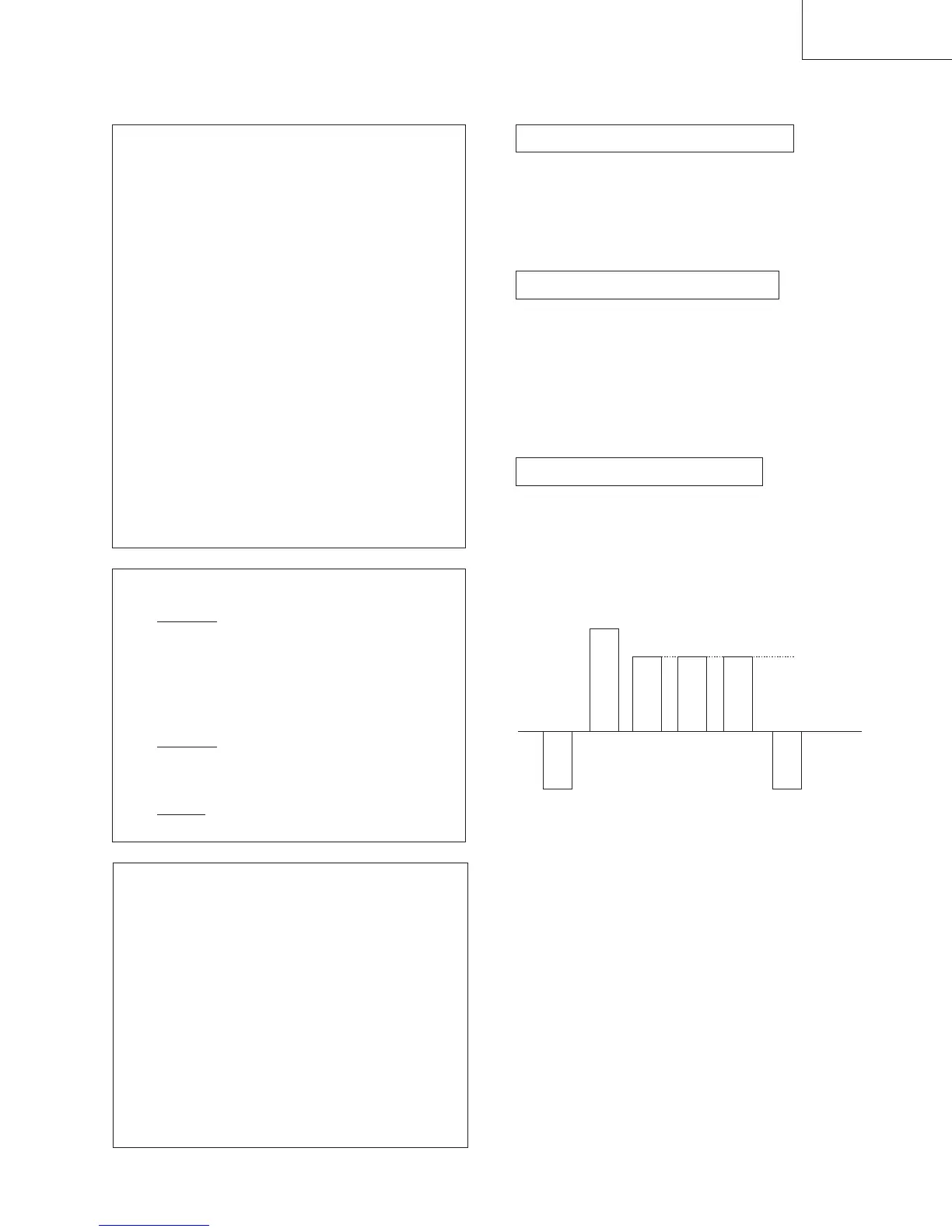
3. Connect an oscilloscope to pin 3 of CN301 (A board).
4. Enter into the Picture Adjustment Service Menu.
5. Adjust the Sub-contrast data to obtain a black to white
amplitude of 2.50 volts.
SUB COLOUR ADJUSTMENT
1. Receive a PAL Colour Bar video signal.
2. Connect an oscilloscope to pin 3 of CN301 (A board).
3. Enter into the Picture Adjustment Service Menu.
4. Adjust the sub colour data so that cyan, magenta and
blue colour bars are of equal height.
TV STATUS
Text system C TEXT/TV TEXT
Dolby NO/YES
Text language set WEST/EAST/RUSSIAN
Menu language set WEST/EAST/RUSSIAN
Destination B/D/U/K/L/E/A/R
Scart 16:9 OFF/ON
RGB priority OFF/ON
Ageing OFF/ON
Size 29/25
Colour trap sw SECAM/ALL
Velocity mod ON/OFF
AFT STATUS WINDOW/HIGH/LOW
NOTE: The data shown in the TV STATUS table is
dependant on destination, screen size and country.
B-Out waveform
SAME LEVEL



 To Next Page