9
-EN
Operations
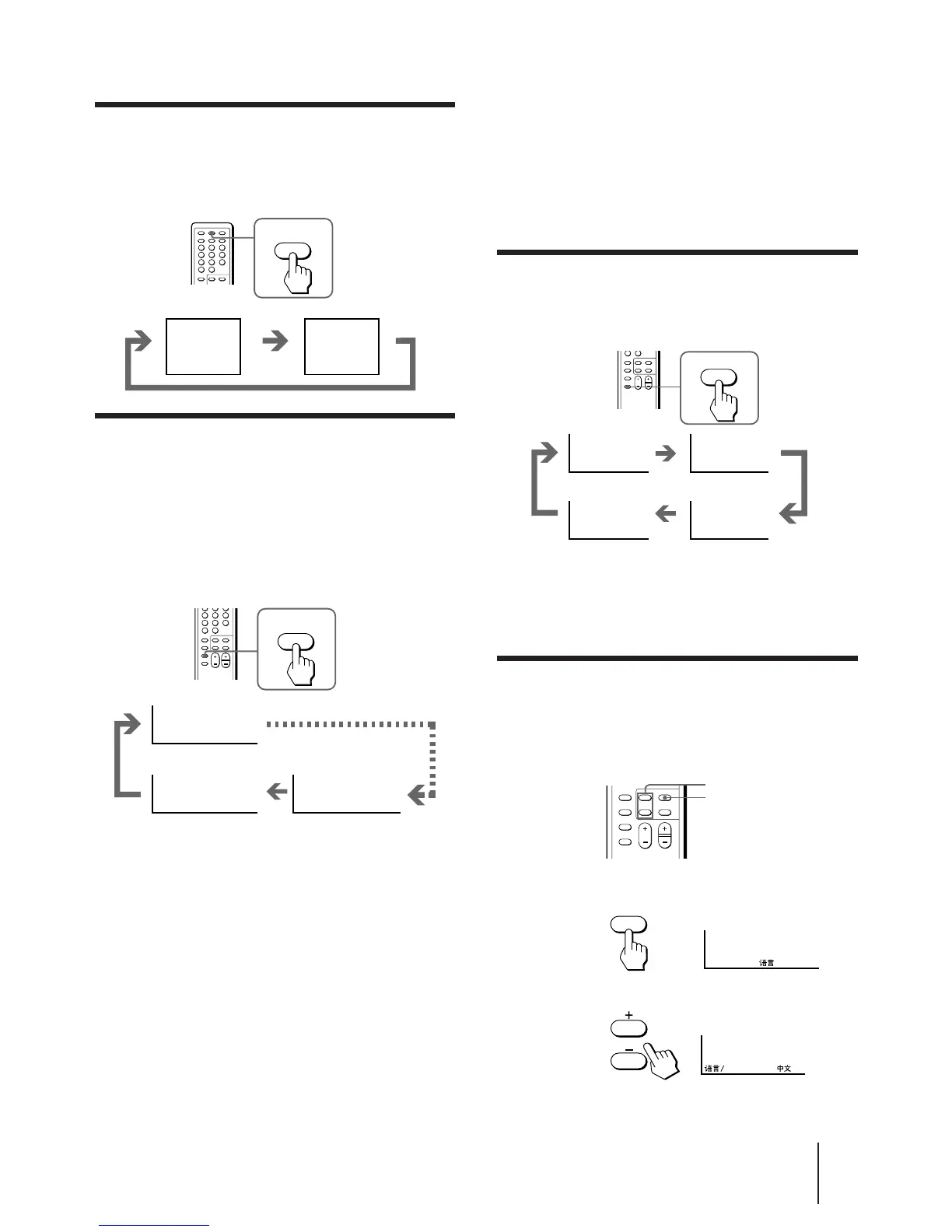
Setting the Sleep Timer
You can set the TV to turn off automatically after the
period of time you want.
Press SLEEP.
To cancel the Sleep Timer, press SLEEP repeatedly
until “SLEEP TIMER: OFF” appears, or turn the TV off.
Changing the on-screen display
language
If you prefer Chinese to English, you can change the
on-screen display language. You can use buttons on
both the remote commander and the TV.
1 Press SELECT until the screen appears as
follows:
2 Press + or – to select “####”.
Note
• You can also use VOLUME +/– on the TV to select the on-
screen display language.
Setting the Wake Up Timer
You can set the TV to turn on automatically after the
period of time you want.
1 Press WAKE UP/INDEX repeatedly to set the
timer.
The on-screen display appears and the WAKE UP
indicator lights up.
2 If you want a particular TV program or
video input to be displayed using the Wake
Up Timer, select the TV program or video
mode.
3 Press POWER on the remote commander or
set the Sleep Timer to turn off the TV in
standby mode.
To cancel the Wake Up Timer, press WAKE UP/INDEX
repeatedly until “WAKE UP TIMER: OFF” appears, or
turn off the main power of the TV.
Notes
• The Wake Up Timer starts immediately after the on-screen
display disappears.
Displaying on-screen information
Press DISPLAY/REVEAL.
The program position, local system, and TV settings are
displayed on the screen.
REVEAL
DISPLAY
1
AUTO B/G
STANDARD
INDEX
WAKE UP
No wake up timer
After 12 hours
• The last TV program position or video mode just before the TV
turns into standby mode will appear when the TV turns on
using the Wake Up Timer.
• If no buttons or controls are pressed for more than two hours
after TV is turned on using the Wake Up Timer, the TV
automatically turns into standby mode. When you want to
continue watching the TV, press any button or control on the
TV or remote commander.




 To Next Page