Adjustment Using the Menus
25
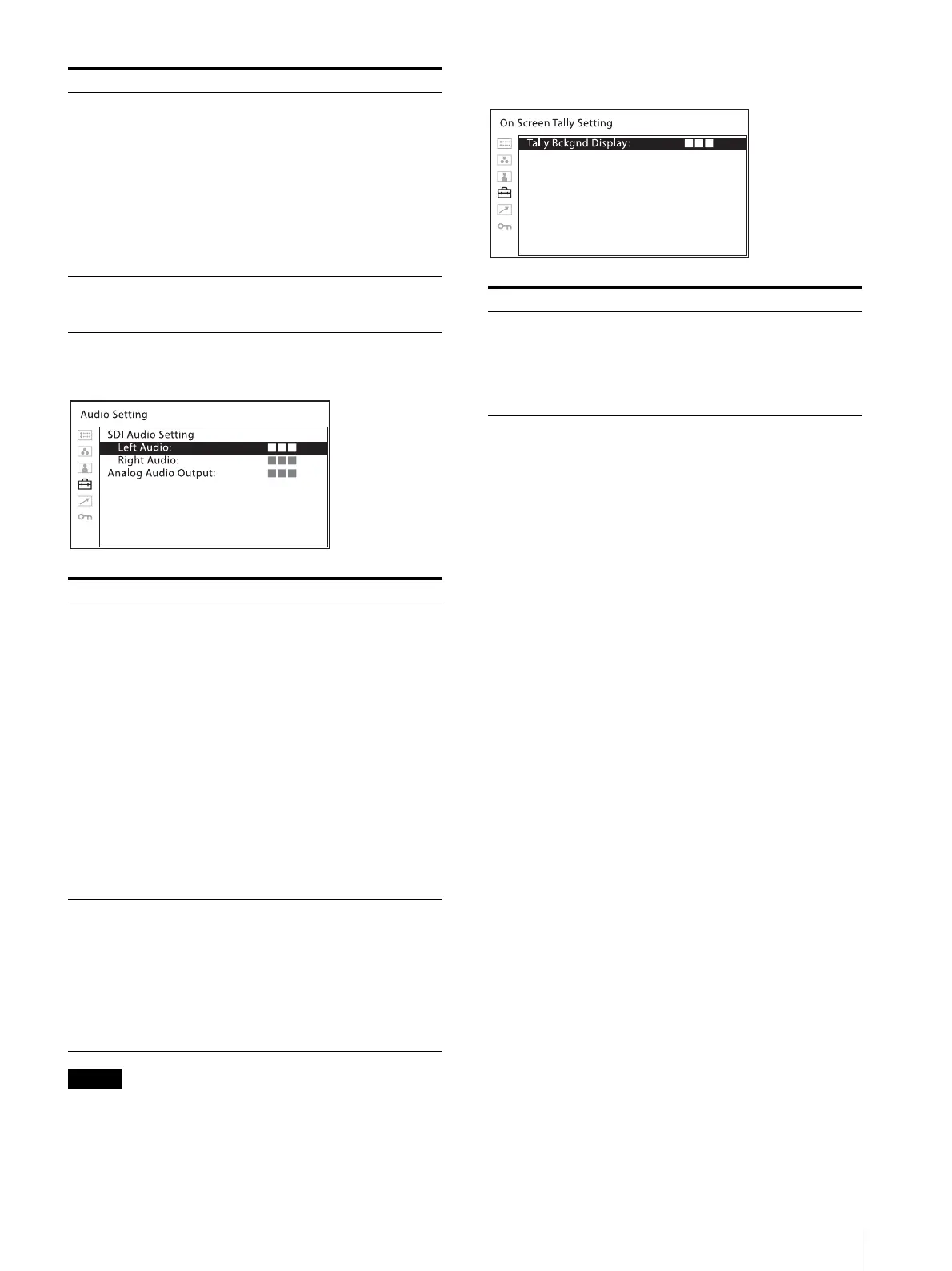
[Audio Setting]
The HDMI audio signal is output only from [CH1] or
[CH2].
[On Screen Tally Setting]
[Line Select] Select [On] to display the waveform of
the line assigned in [Position] below,
when [WFM] is selected.
[Color]: Selects the displayed line
color from among [Red], [Green],
[Blue], [Yellow], [White].
[Position]: Sets the line position.
When the numerical value is
increased, the line will move down;
when decreased, the line will move
up.
[Target] Select [75%] or [100%]. Switches the
vectorscope target between 75% and
100%.
Submenu Setting
[SDI Audio Setting] Sets the audio channel when SDI signal
is input.
[Left Audio]: Selects from channels
[CH1] to [CH16].
[Right Audio]: Selects from channels
[CH1] to [CH16].
When a channel from [CH1] to [CH8]
is selected in [Left Audio], you can
select a channel from [CH1] to [CH8]
in [Right Audio]. When a channel from
[CH9] to [CH16] is selected in [Left
Audio], you can select a channel from
[CH9] to [CH16] in [Right Audio].
You can display the L/R audio levels of
the selected channels. (see [WFM/
ALM/Vector (waveform monitor, audio
level meter, and vectorscope) Setting]
(page 23)).
[Analog Audio
Output]
Select an audio format to output from
speakers, headphone jack, and AUDIO
OUT connector.
[Embedded]: Outputs an audio signal
embedded in SDI or HDMI
signal.
[Analog]: Outputs an audio signal
that comes from the AUDIO IN
connector.
Submenu Setting
Submenu Setting
[Tally Bckgnd
Display]
The tally is displayed on the screen of
this unit.
When [Tally Bckgnd Display] is set to
[On], the mat is displayed on the tally
display area. When [Off], the tally is
displayed directly on the video signal.



 To Next Page