16
GB
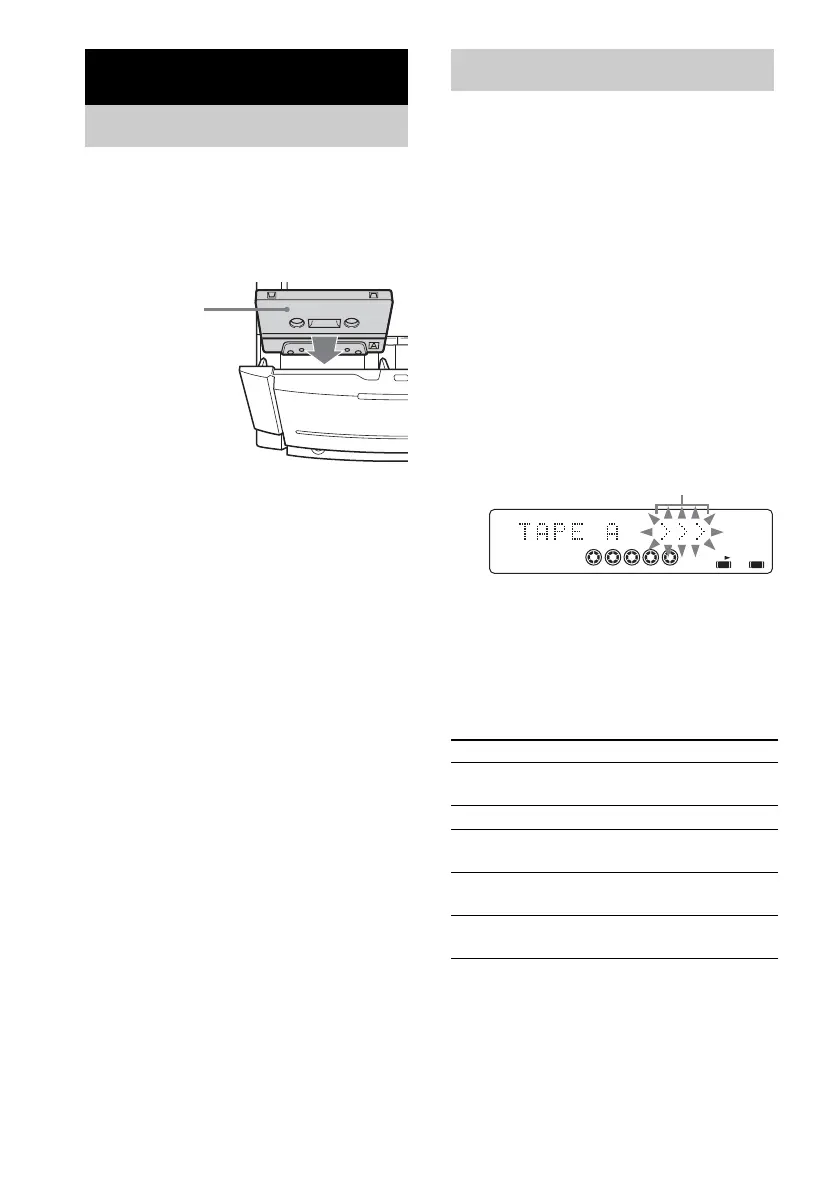
1 Press A TAPE Z or TAPE Z B on the
unit.
2 Load a recorded/recordable tape into
the cassette holder.
You can use TYPE I (normal) tape.
1 Load a tape.
2 Press TAPE (or FUNCTION repeatedly)
or TAPE A/B on the unit to switch the
function to TAPE.
3 Press TAPE (or TAPE A/B on the unit)
repeatedly to select deck A or B.
4 Press PLAY MODE repeatedly to select
“g” to play one side. Select “j”
*
to
play both sides. Select “RELAY” (Relay
Play)
*
to play both decks in
succession.
5 Press N (or nN on the unit).
The tape starts playing. Press the button
again to play the reverse side.
* Relay play always follow this cyclic sequence:
Deck A (front side) t Deck A (reverse side)
t Deck B (front side) t Deck B (reverse
side)
For MHC-NXM1, deck A does not play the
reverse side.
Other operations
* For MHC-NXM1, deck A does not play the reverse
side.
Tape – Play
Loading a tape
With the side you
want to play/record
facing towards you.
Playing a tape
To Do this
Play the reverse
side*
Press N (or nN on the unit)
again during play.
Stop play Press x.
Pause Press X. Press again to resume
play.
Fast-forward or
rewind
Press m or M in stop mode.
Remove a tape Press A TAPE Z or TAPE Z B
on the unit.
RELAY
1 2 3
4 5
A B
Playing direction



 To Next Page
 Loading...