Help Guide
Home Audio System
MHC-V13
Listening to FM radio
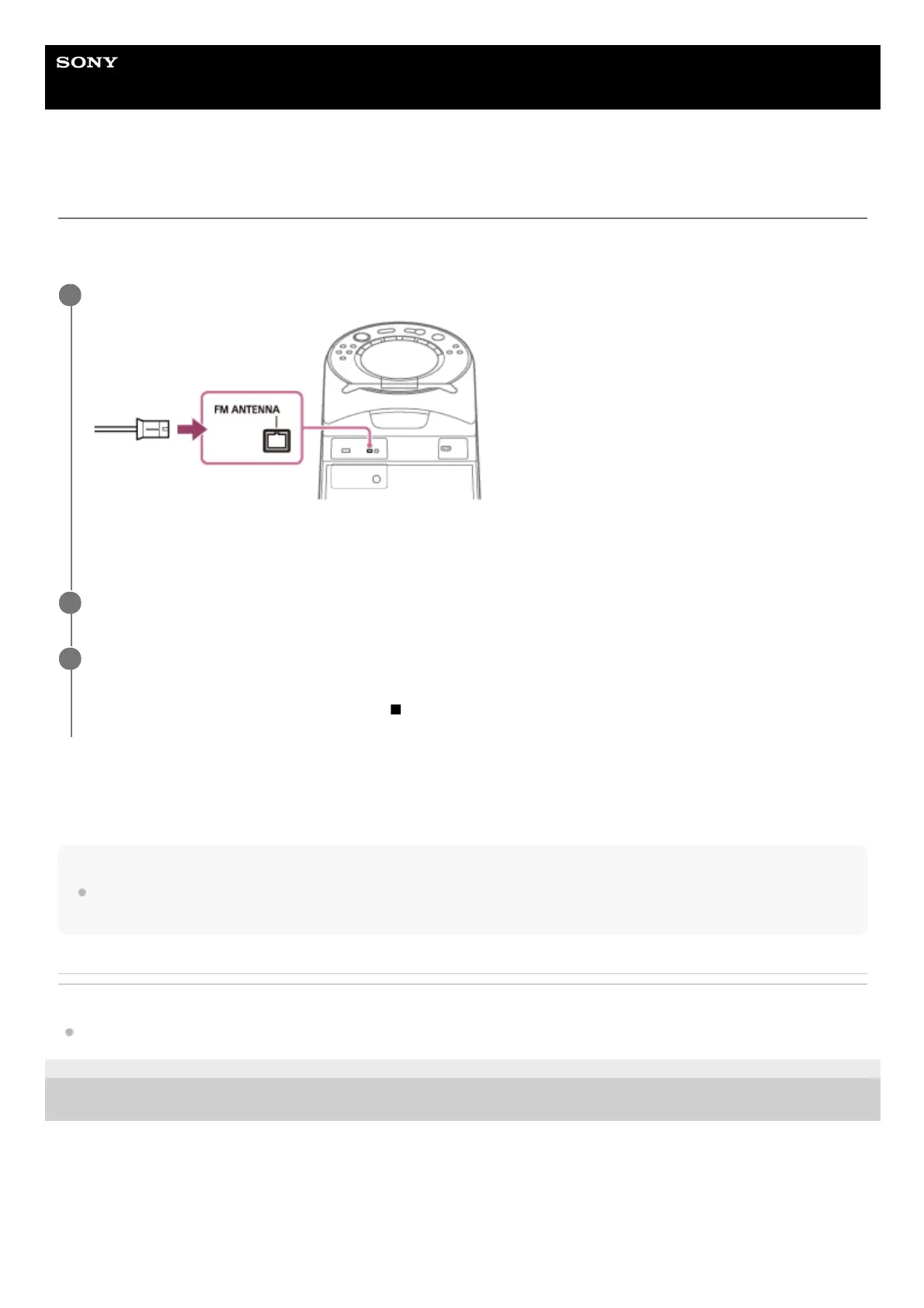
Before listening to the FM radio, you need to connect the FM lead antenna (aerial) (supplied) to the FM ANTENNA
terminal on the system and tune into an FM station which you want to listen to.
For manual tuning
Press TUNING -/+ repeatedly to tune into the station which you want to listen to.
Hint
To reduce static noise on a weak FM stereo station, press REPEAT/FM MODE repeatedly until [ST] lights off on the display. You
will lose the stereo effect, but reception will improve.
Related Topic
Presetting radio stations
5-013-968-11(1) Copyright 2020 Sony Corporation
Connect the FM lead antenna (aerial) to the FM ANTENNA terminal on the system.
Extend the antenna (aerial) horizontally. Keep the antenna (aerial) away from the AC power cord (mains lead) and
the USB cable to avoid picking up noise.
1
Press FUNCTION repeatedly to select [TUNER FM].
2
Hold down TUNING -/+ until the frequency begins to change on the display.
Scanning stops automatically when the system tunes into a station. [ST] (for FM stereo programs only) lights up on
the display. If scanning does not stop, press
(stop) to stop scanning. Then, perform manual tuning (below).
3



 To Next Page