Help Guide
Home Audio System
MHC-V13
Enjoying music with the lighting (Speaker Light)
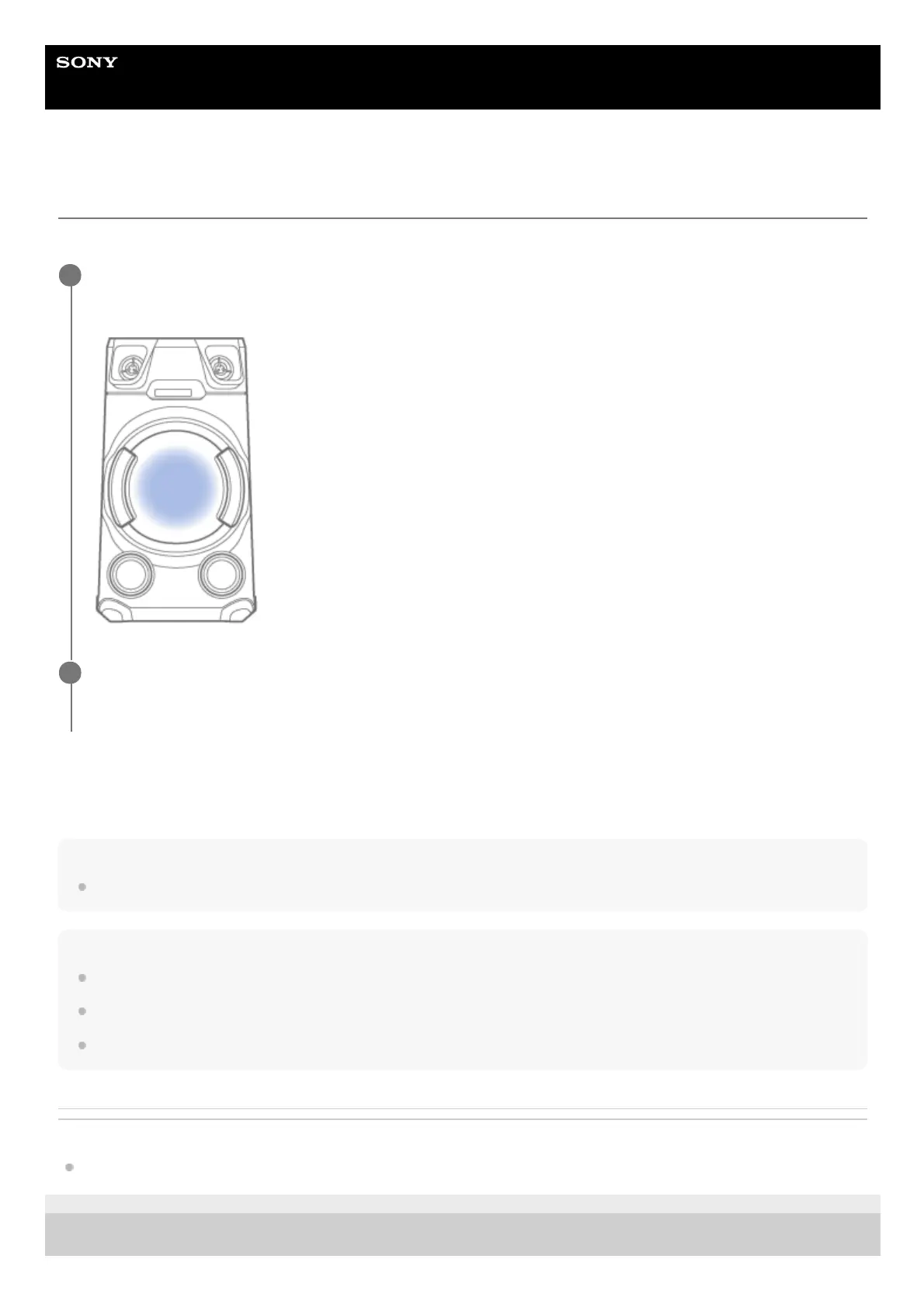
The system lights up with the music to liven up the atmosphere. At the time of purchase, this setting is set to on.
To turn off the lighting
Press PARTY LIGHT repeatedly to select [LED OFF].
Hint
You can also use SPEAKER LIGHT on the system to select [LED ON]/[LED OFF].
Note
Do not look directly at the light-emitting part when the lighting is turned on.
If the lighting brightness is glaring, switch on the room lights or turn off the lighting.
You can turn on or off the lighting when the demonstration is turned on.
Related Topic
Turning off the demonstration mode
5-013-968-11(1) Copyright 2020 Sony Corporation
Press PARTY LIGHT repeatedly during playback to select [LED ON].
The part of the system illustrated below lights up.
1
Press LIGHT MODE repeatedly to select the lighting mode you want.
The lighting mode is different when Wireless Party Chain or Stereo Pair function is activated.
2



 To Next Page