GB
19
Preparing the camera
x
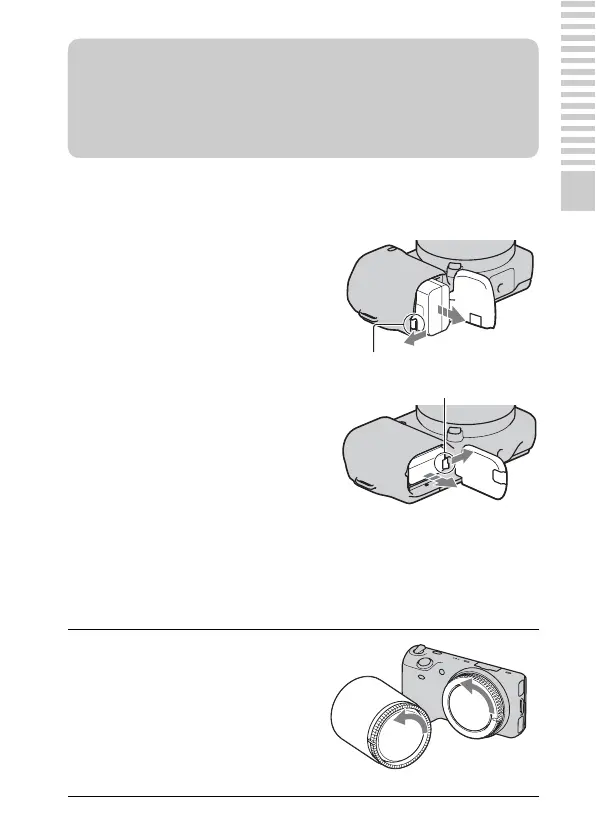
Removing the battery pack
Attaching/removing the lens
The camera will come with the lens attached (except for the NEX-5H/5CH).
Refer to the steps below when attaching other lenses.
Turn off the camera and slide the lock
lever in the direction of the arrow. Be
careful not to drop the battery pack.
1
If the body cap or the
packaging lid is attached,
remove it from the camera or
the lens.
• Quickly change the lens somewhere
away from dusty locations so as to
keep dust or debris from getting
inside the camera.
z What is an “InfoLITHIUM” battery pack?
An “InfoLITHIUM” battery pack is a lithium-ion battery pack that has functions
for exchanging information related to operating conditions with your camera.
Using the “InfoLITHIUM” battery pack, the remaining battery time in percent
figures is displayed according to the operating conditions of your camera.
NEX-5/5C
Lock lever
NEX-3/3C
Lock lever


 To Next Page