GB
41
Using the recording functions
x
Sweep Panorama
While you pan the camera, the camera shoots several images and composes
them into one panoramic image.
• The camera continues shooting during [Sweep Panorama] recording, and the
shutter keeps clicking until the end of the shooting.
1
Select (Sweep Panorama) (page 39).
2
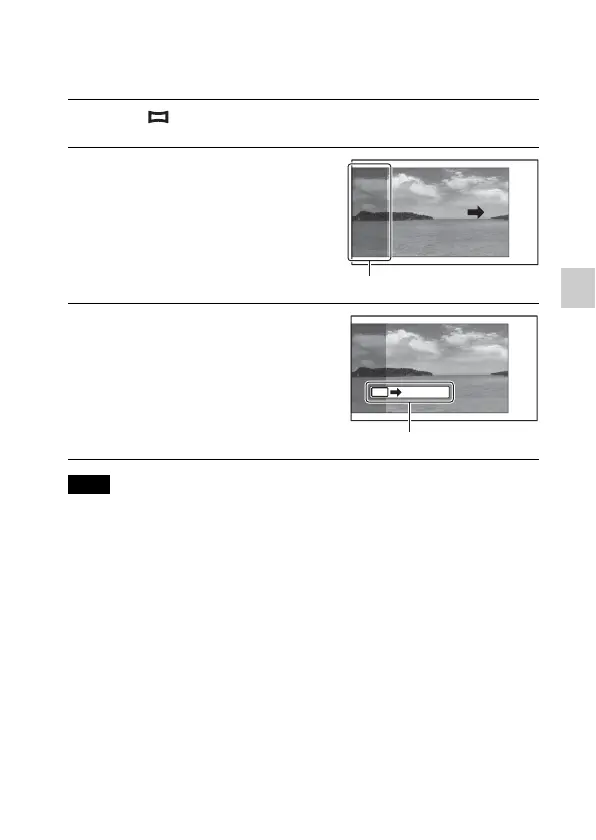
Point the camera at the edge
of the subject, then press the
shutter button fully down.
This part will not be taken.
3
Pan the camera to the end,
following the guidance on the
LCD monitor.
Guidance bar
Note


 To Next Page